

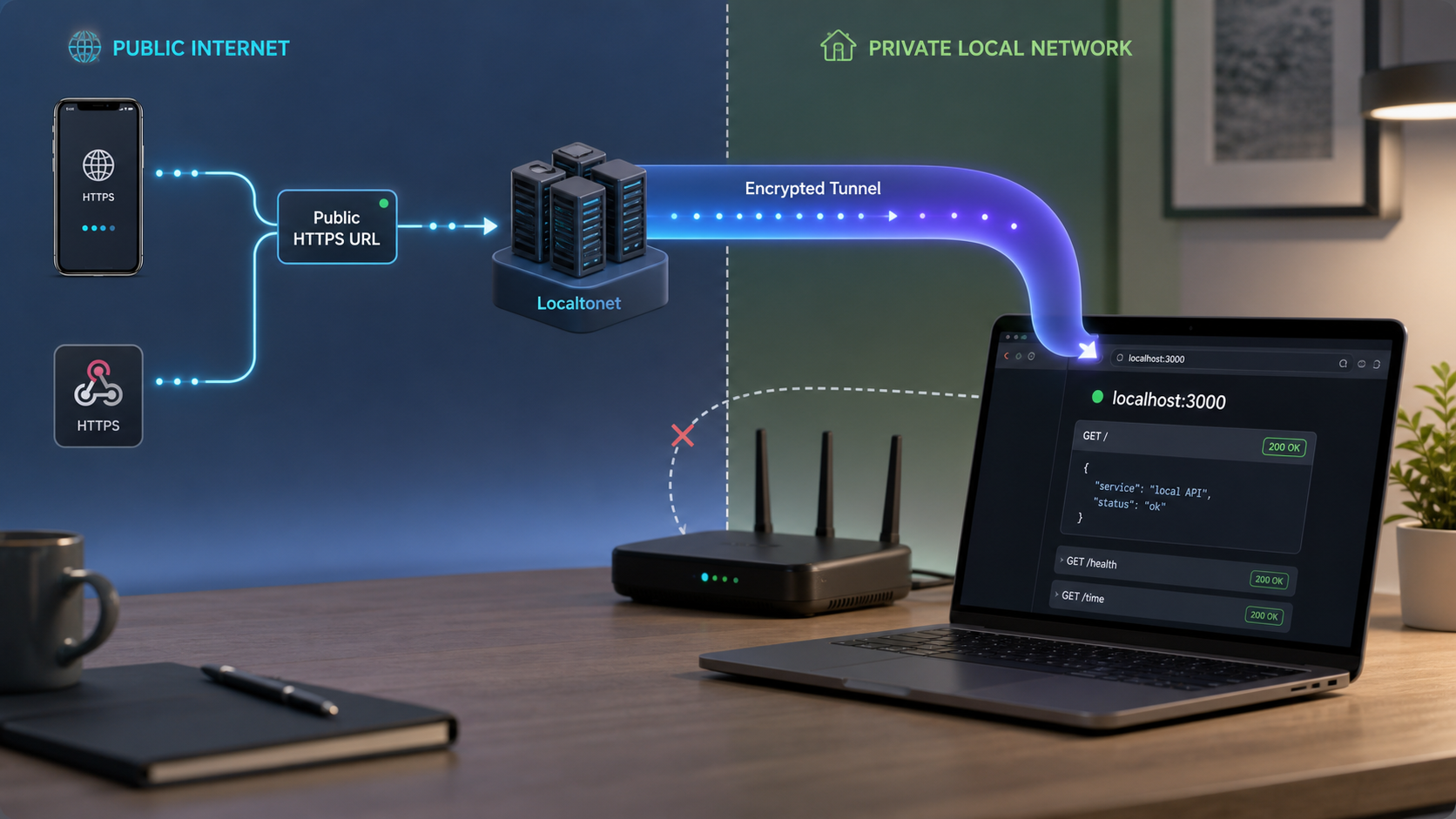
Give external systems a controlled path to the API running on your machine
A local API is normally reachable only from its host or private network. That becomes a problem when a webhook provider, physical phone, OAuth provider, teammate, automation platform, or remote test runner needs to call it. This guide explains how to verify the API locally, choose the appropriate tunnel type, configure Localtonet without inventing client commands or dashboard options, test the public path, and shut it down safely. It also covers framework setup, proxy behavior, integration-specific security, operations, and common failures.
📋 What's in this guide
Why localhost is not publicly reachable
An API bound to 127.0.0.1 or localhost accepts connections originating on the same machine. A phone using mobile data, a cloud webhook provider, and a remote teammate cannot route requests to that loopback address. Even a private LAN address such as 192.168.1.50 is not normally routable from the public internet.
Traditional inbound exposure can involve a public IP address, router port forwarding, firewall rules, and careful control of the service listening behind those rules. That can be appropriate for deliberately managed infrastructure, but it is often inconvenient for a temporary development workflow. It may also be unavailable when the developer cannot administer the router or is behind carrier-grade NAT.
With Localtonet, the client application on your device establishes an outbound connection to a Localtonet relay server. The running tunnel publishes either a public URL or a public host and port, depending on the selected tunnel type. Requests arriving at that public endpoint travel through the relay and the established client connection to the configured local IP address and port.
Treat a development tunnel as an internet exposure boundary. Keep API authentication enabled, restrict authorization, use non-production data, validate inbound messages, and stop the tunnel as soon as the test is complete. A public address is not a substitute for application-layer security.
Prerequisites and preflight checks
Prepare the API and its security controls before creating a public path to it. This local-first approach separates application failures from tunnel failures and avoids exposing a half-configured service.
A locally working API
Start the API using its normal development command and identify its listening address and port. Test a harmless health or example endpoint from the same machine. If this request fails, fix the application before configuring Localtonet.
curl -i http://127.0.0.1:3000/api/helloA successful response should include the expected status code, headers, and body. Prefer a dedicated health endpoint or an endpoint backed by disposable test data. Do not use production credentials or create real orders, messages, payments, or customer records merely to verify connectivity.
Required runtime and framework dependencies
Install a currently supported runtime for the framework you intend to use. Record the actual runtime and dependency versions in your project lockfile or development documentation so teammates can reproduce the environment. The examples below show dependency installation and startup, but your existing project may already define these through a package manager, container, or task runner.
A Localtonet account and connected client
You need a Localtonet account, the Localtonet client application installed for the operating system that will run the tunnel, and a device-specific authentication token. Install and run the client on a device that can reach the target API. The token identifies that client device and must be kept secret.
The available client installation path and user interface can vary by operating system and client version. Use the current download and installation instructions presented by Localtonet rather than copying an unverified command from an older tutorial. This guide intentionally does not provide a guessed CLI flag.
An available relay selection
Select an available Localtonet relay server or region when configuring the tunnel. Server codes and availability can change and may vary by account or plan, so obtain the current value from the product instead of hardcoding a server name from an example.
Application security prepared in advance
- Enable API authentication for every route that does not intentionally need anonymous access.
- Use a test account with only the permissions needed for the scenario.
- Configure CORS for the exact development origin when a browser-based client will call the API.
- Confirm how the framework handles forwarded scheme, host, and client-address headers.
- Remove secrets, session tokens, authorization headers, and personal data from debug logs.
- Apply request-size limits, timeouts, and rate limiting suitable for an internet-facing test endpoint.
- Prepare a shutdown plan so the tunnel is stopped promptly after testing.
If the Localtonet client and API run on the same machine, a target such as 127.0.0.1 is usually the narrowest useful binding. If the client runs on another device, the API must listen on an address reachable from that client, and the host firewall must permit that local connection. Binding to 0.0.0.0 exposes the process on all available IPv4 interfaces, so use it only when required and protect the local network path appropriately.
Choose the right tunnel type
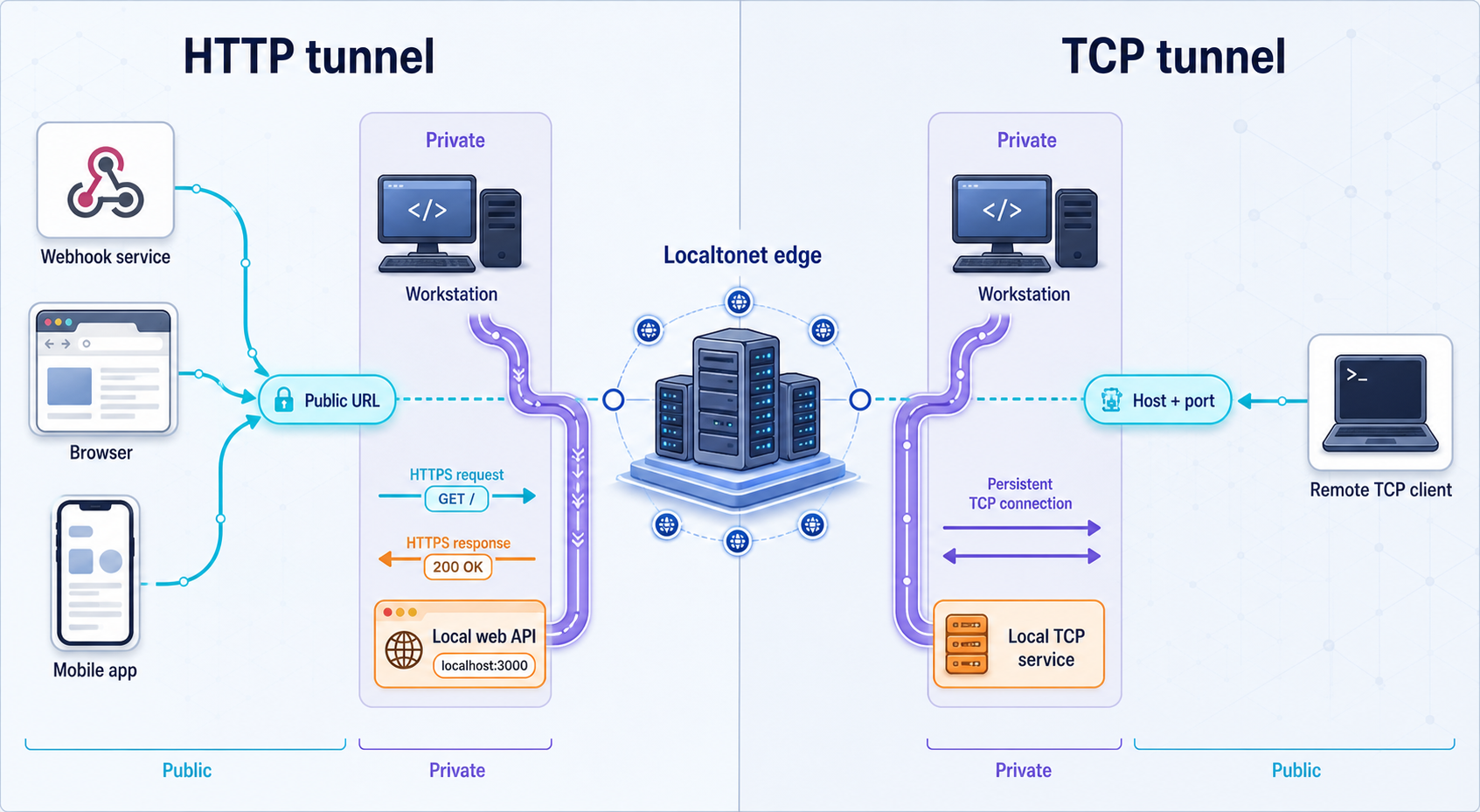
Choose according to the protocol actually spoken by the client and server, not merely the programming framework. REST and ordinary JSON APIs are normally HTTP applications. WebSockets begin with an HTTP upgrade request. gRPC commonly uses HTTP/2. Those details mean WebSockets and gRPC should not automatically be classified as generic raw TCP services.
| Traffic | Starting point | Important qualification |
|---|---|---|
| REST, JSON, GraphQL, webhooks, OAuth callbacks | HTTP tunnel | These are HTTP workflows. Test methods, headers, request bodies, redirects, and authentication through the assigned public HTTPS address. |
| Local HTTPS application | HTTP/s or TLS option, depending on the required end-to-end behavior | Do not assume a plain HTTP target when the local application requires TLS. Confirm the current tunnel option and test certificate, host, and scheme expectations. |
| WebSocket application | Evaluate the HTTP tunnel first | A WebSocket session normally starts as an HTTP upgrade. Current compatibility for the exact client, server, and tunnel configuration should be confirmed by testing rather than assumed. |
| gRPC | Test against current HTTP/2 or raw transport requirements | gRPC commonly depends on HTTP/2 and may use TLS. The supplied product evidence does not establish every gRPC mode, so verify the exact client, transport, and tunnel type before relying on it. |
| Custom TCP protocol | TCP tunnel | Use the assigned public host and port with a protocol-aware client. An HTTP curl request is not a valid test for an arbitrary TCP service. |
| TLS stream requiring protocol preservation | TLS tunnel | Confirm current product behavior and local certificate or server-name requirements for the specific service. |
| UDP or combined UDP/TCP application | UDP or combined UDP/TCP tunnel | Use these only when the application actually requires those transports. Verify client behavior, packet size, retries, and timeout handling. |
HTTP tunnels support Random Sub Domain, Custom Sub Domain, and Custom Domain process types. These process types serve the same content at a public HTTPS address. Availability can vary by plan or current product configuration. If you use a custom domain, follow the current Localtonet DNS documentation rather than relying on old record values.
Create and verify a small local API
Skip this section if your API already works locally. Otherwise, use one of these minimal examples to establish a known-good endpoint. Each example returns non-sensitive JSON and can be verified before any tunnel is created.
Node.js with Express
Install a currently supported Node.js LTS release, confirm it with node --version, and initialize a project. The following CommonJS example installs Express as a project dependency.
mkdir local-api-example
cd local-api-example
npm init -y
npm install express
const express = require("express");
const app = express();
const port = 3000;
app.use(express.json());
app.get("/api/hello", (req, res) => {
res.json({ message: "Hello from the local API" });
});
app.post("/api/echo", (req, res) => {
res.status(200).json({ received: req.body });
});
app.listen(port, "127.0.0.1", () => {
console.log(`API listening on http://127.0.0.1:${port}`);
});
Save the code as server.js, start it, and test both routes:
node server.js
curl -i http://127.0.0.1:3000/api/hello
curl -i -X POST http://127.0.0.1:3000/api/echo \
  -H "Content-Type: application/json" \
  --data '{"test":"local-only","sequence":1}'
Keep the loopback binding when the Localtonet client runs on this machine. If a separate LAN device runs the client, choose an appropriate reachable binding and apply host firewall rules. Add CORS middleware only when a browser origin needs cross-origin access, and allow the exact origin rather than reflecting arbitrary origins. Do not enable credentialed CORS with a wildcard origin.
Express does not automatically know which forwarding headers are trustworthy. If application logic depends on the original scheme, host, or client address, configure trusted proxy behavior only for a verified proxy path. Do not blindly trust every proxy source, because a false trust configuration can let callers influence security-sensitive values.
Python with FastAPI
Use a supported Python 3 release and create a virtual environment so dependencies remain isolated from the system installation.
mkdir fastapi-local-example
cd fastapi-local-example
python -m venv .venv
source .venv/bin/activate
python -m pip install fastapi uvicorn
On Windows, activate the virtual environment using the activation command appropriate to PowerShell or Command Prompt. Save this application as main.py:
from fastapi import FastAPI

app = FastAPI()

@app.get("/api/hello")
def hello():
    return {"message": "Hello from the local API"}

@app.post("/api/echo")
def echo(payload: dict):
    return {"received": payload}
python -m uvicorn main:app --host 127.0.0.1 --port 8000
curl -i http://127.0.0.1:8000/api/hello
curl -i -X POST http://127.0.0.1:8000/api/echo \
-H "Content-Type: application/json" \
--data '{"test":"local-only","sequence":1}'If a browser frontend uses this API, configure FastAPI's CORS middleware with the exact public frontend origin and the methods and headers it needs. Proxy and forwarded-header settings affect generated URLs, redirects, scheme detection, and client-address handling. Enable them only for the known deployment path, especially when authentication or secure-cookie decisions depend on the perceived request scheme.
Python with Flask
mkdir flask-local-example
cd flask-local-example
python -m venv .venv
source .venv/bin/activate
python -m pip install flask
Save the following as app.py:
from flask import Flask, jsonify, request

app = Flask(__name__)

@app.get("/api/hello")
def hello():
    return jsonify(message="Hello from the local API")

@app.post("/api/echo")
def echo():
    return jsonify(received=request.get_json(silent=False))

if __name__ == "__main__":
    app.run(host="127.0.0.1", port=5000)
python app.py
curl -i http://127.0.0.1:5000/api/hello
curl -i -X POST http://127.0.0.1:5000/api/echo \
-H "Content-Type: application/json" \
--data '{"test":"local-only","sequence":1}'Flask's built-in development server is suitable for this focused development test, not as a general production deployment recommendation. If Flask rejects an unexpected host or generates an incorrect external URL, review the application's host validation and proxy configuration. Apply forwarded-header middleware only with a narrowly understood proxy count and trust boundary.
Go standard library
Install a supported Go release and confirm it with go version. This example uses only the standard library.
mkdir go-local-example
cd go-local-example
go mod init example.local/local-api
package main
import (
"encoding/json"
"log"
"net"
"net/http"
"time"
)
func hello(w http.ResponseWriter, r *http.Request) {
w.Header().Set("Content-Type", "application/json")
json.NewEncoder(w).Encode(map[string]string{
"message": "Hello from the local API",
})
}
func main() {
mux := http.NewServeMux()
mux.HandleFunc("/api/hello", hello)
server := &http.Server{
Addr: "127.0.0.1:8080",
Handler: mux,
ReadHeaderTimeout: 5 * time.Second,
BaseContext: func(net.Listener) context.Context {
return context.Background()
},
}
log.Fatal(server.ListenAndServe())
}
Add "context" to the import list for the example above, then start and test it:
go run .
curl -i http://127.0.0.1:8080/api/hello
Keep explicit server timeouts in internet-reachable development services. Validate allowed hosts in application code when host-based routing or security decisions depend on the request host. Treat forwarded headers as untrusted input unless they arrive through a verified proxy boundary.
Configure a Localtonet HTTP tunnel
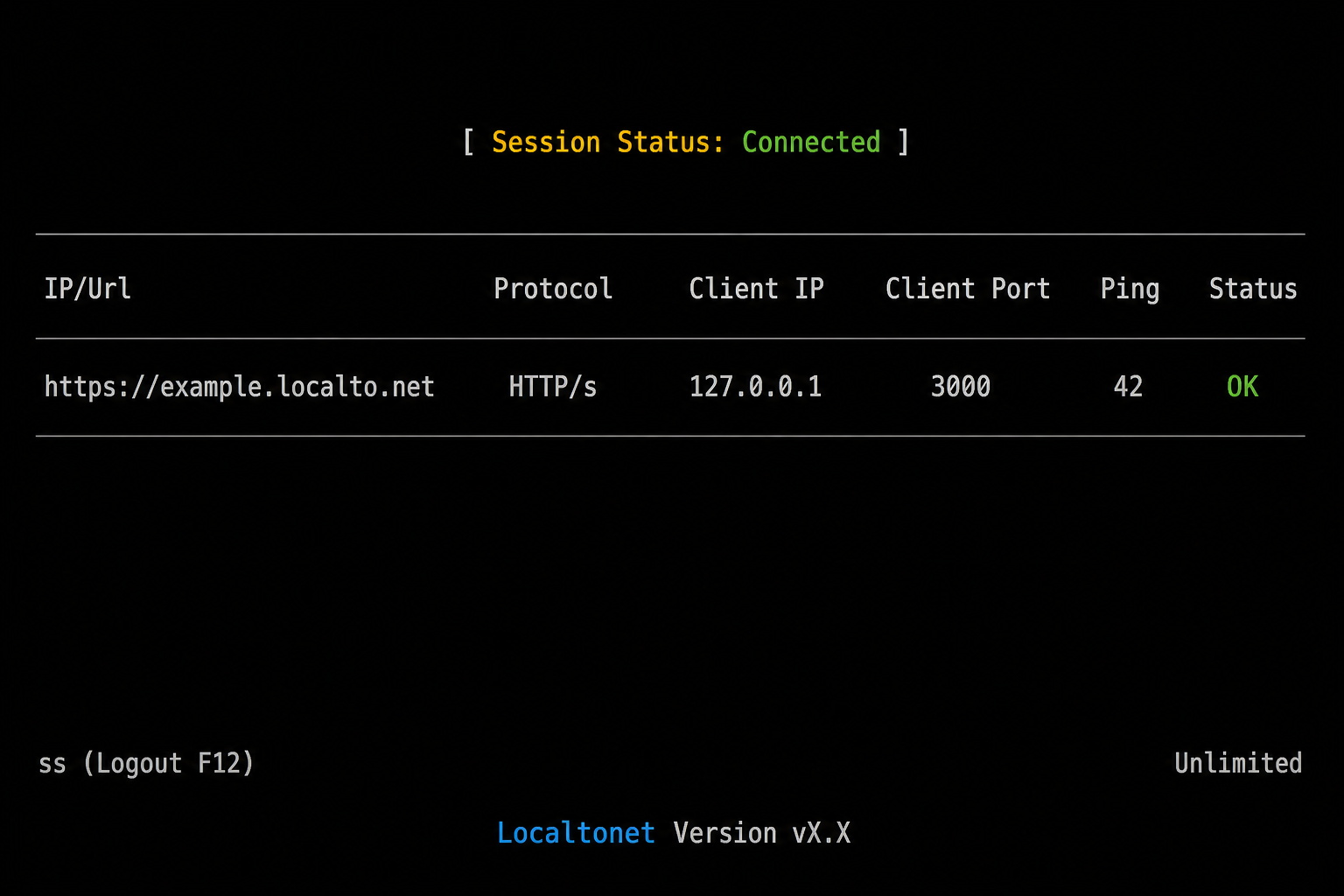
Use this workflow for REST APIs, JSON endpoints, GraphQL, browser-facing development APIs, webhooks, and OAuth callback routes. The exact labels and layout can vary by current client or dashboard version, so the instructions focus on the documented fields and lifecycle rather than an unverified navigation path.
Install and run the Localtonet client
Install the current Localtonet application for the operating system on the device that can reach the API. Run the client and confirm that the device is connected. Do not paste the device token into source code, shell history, screenshots, issue trackers, or logs.
Open the HTTP tunnel configuration
Create an HTTP/s tunnel and select the required Process Type: Random Sub Domain, Custom Sub Domain, or Custom Domain. All three are ways to publish the same HTTP content at a public HTTPS address. Use only options currently available to your account.
Select the device token and relay server
Choose the device-specific AuthToken for the connected client that will carry this tunnel. Select an available relay server or region from the current product interface. Do not copy a token or server code from another person's example.
Enter the local target address and port
For an API running on the same device, enter its loopback address and actual listening port, such as 127.0.0.1 and 3000. For a LAN target, enter an address the selected client can reach and verify that route locally first.
Create, then explicitly start the tunnel
Save or create the configuration, then press Start. Creation alone does not make the endpoint active. Confirm that the tunnel is running and that its selected client remains connected.
Copy and verify the assigned public address
Copy the public HTTPS address displayed for the running tunnel. Test a harmless endpoint from a device or network that is not relying on the API host's localhost or LAN route.
The following placeholder uses the reserved .example domain. Replace it with the exact address assigned to your running tunnel:
curl -i https://your-assigned-host.example/api/hello

curl -i -X POST https://your-assigned-host.example/api/echo \
  -H "Content-Type: application/json" \
  --data '{"test":"public-path","sequence":2}'
Compare the public response with the local response. Check the API's own logs to confirm that the expected method and path arrived exactly once. If the public request fails, keep the local API running and follow the systematic troubleshooting section below instead of changing multiple settings at once.
A tunneled request can have a public host and scheme that differ from the local listener. Application behavior involving absolute URLs, secure cookies, redirects, host validation, CORS, and client-address logging may therefore need explicit proxy-aware configuration. Do not assume the application will behave identically without testing these details.
Configure a Localtonet TCP tunnel
Use a TCP tunnel for a service that genuinely requires raw TCP forwarding. This is not the automatic choice for every protocol whose implementation ultimately uses TCP. WebSockets normally begin as HTTP, and gRPC commonly depends on HTTP/2, so test their protocol-specific requirements before selecting a tunnel.
Install and run the Localtonet client
Run the current client on the device that can reach the TCP service and confirm that the device is connected. Verify the local service independently with its normal protocol client.
Open the TCP tunnel configuration
Create a TCP tunnel for the raw port service. Do not choose TCP merely to work around an HTTP application error, because that can hide host, scheme, or protocol compatibility problems rather than solve them.
Select the device token and relay server
Choose the AuthToken belonging to the connected client and select a currently available relay server. Available values must come from the product interface and should not be hardcoded in project documentation.
Enter the local IP address and port
Enter the address and port where the service is actually listening. Use loopback for a same-device target or a verified reachable private address for a LAN target.
Create and start the tunnel
Create the configuration, then press Start. Confirm both the running tunnel state and connected client state before testing.
Test the assigned public host and port
Configure a protocol-aware test client with the exact host and port displayed by Localtonet. Validate a non-destructive operation and review the local service logs for the corresponding connection.
A basic port-connectivity tool can show that a TCP connection opens, but it does not prove that the application protocol works. Complete the test with the same client library or application that will use the service. For TLS-based or hostname-sensitive protocols, also verify server-name and certificate expectations.
The evidence supplied for this guide does not establish that every public hostname, subdomain, or port remains unchanged after deletion, recreation, or configuration changes. Store the current endpoint in development configuration rather than source code, verify it whenever the tunnel is recreated, and update registered webhook or OAuth callback addresses when necessary.
Configure common development and testing scenarios
Webhook delivery to a local handler
Create an HTTP tunnel to the locally verified webhook route, then register the full public path with the provider. For example, if the handler is /webhooks/provider, register the assigned public origin plus that exact path. Use the provider's test mode and test events whenever available.
Verify the provider's signature before parsing or acting on the event. Many webhook schemes sign the exact raw request bytes. Parsing JSON and serializing it again can change whitespace or ordering and invalidate the signature. Capture the raw body using the framework's documented mechanism, read the signature and timestamp headers, compute or verify the signature with the provider's official library where available, and reject invalid or stale messages before performing side effects.
Make the handler idempotent because providers may retry after a timeout or non-success response. Store the provider's event identifier and avoid applying the same event twice. Return the expected success status promptly, then move slow work to a controlled background process if the integration supports that architecture. Never log the webhook signing secret or full sensitive payload.
Mobile application testing
Put the assigned public HTTPS origin in a development-only mobile configuration. Do not compile production secrets into the application. Authenticate the mobile test user normally and use a narrowly privileged test account.
Test from the network that matters, such as mobile data or a separate Wi-Fi connection. Verify DNS resolution, certificate acceptance, redirects, API authentication, request timeouts, and error handling. If the mobile app stores the base URL at build time, rebuild or refresh its development configuration after the endpoint changes.
OAuth callback development
Register the complete assigned callback URI with the OAuth provider, including the scheme, host, path, port if applicable, and any provider-supported query requirements. OAuth providers commonly require an exact redirect URI match. A different subdomain, missing path segment, trailing-slash difference, or HTTP versus HTTPS mismatch can cause rejection.
Generate a cryptographically strong, single-use state value before redirecting the browser, associate it with the initiating session, and validate it on return. For flows using PKCE, generate and protect the verifier according to the provider's requirements. Exchange authorization codes only on the appropriate trusted component, prevent code reuse, and avoid logging codes, tokens, client secrets, or complete callback URLs containing sensitive parameters.
An access screen designed for interactive browser users may not suit an OAuth provider callback or a machine-to-machine API request because those callers cannot complete an interactive login flow. Protect the application using OAuth protocol validation and API authorization appropriate to the callback rather than assuming a browser-oriented access layer will work for every caller.
Sharing an API with a teammate
Share only the endpoint and temporary test credentials the teammate needs. Use least-privilege accounts, isolate test data, and agree on the available testing window. If a frontend is hosted on a different origin, add that exact origin to the API's CORS allowlist and allow only the necessary methods and headers.
Ask the teammate to report the request time, method, path, status, and a non-sensitive correlation identifier. This information is much more useful than a screenshot saying that the API failed. Remove their temporary authorization when the session ends and stop the tunnel.
Remote automation or AI-agent calls
A cloud workflow, remote automation system, or AI agent can call an HTTP API only while the local client remains connected and the tunnel remains running. Give the caller a dedicated API credential with narrow scopes, apply request and response size limits, and validate all inputs. For tools that can trigger side effects, require explicit authorization and design operations to be safely retried.
Do not put the Localtonet device token in the remote tool. The remote caller needs the public API endpoint and its own application credential, not the client device's tunnel credential. Treat prompts, generated arguments, uploaded files, and callback payloads as untrusted input.
CI and remote test runners
A remote CI runner can test a laptop-hosted API only if that laptop is already online, the correct Localtonet client is connected, the tunnel is running, and the endpoint has been supplied securely to the test job. An unrelated CI job cannot be assumed to control or start a tunnel on a developer laptop.
Keep the endpoint in protected CI configuration, not in the repository. Use a short-lived test credential, restrict the API to a disposable dataset, and prevent concurrent jobs from modifying the same records. Add readiness checks before the suite, bounded retries for transient startup conditions, and cleanup after the run. For repeatable automated testing, a controlled test host or isolated ephemeral environment may be more reliable than a sleeping developer workstation.
Security checklist for a publicly reachable development API
CORS is a browser policy, not API authentication
Configure CORS only for browser applications that require cross-origin calls. Allow the exact frontend origin and necessary methods and headers. If cookies or browser credentials are used, configure credentials deliberately and do not combine them with a wildcard origin. Non-browser clients can call an endpoint regardless of browser CORS enforcement, so authentication and authorization remain mandatory.
Forwarded headers require a trust decision
Reverse-proxy paths may provide information about the original host, scheme, or client address through forwarded headers. Frameworks vary in whether they ignore, trust, or transform those values. Trusting arbitrary forwarded headers can affect secure-cookie logic, redirect construction, IP-based controls, and audit records.
Configure proxy trust only when you understand which component supplies the headers and which source is allowed to do so. The current evidence does not provide relay address ranges for a source-based trust rule, so do not invent them. Where precise trust cannot be established, avoid using forwarded client addresses as an authentication or authorization signal.
Host validation and absolute URLs
Some development servers accept only expected hostnames. A request through the tunnel uses the public host, which can trigger an invalid-host response even though direct localhost requests work. Add only the assigned development host to the application's allowed-host configuration. Do not disable host validation globally merely to make a test pass.
Applications that generate absolute redirects, password-reset links, webhook URLs, or OAuth callback URLs must use the intended public origin. Configure that origin explicitly where the framework supports it, then verify generated links. Avoid constructing security-sensitive URLs from an unvalidated Host header.
Browser access layers versus machine clients
A protection layer that asks users to sign in through an interactive browser can be useful for a human preview, but webhook senders, OAuth callbacks, mobile APIs, CI jobs, and other machine clients may not be able to complete that interaction. Use API keys, signed webhooks, OAuth client credentials, mutual authentication where supported by the application, or another machine-compatible method appropriate to the integration. Availability of specific tunnel-level access options can vary, so confirm current product and plan behavior before designing around one.
Verify, operate, rotate, and shut down the tunnel
Use a layered verification sequence
- Confirm the API process is running.
- Call the target address and port directly from the Localtonet client device.
- If the API is on another LAN host, call it from the client device using the exact configured LAN address.
- Confirm the Localtonet client is connected with the intended device token.
- Confirm the tunnel has been explicitly started and is shown as running.
- Call the assigned endpoint from a separate network.
- Correlate the public request with the API's local log entry.
- Verify the response content, headers, redirects, authentication, and side effects.
This sequence identifies the failing layer without guesswork. A failed local call indicates an application or binding problem. A successful local call followed by a failed public call points toward the target configuration, client connection, tunnel state, protocol choice, or application handling of the public request.
Monitor the dependencies that keep the endpoint available
The public endpoint depends on three active components: the API process, the selected Localtonet client connection, and the running tunnel. Closing the API, disconnecting the client, changing networks, or allowing the machine to sleep can interrupt access. A tunnel intended for a scheduled test should be checked shortly before the test begins rather than assumed to remain available.
Use platform-wide Token/Tunnel webhooks only if you need notifications when a token or tunnel in a selected Token Group becomes Connected or Disconnected. Those notifications carry tunnel or token lifecycle information. They are separate from File Server file-event webhooks and do not report API request payloads.
Handle endpoint changes as configuration changes
Keep the assigned public origin in an environment-specific configuration value. If a tunnel is deleted, recreated, or assigned a different endpoint, update mobile builds, webhook registrations, OAuth redirect URI allowlists, remote automation settings, teammate configuration, and CI secrets as applicable.
Never assume that a custom domain, selected subdomain, or public port is available on every plan or that its behavior never changes. Check the current product options and DNS instructions. After any endpoint change, rerun both local and external verification.
Shut down cleanly
Stop incoming tests
Disable the provider's test delivery, pause remote automation, or notify teammates before removing their endpoint.
Stop the tunnel
Use the tunnel's Stop action. Confirm that it is no longer running. Stop the client as well if the device no longer needs any Localtonet connection.
Revoke temporary access
Remove test API keys, sessions, webhook secrets, OAuth test configuration, and temporary teammate permissions that are no longer required.
Clean up test data and configuration
Delete disposable records and remove obsolete public endpoints from provider dashboards, mobile configuration, automation tools, and CI settings. Delete the tunnel configuration if it should not be reused.
Troubleshooting a local API tunnel
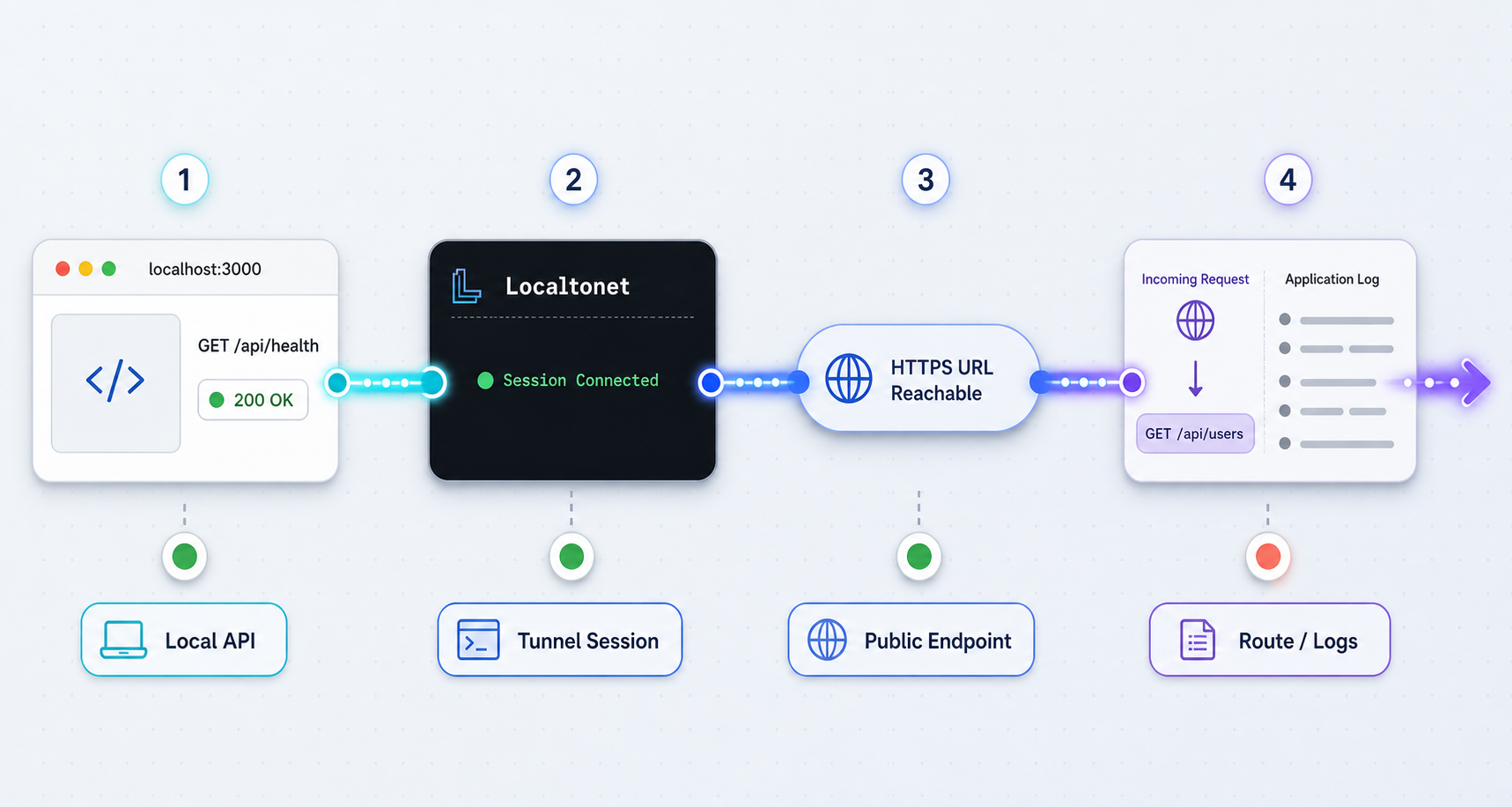
| Symptom | Likely area | What to check |
|---|---|---|
| The public endpoint is unavailable | Client or tunnel lifecycle | Confirm the selected client is connected and the tunnel was explicitly started. Creation alone is not sufficient. |
| Connection refused | Local process or port | Verify the API is running and listening on the configured port. Call the exact target from the client device. |
| Localhost works, but the configured target does not | Wrong target address | Check whether the client and API are on the same machine. For a LAN service, verify routing, binding, and host firewall access from the client device. |
| Invalid host or rejected hostname | Application host validation | Add the assigned public host to the development allowlist. Do not disable host checks globally. |
| Redirects point to localhost or HTTP | Public-origin or proxy configuration | Configure the intended external origin and carefully review trusted proxy and forwarded-scheme behavior. |
| Browser reports a CORS failure | API CORS policy | Allow the exact frontend origin, required methods, and required headers. Check the preflight response and credential settings. |
| Browser blocks mixed content | Frontend API URL | An HTTPS page cannot normally call an insecure HTTP API from browser code. Use the assigned public HTTPS API origin and remove hardcoded local HTTP URLs. |
| Webhook signature fails | Body parsing or secret mismatch | Verify against the raw request bytes, the correct secret, and the provider's specified signature and timestamp headers. |
| Webhook arrives more than once | Provider retry behavior | Respond within the provider's expected time and make processing idempotent using the event identifier. |
| Request times out | Slow handler or network interruption | Inspect local logs, bound processing time, move slow work out of the request where appropriate, and confirm the client device stayed awake and connected. |
| It worked earlier and then stopped | Machine sleep, network change, or stopped component | Wake the device, restart the API if needed, confirm the client reconnects, and verify the tunnel remains started. |
| WebSocket or gRPC client cannot connect | Protocol compatibility | Confirm the exact HTTP upgrade, HTTP/2, TLS, server-name, and client requirements. Do not switch blindly between HTTP and TCP without protocol-level testing. |
Diagnose with logs from both ends
Start with the API's own access and error logs. If no request appears, the failure is before the application. If a request appears with an error response, inspect the method, path, host, content type, authentication result, and exception. Add a non-sensitive correlation identifier to the request when possible so a remote tester can identify the matching local log entry.
Avoid logging complete authorization headers, cookies, OAuth parameters, webhook signatures, or request bodies containing personal information. A useful diagnostic log records timing, route, status, request size, and a safe identifier without becoming a second source of sensitive data.
Check HTTP and HTTPS assumptions
Confirm what the local service actually accepts. A plain HTTP server will reject a direct TLS handshake, while a TLS-only service will reject plain HTTP. Select the Localtonet tunnel option that matches the required public and local protocol behavior, and verify it using the current product documentation. Do not infer transport behavior from the framework name alone.
Check timeouts at every layer
A request can time out in the caller, the provider, the application server, a database client, or downstream code. Reproduce the handler locally with the same payload size and operation. Set explicit, bounded timeouts and return a prompt acknowledgement for webhook designs that support asynchronous processing. Increasing every timeout can hide a deadlock or dependency failure rather than solve it.
Frequently asked questions
Can Localtonet expose an API running on another machine on my LAN?
Yes. HTTP, TCP, UDP, combined UDP/TCP, and TLS tunnel targets can point to an IP address and port reachable from the connected client device. Verify the LAN address from that client first, make sure the API listens on a reachable interface, and permit the connection through the target host's local firewall. Do not use 127.0.0.1 to refer to a different machine.
Does creating a tunnel make the API immediately available?
No. Creating the configuration and running it are separate lifecycle actions. Select the correct connected client, create the tunnel, and press Start. The endpoint remains usable only while the selected client is connected, the tunnel is running, and the target API remains available.
Should I use a TCP tunnel for WebSockets?
Not automatically. A WebSocket connection normally starts with an HTTP upgrade request, so an HTTP tunnel is the logical first option to evaluate. Exact compatibility is not established by the supplied evidence for every client and server combination. Test the upgrade, connection lifetime, authentication, and secure wss behavior before depending on it.
Should gRPC always use a raw TCP tunnel?
No. gRPC commonly uses HTTP/2 and may require TLS and specific server-name behavior. Determine whether the client uses native gRPC, gRPC-Web, plaintext HTTP/2, or TLS, then test that exact mode against the current Localtonet tunnel options. Do not classify gRPC solely as generic TCP.
Will my assigned public endpoint always stay the same?
Do not assume permanence unless the current product configuration explicitly provides it. HTTP process types include Random Sub Domain, Custom Sub Domain, and Custom Domain, but availability can vary. Treat the endpoint as environment configuration, verify it after tunnel changes, and update webhook, OAuth, mobile, automation, or CI settings when necessary.
Does a public HTTPS address remove the need for API authentication?
No. HTTPS protects a transport path but does not decide who may call an API or what they may do. Keep application authentication, authorization, input validation, test-data isolation, rate limiting, and secret handling in place. Webhooks should also verify provider signatures.
Can a CI job start a tunnel that runs on my laptop?
An unrelated remote CI job should not be assumed to control a laptop-hosted client. The laptop must already be online, the correct Localtonet client must be connected, the tunnel must be running, and the current endpoint must be supplied securely to the job. For repeatable automation, use a deliberately controlled test host or environment.
Why does my API return an invalid-host or incorrect-redirect error only through the tunnel?
The public request uses a different host and possibly a different externally visible scheme from the local request. Add the assigned development host to a narrow allowlist, configure the intended public origin, and review trusted proxy and forwarded-header settings. Do not disable host validation or trust arbitrary forwarding headers globally.
Test your local API through a controlled public endpoint
Verify the service locally, install and connect the Localtonet client, select the correct device token and relay, create the appropriate tunnel, and press Start. Test from a separate network, keep application security enabled, and stop the tunnel when the development session ends.
Get Started Free →

