

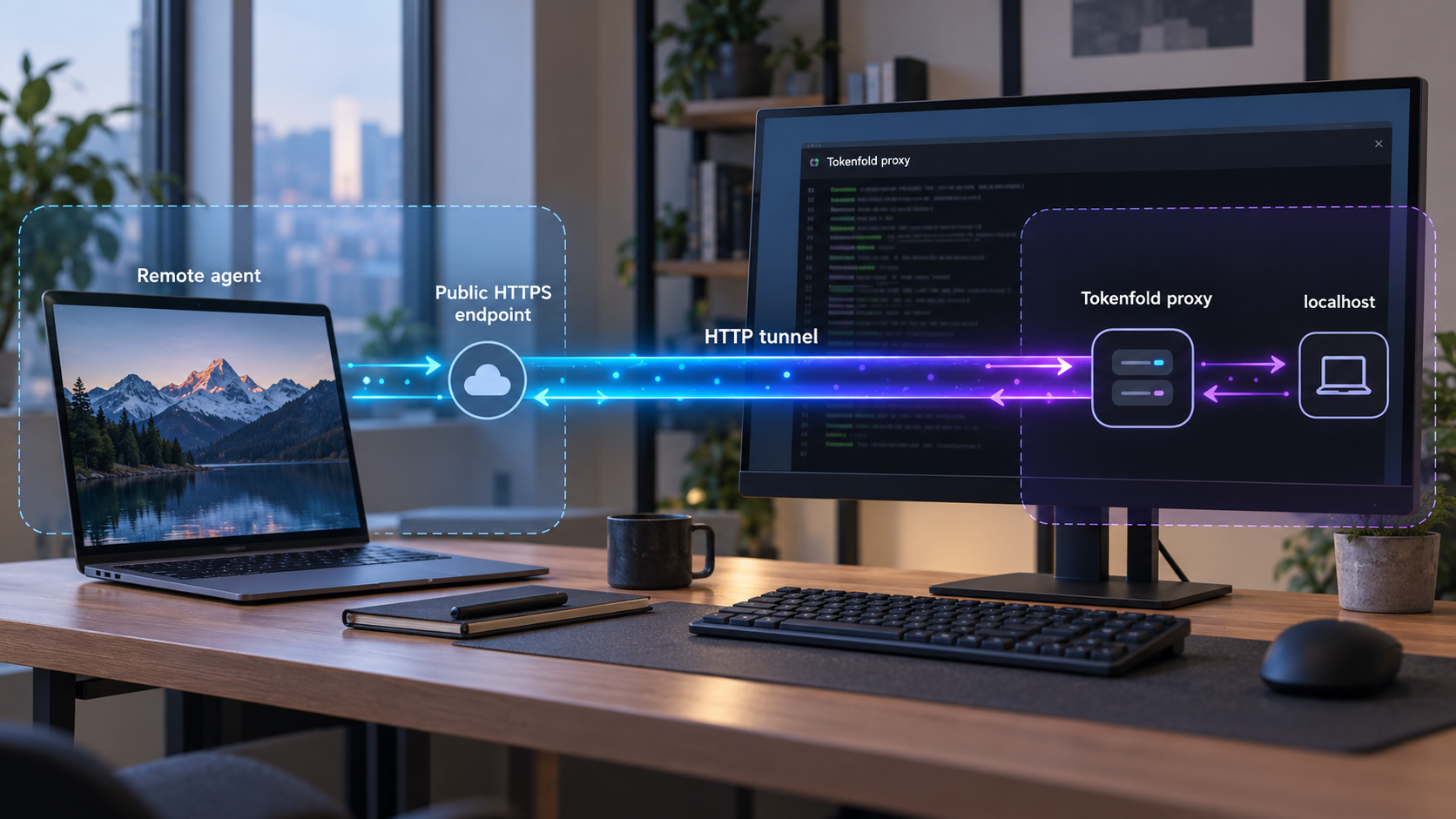
Run context compression locally, verify the OpenAI-compatible proxy, and then make it reachable by remote agents
Tokenfold is a self-hosted toolkit for deterministic compression of structured LLM context, including repetitive JSON, tool definitions, and structured retrieval feeds. This guide focuses first on installing and operating its OpenAI-compatible proxy at the documented local endpoint. After confirming that the proxy works on the host, we connect it to a Localtonet HTTP tunnel so authorized remote clients can use it without changing Tokenfold from its default loopback address. We also cover credential handling, validation, routine operation, and common failure modes.
📋 What's in this guide
Understand the Tokenfold proxy workflow
Tokenfold targets structured context rather than ordinary prose. Its core engine looks for mechanical structure such as repeated object keys or tabular records, then represents that structure more compactly. A uniform array of objects, for example, can be represented by naming the columns once and arranging the corresponding values into rows. The resulting content remains JSON.
The default lossless path is model-free and deterministic. Tokenfold verifies lossless transformations with an in-memory decode round trip before emitting them. It also has a never-larger guard: if a transformation does not make the content smaller, compact JSON is retained instead. This means readers should not expect every request to change. Small payloads or data without useful repeated structure may pass through without a meaningful reduction.
Exact recovery of the original JSON value is an important property, but it is not the same as proving that every model will behave identically when shown the folded representation. Model output can vary for many reasons, including provider behavior, model revisions, sampling settings, and the way a particular model interprets structured context. Validate the compressed form with representative requests from your own application before adopting it for production workloads.
Where the proxy sits in the request path
A client or agent sends its provider-shaped request to Tokenfold instead of sending it directly to the upstream LLM API. Tokenfold applies its enabled transformations, forwards the resulting request to the upstream configured at startup, receives the upstream response, and returns that response to the client.
For the workflow in this guide, the sequence is:
- The client sends an OpenAI-compatible request to Tokenfold.
- Tokenfold processes eligible structured content locally.
- The proxy forwards the request to
https://api.openai.com. - The upstream service returns its response through the proxy.
- Tokenfold returns the response to the requesting client.
Authorization is forwarded unchanged to the upstream. That behavior is convenient for compatible clients, but it also makes the proxy a sensitive network service. Anyone who can submit requests may be able to cause authenticated upstream API activity, depending on how the client and deployment are configured. Treat remote publication as a security decision, not merely as a networking convenience.
Tokenfold also provides Python, TypeScript, standalone CLI, and Rust library installation paths. Those interfaces are useful for direct application integration, but the supplied project documentation does not establish them as standalone HTTP services. Use tokenfold-proxy when the goal is an OpenAI-compatible network endpoint.
Prerequisites and deployment decisions
Complete the Tokenfold installation and local verification before creating a public tunnel. This ordering separates application problems from networking problems. If a request fails while using 127.0.0.1, adding a tunnel cannot correct the underlying proxy, credential, or upstream configuration.
Required components
- A machine that can run the Rust Cargo toolchain and remain online while the proxy is needed.
- Network access from that machine to the selected upstream endpoint.
- An OpenAI-compatible client or agent whose API base URL can be changed.
- Valid upstream authorization configured through the normal client workflow.
- The Localtonet client installed on the same machine as Tokenfold for the loopback-target workflow documented here.
- A Localtonet device authentication token obtained from your account. Keep this token private.
The documented proxy installation uses Cargo. The available evidence does not define a complete operating-system support matrix or prescribe one universal Rust installation procedure, so install a current Rust toolchain through the supported method for your operating system. After installation, open a new terminal if necessary and verify that Cargo is available:
cargo --version
If the shell reports that cargo is not found, resolve the Rust installation or shell path before continuing. Do not substitute the tokenfold-cli, Python, Node.js, or Rust library package for tokenfold-proxy if you need the HTTP endpoint described in this guide.
Choose where the two processes will run
The simplest arrangement is to run both Tokenfold and the Localtonet client on the same host. Tokenfold listens at 127.0.0.1:8787 by default, and the Localtonet client on that host can target the loopback service directly. This preserves Tokenfold's loopback-only local exposure instead of requiring it to listen on a broader LAN interface.
If the Localtonet client runs on another device, that device cannot reach the Tokenfold host through its own 127.0.0.1. Loopback always refers to the machine making the connection. A split-host design would therefore require a separately documented reachable bind address and appropriate host firewall policy. The supplied Tokenfold evidence does not establish those bind options, so this guide does not invent them. Run both processes together unless you have verified project-specific instructions for another topology.
| Component | Documented installation | Role in this workflow |
|---|---|---|
| Tokenfold proxy | cargo install tokenfold-proxy |
Provides the local OpenAI-compatible HTTP endpoint used by clients and the tunnel. |
| Standalone CLI | cargo install tokenfold-cli |
Runs Tokenfold command-line operations, but is not the documented HTTP proxy used here. |
| Python library | pip install tokenfold |
Embeds Tokenfold in Python code. A standalone HTTP endpoint is not established by the supplied evidence. |
| Node.js or TypeScript library | npm install tokenfold |
Embeds Tokenfold in a JavaScript or TypeScript project rather than creating the documented proxy service. |
| Rust library | cargo add tokenfold-core |
Adds the core engine to a Rust project for direct integration. |
Install and start the Tokenfold proxy
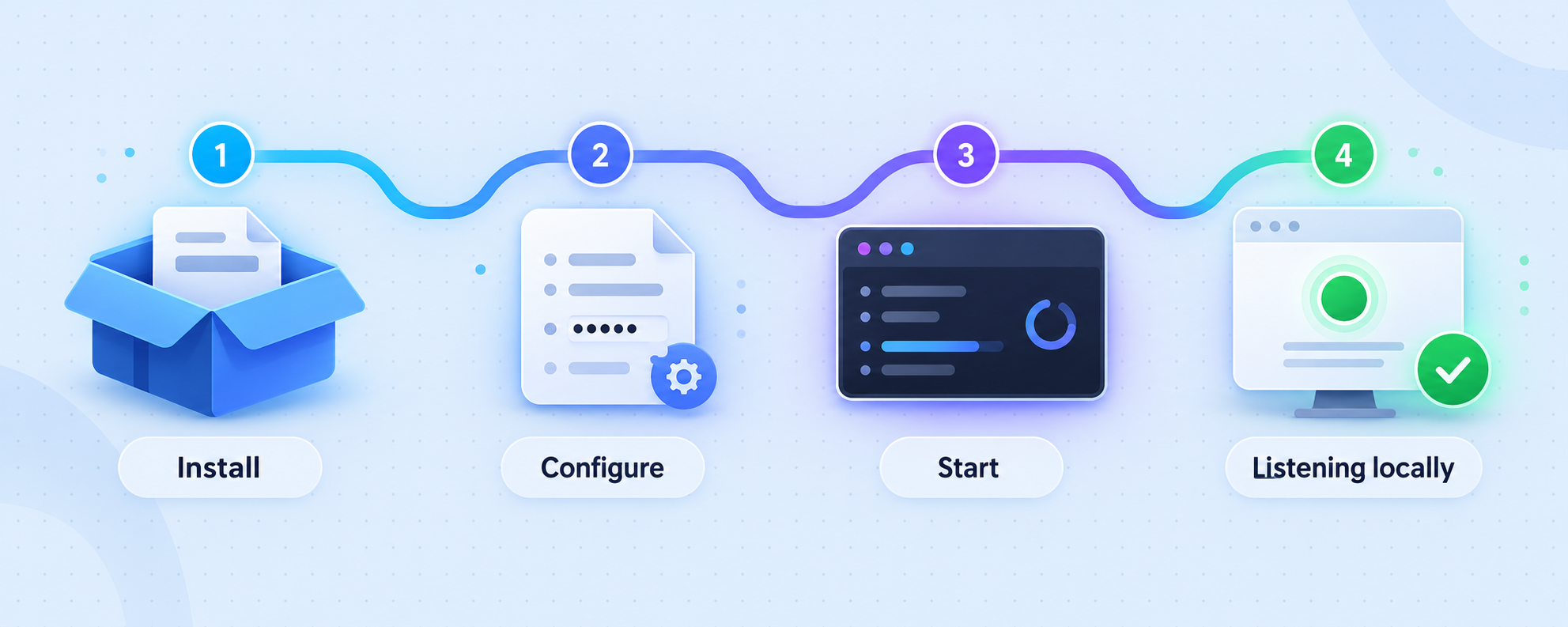
The following process uses the proxy package documented by the project. It deliberately avoids adding undocumented flags, configuration files, environment variables, or service definitions.
Confirm that Cargo is available
Open a terminal on the machine that will run Tokenfold and execute cargo --version. Continue only after the command returns an installed Cargo version.
Install the Tokenfold proxy package
Install the documented proxy binary with cargo install tokenfold-proxy. Cargo downloads the package and builds the executable for the current machine.
Start the proxy with the upstream endpoint
Run tokenfold-proxy --upstream https://api.openai.com. Keep this process running while clients are using the proxy.
Use the documented local base URL
Configure an OpenAI-compatible client to use http://127.0.0.1:8787/v1 as its API base URL. Preserve the client's normal upstream authorization configuration.
The complete installation command is:
cargo install tokenfold-proxyStart the proxy with:
tokenfold-proxy --upstream https://api.openai.comThe documented default listener is:
http://127.0.0.1:8787OpenAI-compatible clients should use this base URL:
http://127.0.0.1:8787/v1The startup command selects the upstream endpoint and does not need an API key embedded in its URL. Configure upstream authorization through the normal secure mechanism supported by your client. Tokenfold forwards the Authorization header unchanged, so logs, debugging output, and copied requests must be handled carefully.
What startup establishes
Starting the process establishes an HTTP proxy on the loopback interface at port 8787. Loopback binding means software on the same computer can address the service, while other LAN devices cannot connect directly to that address. This is a useful default for local development and for a same-host Localtonet integration.
The command shown above configures https://api.openai.com as the upstream. Do not silently substitute another upstream and assume complete compatibility. If you use another provider or gateway, first verify that it accepts the request shapes and authorization behavior produced by your chosen client. The project describes the proxy as provider-neutral by design, but concrete provider compatibility still depends on the upstream interface.
Configure an OpenAI-compatible client
A compatible client usually has a setting named API base URL, endpoint, server URL, or a similar term. Change that setting from the upstream provider's direct base URL to:
http://127.0.0.1:8787/v1Do not change the model identifier, request structure, or authorization configuration merely to test the proxy. Keeping those values aligned with a previously working direct-upstream configuration makes troubleshooting easier. The meaningful initial change is the base URL.
The client then sends the same provider-shaped request to Tokenfold. The proxy processes eligible structured context and forwards the request to the upstream selected by the --upstream argument. Authorization is forwarded unchanged.
Use a representative test request
A minimal conversational request may confirm connectivity, but it may not exercise Tokenfold's main purpose. For meaningful evaluation, use a request that resembles your real workload and contains structured data such as:
- A repeated array of JSON objects.
- A substantial set of tool definitions.
- Structured retrieval results used by a RAG workflow.
- Tool-calling agent context containing repeated schemas or logs.
Very small examples can remain unchanged because the never-larger guard avoids transformations that do not save space. A successful request with no visible reduction is therefore not necessarily an installation failure.
Keep lossy behavior separate from the first deployment
Tokenfold also describes opt-in, recoverable pruning for heterogeneous array feeds. Dropped rows remain fetchable, but this is distinct from the default lossless structural folding path. Begin with the lossless workflow, establish correctness with representative application tests, and evaluate optional pruning separately.
The project's schema_compaction behavior is also not enabled by presets and is not reversible because it truncates example arrays. Do not treat it as equivalent to the exact recovery guarantees of the default lossless transformations.
Exact decode verifies that the original JSON value can be recovered. It does not prove unchanged downstream model behavior. Compare responses, tool calls, and task outcomes using workloads that represent your actual application.
Verify Tokenfold locally before tunneling
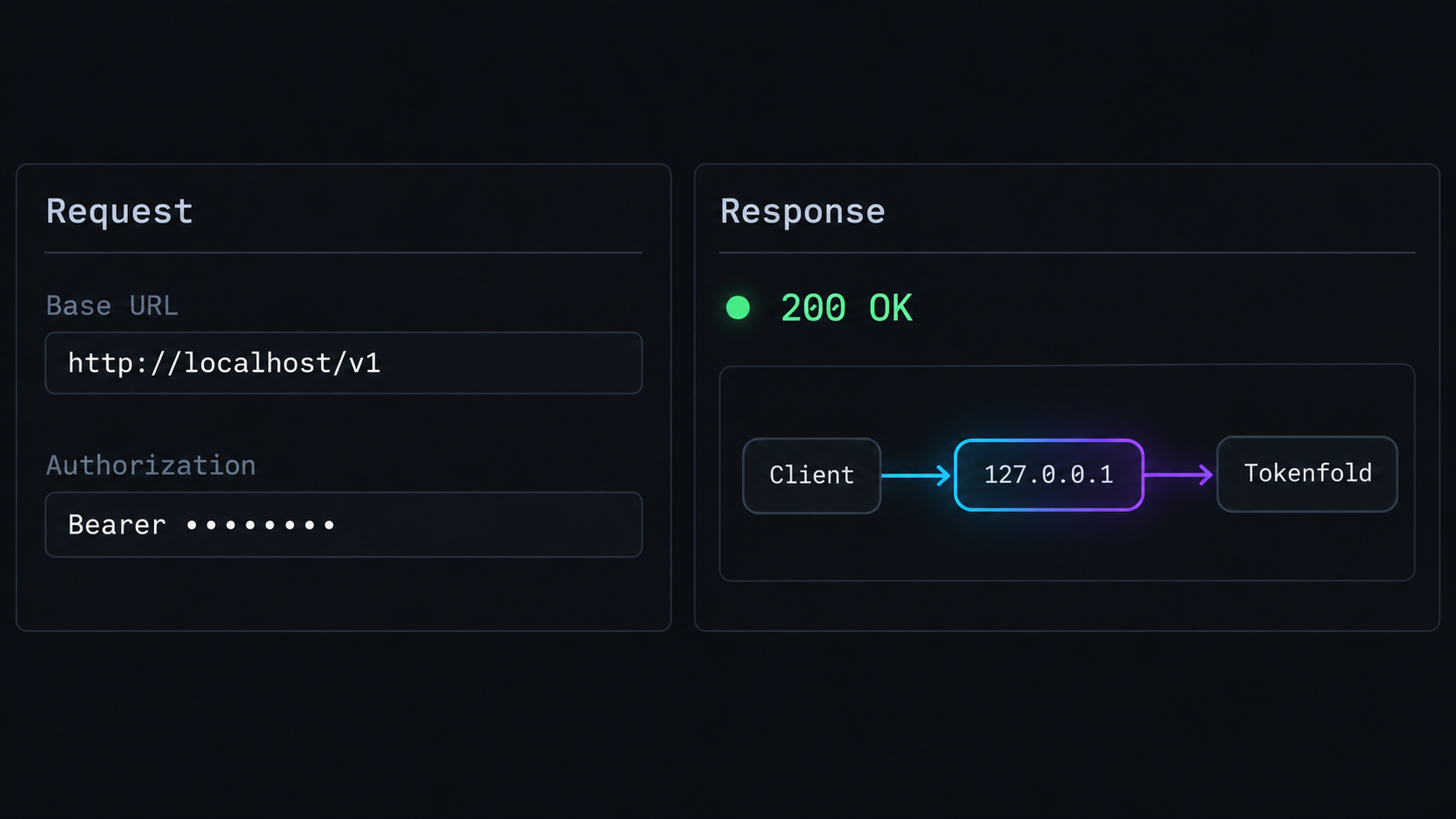
Local verification should answer three separate questions: is the process listening, can the client reach it, and can an authenticated request complete through the configured upstream? Test them in that order.
1. Confirm that the process remains running
Keep the terminal containing tokenfold-proxy open. An immediate process exit indicates a local startup problem. Read the displayed error rather than moving on to Localtonet. Common local causes include an unavailable executable, a conflicting listener on port 8787, or an invalid startup argument.
2. Check local HTTP reachability
From a second terminal on the same machine, make a verbose HTTP request to the local listener:
curl -v http://127.0.0.1:8787/This request is only a transport check. The root path is not the documented OpenAI-compatible API base, so an HTTP error status or route-not-found response does not by itself indicate a broken proxy. The useful distinction is whether an HTTP connection is established. A connection-refused error means nothing is listening at the expected address and port.
If curl is unavailable on your operating system, use an equivalent local HTTP client. Do not include a real Authorization header in a command that could be copied into shell history or support messages.
3. Send a normal request through the compatible client
Set the client's base URL to http://127.0.0.1:8787/v1, retain its valid upstream authorization, and submit a request that already works when sent directly to the provider. A successful response confirms the complete local path from client to Tokenfold, from Tokenfold to the upstream, and back.
4. Validate application behavior
Repeat the test using representative structured context. Check the response content, expected tool calls, application parsing, retries, and error handling. If your application depends on exact task outcomes, compare direct and proxied runs under controlled settings. Do not infer production suitability from a single connectivity test.
5. Establish a local baseline
Record the client configuration that worked, excluding credentials. Note the upstream URL, local base URL, model identifier, and the type of request used. This baseline becomes the reference point for remote troubleshooting. If the same request works locally but fails through the public URL, the fault is likely in remote configuration, tunnel state, or access policy rather than the Tokenfold installation itself.
Connect the verified proxy with a Localtonet HTTP tunnel
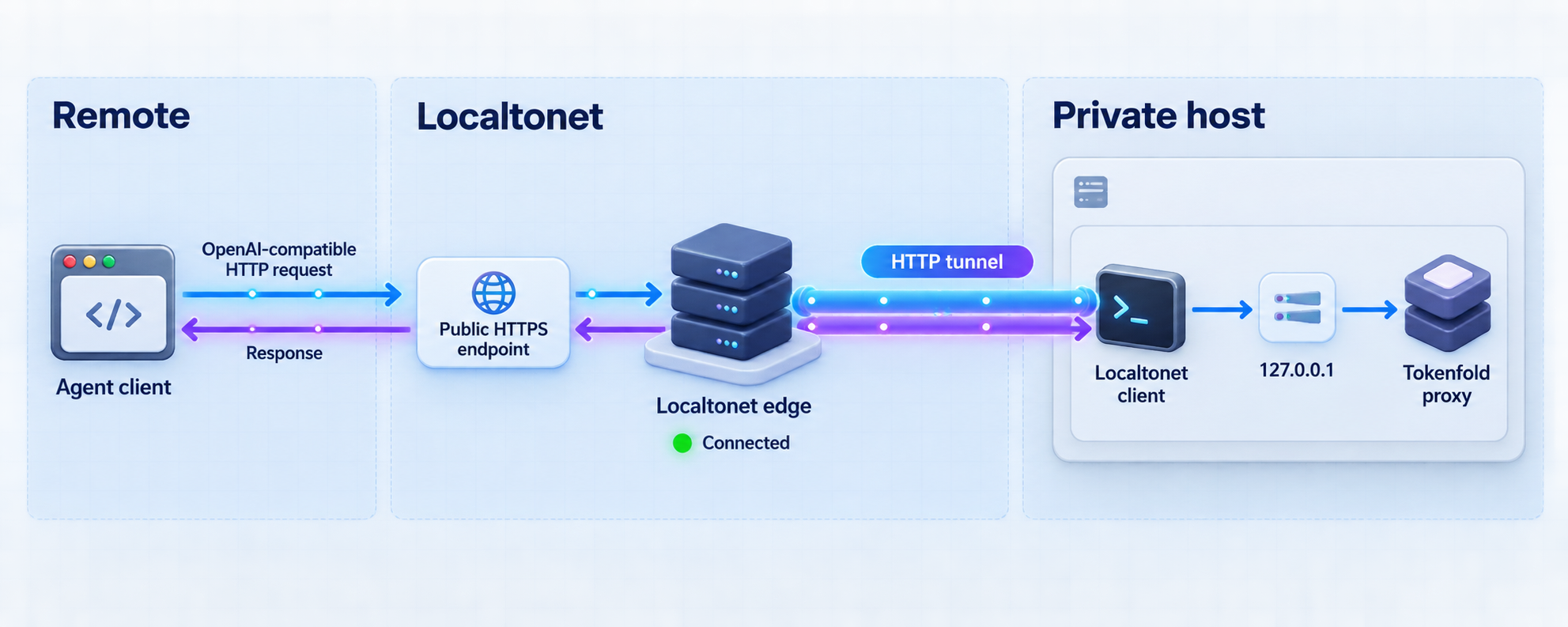
After local verification, our HTTP tunnel can give the loopback service a public HTTPS address. The Localtonet client establishes an outbound connection to a relay server, so this workflow does not require inbound router port forwarding, a public IP address, firewall changes, or VPN setup.
Keep the Localtonet client on the same machine as Tokenfold. The tunnel's local target is 127.0.0.1 on port 8787. Creating a tunnel does not start it. You must start the tunnel after configuration, and it remains available only while the selected client is connected and the tunnel is running.
Install and run the Localtonet client
Install the Localtonet application on the machine running Tokenfold. Start the client so it can establish its outbound connection to our relay infrastructure.
Authenticate or select the device
Use the device-specific authentication token from your Localtonet account and select the connected device that runs Tokenfold. Never publish, guess, or reuse a token as article or script content.
Select an available relay server
Choose a currently available server or region from the dashboard. Available values can change and may vary by plan, so use the choices shown in your account rather than copying a hardcoded server code.
Create an HTTP tunnel to Tokenfold
Create an HTTP tunnel whose local target is IP address 127.0.0.1 and port 8787. Select the appropriate Process Type available in your dashboard for the public hostname you intend to use.
Start the tunnel
Press Start after reviewing the configuration. Use the assigned public HTTPS address only after the dashboard shows that the selected client and tunnel are running.
Stop or delete the tunnel when it is no longer needed
Stop the tunnel to suspend public availability while preserving the configuration, or delete it when the remote-access configuration is no longer required.
HTTP tunnels support Random Sub Domain, Custom Sub Domain, and Custom Domain process types. Each serves the same target content at a public HTTPS address. Availability can vary, and custom-domain DNS details should be checked against the current dashboard and documentation rather than inferred.
You can review the current workflow in our Localtonet HTTP tunnel documentation.
Configure the remote client
Once the tunnel is running, take the public HTTPS address assigned to the HTTP tunnel and append the same /v1https://assigned-host.example, the remote client's conceptual base URL becomes:
https://assigned-host.example/v1The hostname above is intentionally illustrative, not a real Localtonet endpoint. Always use the exact public URL assigned to your tunnel.
Test the remote client with the same request used for the local baseline. Preserve its upstream authorization configuration. If the request succeeds locally but not remotely, first confirm that all three required processes are available: Tokenfold is running, the Localtonet client is connected, and the HTTP tunnel is started.
Do not assume that possession of an unadvertised URL is sufficient access control. The supplied product context does not establish a universal Localtonet HTTP authentication option, so this guide does not claim one. Apply authentication and least-privilege controls appropriate to the application, restrict distribution of the endpoint, review current dashboard controls, and stop the tunnel whenever remote access is unnecessary.
Secure the remote proxy workflow
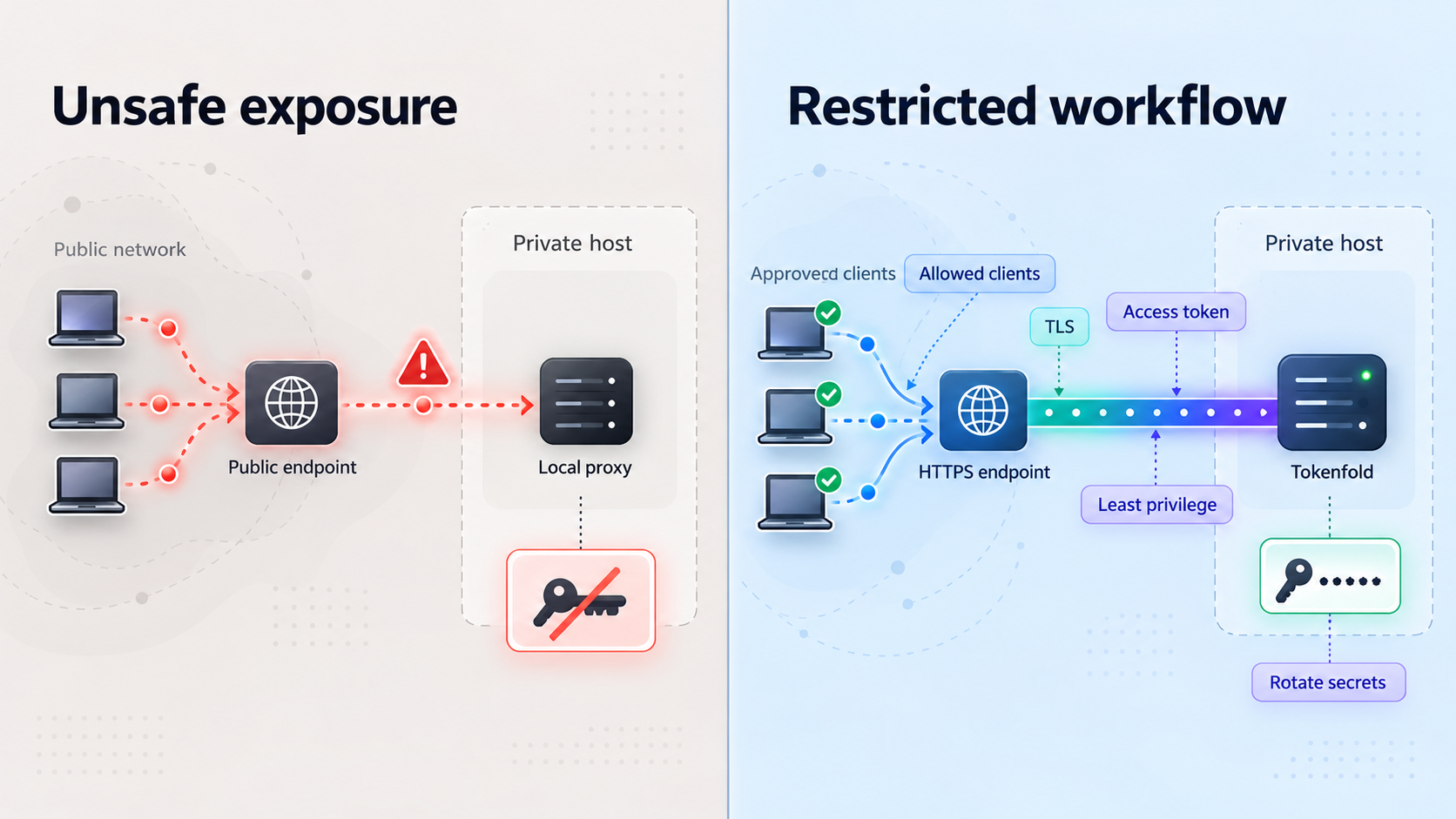
Publishing an LLM proxy is more sensitive than publishing a static development page. Requests can contain internal prompts, schemas, logs, retrieval results, tool arguments, and upstream credentials. A remote caller may also create billable upstream activity. Plan security around the entire path rather than focusing only on whether the public address uses HTTPS.
Protect upstream authorization
Tokenfold forwards Authorization headers unchanged. Never put a real token in a public example, tunnel name, URL query string, issue report, screenshot, or shared shell transcript. Prefer the secure credential mechanism supported by the calling client. If a credential is accidentally disclosed, revoke or rotate it through the upstream provider rather than merely changing the public tunnel URL.
Use narrowly scoped credentials where possible
If the upstream provider supports restricted projects, quotas, separate service identities, or limited credentials, use them for this proxy workflow. Exact capabilities vary by provider and account, so verify them with the provider rather than assuming that every API key has scope controls.
Separate users and environments
Avoid sharing one exposed development proxy across unrelated users or applications. Separate development, testing, and production credentials. A tunnel created for a short evaluation should not silently become a permanent production endpoint without an access review, monitoring plan, and operational owner.
Minimize exposure time
Start the tunnel when a remote agent needs it and stop it when the task is complete. Stopping the tunnel removes public reachability without requiring you to uninstall Tokenfold. Stop the local proxy as well if it is not needed by local applications.
Review the data being compressed
Local compression means the folding step occurs inside the operator-controlled environment, but the resulting request is still forwarded to the selected upstream provider. Tokenfold is not a promise that application data never leaves the machine. Apply the upstream provider's data-handling policy to the transformed request just as you would to an uncompressed request.
Do not confuse tunneling with a VPN
An HTTP tunnel publishes the configured local HTTP target. It does not create a general private network between devices. Localtonet VPN Manager is our separate private mesh VPN capability. Use the HTTP tunnel for this narrowly defined proxy endpoint rather than describing it as VPN access.
Operate and maintain the deployment
The remote endpoint depends on multiple components, so routine operation should account for each one. A tunnel can be correctly configured yet unavailable because the Tokenfold process stopped. Tokenfold can also be healthy locally while the selected Localtonet device is disconnected.
Recommended startup order
- Start Tokenfold with the intended upstream.
- Verify the local listener at
127.0.0.1:8787. - Send a valid local client request through
http://127.0.0.1:8787/v1. - Start the Localtonet client and confirm that the correct device is connected.
- Start the HTTP tunnel.
- Run the remote baseline request against the assigned public URL with
/v1.
This sequence prevents the public endpoint from being treated as the first diagnostic surface. It also reduces the chance of publishing an unverified service.
Recommended shutdown order
- Stop remote clients from submitting new requests.
- Stop the Localtonet tunnel.
- Stop the Tokenfold process when it is no longer needed locally.
- Delete the tunnel if the configuration will not be reused.
Process supervision
For longer-running deployments, use the process-management facilities appropriate to your operating system to keep Tokenfold and the Localtonet client available. The supplied Tokenfold evidence does not define a canonical system service file, container image, Docker Compose file, Windows service configuration, or background-run command for this exact workflow. Avoid copying an invented service definition. Whatever supervisor you choose should run the same verified startup command and should not expose credentials in world-readable configuration.
Updates and regression testing
Before changing the Tokenfold version, preserve a credential-free record of the working command, base URLs, client settings, and representative test cases. After updating, repeat local transport, authenticated upstream, structured-workload, and remote-tunnel tests. Review changes before relying on previous compression or compatibility behavior.
Tokenfold has separate packages for its proxy, CLI, libraries, and core engine. Confirm that an update procedure applies to tokenfold-proxy rather than assuming that updating the Python or Node.js package also updates the installed proxy binary.
Monitoring boundaries
Monitor the states you can verify without logging secrets: whether the local process is running, whether port 8787 accepts a connection, whether the Localtonet device is connected, whether the tunnel is running, and whether a safe synthetic request succeeds. Redact Authorization headers and sensitive request bodies from diagnostics.
Localtonet also has platform-wide Token/Tunnel webhooks for Connected and Disconnected state changes within a selected Token Group. Those are operational status events, not request logs and not Tokenfold application events. They are distinct from File Server file-event webhooks and should not be represented as monitoring the content or success of individual LLM requests.
Troubleshoot installation, proxy, and tunnel problems
Diagnose the workflow from the inside out. Start with the executable, then the local listener, then the upstream request, and finally the Localtonet path. This avoids attributing an application error to the tunnel or a disconnected tunnel to Tokenfold.
| Symptom | Likely area | What to check |
|---|---|---|
cargo is not found |
Rust prerequisite | Install a supported Rust toolchain for the operating system, reopen the terminal if needed, and confirm cargo --version before installing Tokenfold. |
tokenfold-proxy is not found after installation |
Executable path | Review the Cargo installation result and verify that Cargo's executable directory is available to the current shell. Do not replace the proxy command with tokenfold-cli. |
Connection refused at 127.0.0.1:8787 |
Local process or listener | Confirm the proxy process is still running, check its terminal for errors, and verify that another process is not preventing it from using port 8787. |
| The root URL returns an HTTP error | Test method | The root request is only a listener check. Configure the compatible client with http://127.0.0.1:8787/v1 and send a valid provider-shaped request. |
| The proxy returns an authorization error | Client or upstream credentials | Verify the client's normal upstream authorization configuration. Tokenfold forwards Authorization unchanged. Never paste the credential into public diagnostics. |
| Local requests work but remote requests fail | Localtonet tunnel path | Confirm the Localtonet client is connected, the correct device is selected, the HTTP target is 127.0.0.1:8787, the tunnel is started, and the remote base URL includes /v1. |
The tunnel targets 127.0.0.1 from another machine |
Deployment topology | Move the Localtonet client to the Tokenfold host for this workflow. Loopback on another device does not refer to the Tokenfold machine. |
| A request succeeds but appears uncompressed | Payload suitability | Test larger representative structured JSON. Small or unsuitable payloads may remain unchanged because Tokenfold keeps compact JSON when folding would not reduce size. |
| Responses differ from direct-upstream tests | Application validation | Confirm identical models and request settings, then test representative tasks. Exact JSON recovery does not guarantee unchanged model behavior. |
| The public URL suddenly becomes unavailable | Tunnel lifecycle | Check whether Tokenfold is running, the selected Localtonet client is connected, and the tunnel remains started. Availability depends on all three conditions. |
Use a four-boundary diagnostic
When the cause remains unclear, test each boundary independently:
- Executable boundary: Does
tokenfold-proxystart and remain running? - Local HTTP boundary: Can the same host establish an HTTP connection to
127.0.0.1:8787? - Upstream boundary: Can a properly configured compatible client complete a request through the local
/v1base URL? - Remote boundary: Can the same request complete through the assigned public HTTPS address with
/v1appended?
The first failing boundary identifies where to focus. For example, if the upstream request works locally but the remote boundary fails, reinstalling Tokenfold is unlikely to help. Check tunnel state, selected device, target address, and remote client URL instead.
Frequently asked questions
Which Tokenfold package should I install for an HTTP endpoint?
Install the proxy with cargo install tokenfold-proxy. The Python, Node.js, Rust, and standalone CLI packages serve other integration styles and are not established by the supplied evidence as standalone OpenAI-compatible HTTP services.
What local URL should an OpenAI-compatible client use?
Use http://127.0.0.1:8787/v1 as the client's local base URL. The proxy listens on 127.0.0.1:8787 by default.
Does Tokenfold keep all request data on my machine?
Compression occurs locally, but the resulting provider-shaped request is forwarded to the upstream endpoint configured at startup. Treat that transformed request according to the upstream provider's data-handling terms and your own security policy.
Does exact decode guarantee identical LLM responses?
No. Exact decode verifies recovery of the original JSON value. It does not prove that a model will produce unchanged output when shown a folded representation. Validate responses and tool behavior on representative workloads.
Why might Tokenfold leave a request unchanged?
Small payloads or data without useful repeated structure may not benefit from folding. Tokenfold's never-larger guard retains compact JSON when a candidate transformation would not make it smaller.
Can the Localtonet client run on a different machine?
Not with the documented loopback target used in this guide. On another device, 127.0.0.1 refers to that other device rather than the Tokenfold host. Run the Localtonet client and Tokenfold on the same machine unless you have verified project-specific instructions for a reachable non-loopback bind.
Does creating a Localtonet tunnel immediately make Tokenfold available?
No. Creating a tunnel does not start it. Tokenfold must be running, the selected Localtonet client must be connected, and the tunnel must be started before the public endpoint is available.
Is the Localtonet HTTP tunnel a VPN?
No. The HTTP tunnel publishes the configured local HTTP target. Localtonet VPN Manager is our separate private mesh VPN feature.
Should I expose the proxy permanently?
Expose it only for as long as your workflow requires. Because the proxy forwards requests and Authorization headers to an upstream service, use appropriate authentication, least-privilege credentials, controlled endpoint distribution, and any relevant access controls available for your deployment. Stop or delete the tunnel when it is no longer needed.
Connect your verified Tokenfold proxy with Localtonet
Install Tokenfold, confirm that your OpenAI-compatible client works through 127.0.0.1:8787, and then create an HTTP tunnel to make the same service available to authorized remote agents without inbound router port forwarding.


