

Deploy a self-hosted webhook service, verify every local layer, and publish its API only when remote clients need it
Svix is an open-source webhook service that applications can use to manage and deliver outgoing webhooks. This guide installs Svix from a pinned repository revision using Docker Compose, checks the containers and published port, performs reproducible transport tests, and explains where authenticated API verification begins. After Svix works locally, we configure a Localtonet HTTP tunnel so authorized remote API clients can reach it without inbound router port forwarding, firewall changes, VPN setup, or a public IP address.
📋 What's in this guide
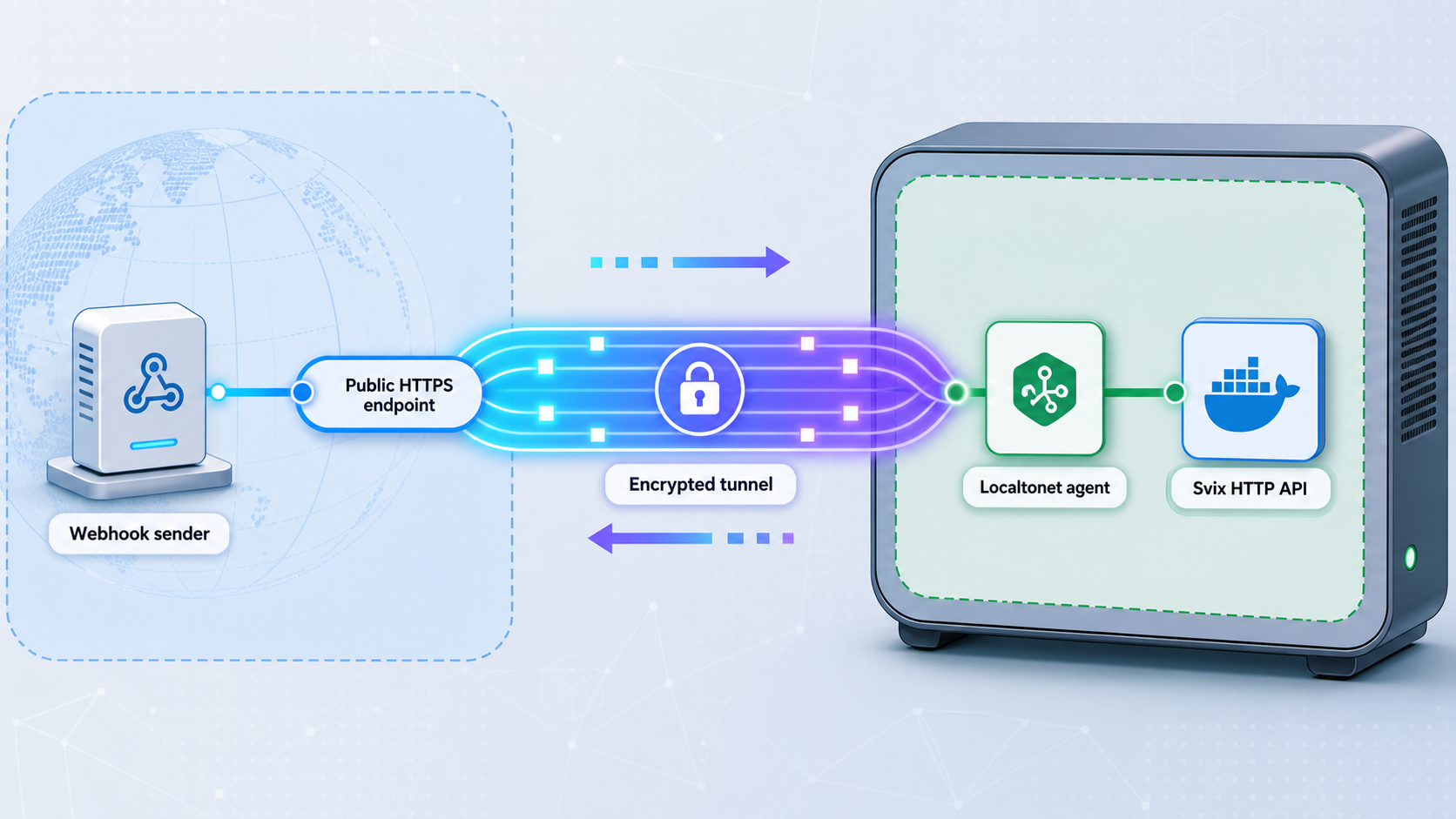
What this Svix and Localtonet architecture does
Webhooks let one application notify another application when an event occurs. Operating a webhook delivery system involves more than sending a single HTTP request. The system may need to manage customer endpoints, retry failed deliveries, retain delivery information, isolate customer configurations, and protect security-sensitive data. Svix packages these responsibilities behind an API so an application can submit messages while the webhook service manages delivery.
This tutorial focuses on the open-source Svix server from the official Svix GitHub repository. The server is written in Rust, but Docker users do not need to compile it for the documented Compose workflow. The repository includes a Docker Compose configuration that starts Svix with its supporting services.
PostgreSQL is a required Svix runtime dependency and stores events. Redis is optional depending on the queue and cache configuration selected for the server. Svix specifies Redis 6.2.0 or later when Redis is used. The example Docker Compose deployment starts and configures both PostgreSQL and Redis, but that does not mean every independently designed Svix deployment must use Redis.
Local installation and public reachability are separate concerns. First, Docker must expose a healthy Svix HTTP listener on the host. Only after that local path works should a Localtonet HTTP tunnel point to it. Our Localtonet client establishes an outbound connection to a relay server and provides a public HTTPS address for the configured local IP address and port.
This arrangement is useful when an authorized application outside the local network must call the Svix API. It does not require inbound router port forwarding, firewall changes, a VPN, or a public IP address. The route remains available only while the selected Localtonet client is connected and the tunnel is running.
Understand both directions of webhook traffic
A remote Svix API client and a webhook destination use different network paths. A remote API client needs a route to the self-hosted Svix API if that API is otherwise private. The Localtonet tunnel provides that route in this tutorial.
Svix delivering an outgoing webhook to an ordinary public destination does not inherently require a Localtonet tunnel. That delivery is an outbound request from the Svix host to the destination. The host needs suitable outbound network and DNS access, but the Svix API does not need to be public merely for Svix to call a public webhook endpoint.
A separate connectivity design may be necessary if a webhook destination itself is private. Do not confuse that destination route with the HTTP tunnel used here for remote access to the Svix API.
A Localtonet tunnel forwards requests to a local listener. It cannot repair an unhealthy container, initialize a failed database, correct an invalid Svix configuration, or provide missing API credentials. Complete the local checks first and preserve their results for comparison with the public test.
Repository baseline used by this guide
Repositories change over time, so a tutorial that says only “clone the current branch” cannot guarantee the same Compose file, image references, service names, credentials, ports, or volume definitions. This guide uses Git commit da9b423 as its reproducibility baseline. That commit is associated with the repository tag v2.1.0.
The tag is described by Svix as an SDKs and CLI release rather than a Svix Server release number. We use its commit only to identify a concrete repository state for the included files. Do not infer that v2.1.0 is the installed server image version. The actual server image reference remains whatever the checked-out Compose configuration specifies.
git clone https://github.com/svix/svix-webhooks.git
cd svix-webhooks
git checkout da9b423
git rev-parse HEAD
git status --short --branch
The git rev-parse HEAD output should begin with or resolve to the selected commit. A detached HEAD state is expected when checking out a commit directly. Record the complete hash in your deployment notes. If the checkout fails because the local clone does not yet contain the object, fetch repository tags and history, then repeat the checkout.
git fetch --tags --prune
git checkout da9b423
git rev-parse HEAD
You may intentionally use a newer Svix revision, but inspect its Compose configuration and repeat every verification step in this guide. A newer checkout can legitimately use different service names, image versions, port mappings, settings, or persistence behavior.
General usage guidance is available in the Svix documentation. Endpoint schemas and current client examples are maintained in the Svix API reference. Those two resources have different purposes: the documentation explains concepts and workflows, while the API reference defines application requests.
A reproducible Compose file can still reference a mutable image tag such as latest. Inspect the rendered Compose configuration before deployment. For a controlled environment, select tested versioned images or immutable digests according to your release policy instead of assuming the repository commit makes every downloaded image immutable.
Validate Docker, Compose, Git, and host access
The Svix repository describes Docker Compose as the easiest deployment alternative because it also boots and configures PostgreSQL and Redis. It assumes Docker Compose v2, which uses the docker compose command rather than the older standalone docker-compose command.
Run the following checks on the machine that will host Svix:
git --version
docker --version
docker compose version
docker info
The first three commands confirm that the required command-line tools are available. docker info also checks whether the current account can communicate with the Docker daemon. If it fails with a permission or connection error, resolve the Docker installation or account permissions before proceeding.
The exact Docker Engine and Compose versions supported by your operating system and selected Svix revision should be checked against their current documentation. For Compose behavior and command details, consult the Docker Compose documentation.
| Requirement | Why it is needed | Validation |
|---|---|---|
| Git | Clones the official repository and checks out the identified revision | git --version |
| Docker Engine | Runs Svix and its supporting containers | docker --version and docker info |
| Docker Compose v2 | Starts and manages the supplied multi-container project | docker compose version |
| Persistent storage | Protects PostgreSQL data and any Redis state selected by the configuration | Inspect the Compose volume definitions and available host storage |
| curl | Performs repeatable local and public HTTP transport tests | curl --version |
| Localtonet client | Establishes the outbound connection for public API access | Install it on a device that can reach the published Svix port |
Choose where the Localtonet client will run
The simplest arrangement is to run our Localtonet client on the Docker host. In that layout, a port published on the host loopback interface may be usable as the tunnel target. If the client runs on a different device, that device must be able to reach the Docker host through a LAN address and the published host port.
A loopback address always refers to the machine on which the client process runs. Therefore, 127.0.0.1 is correct only when the Localtonet client and the published Svix listener are reachable through the same host loopback interface.
Plan capacity without inventing universal limits
The available evidence does not establish one universal CPU, memory, or storage minimum for this deployment. Requirements depend on message volume, payload sizes, endpoint count, retention, concurrency, retry activity, database growth, and the wider Docker environment. Observe resource use under a representative workload before treating a development host as production capacity.
This tutorial exposes the Svix HTTP API only. PostgreSQL and Redis should remain on an internal Docker network or another appropriately restricted network. Remote Svix API clients do not need direct database or queue access.
Install Svix with Docker Compose
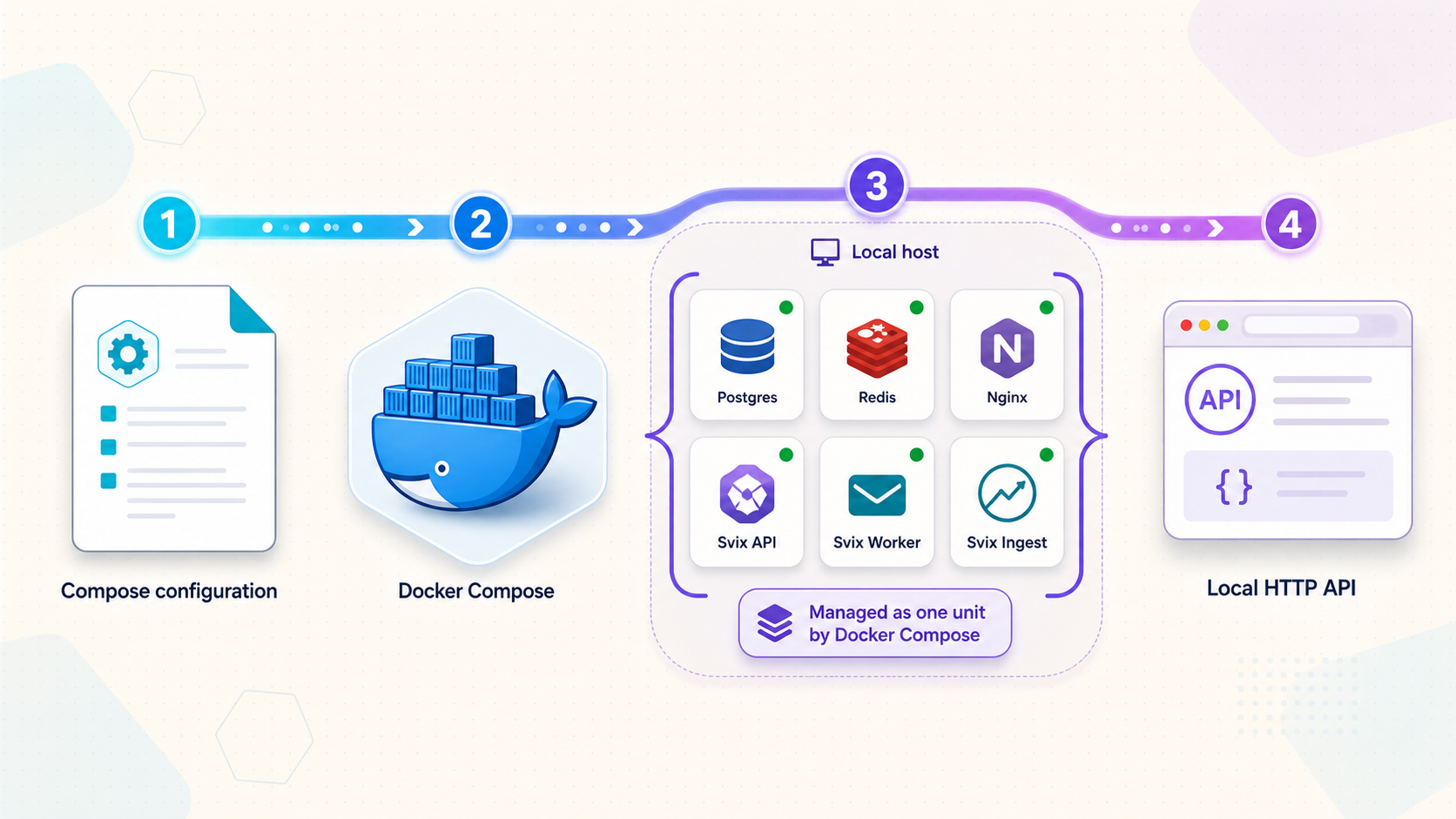
Start from the repository root created in the baseline section. The official Svix instructions run Compose from the server directory.
Enter the server directory
Change into the checked-out repository’s server directory, which contains the Compose configuration used by this workflow.
Validate the Compose model
Render the configuration and list its services before starting anything. This catches syntax and interpolation failures and reveals the service definitions in the selected revision.
Start the Compose stack
Run the official Compose startup command. The example project starts Svix, PostgreSQL, and Redis using the configuration in the checkout.
cd server
docker compose config --services
docker compose config
docker compose up
The foreground docker compose up command is useful for the first start because logs remain visible in the terminal. Watch for image download errors, invalid variables, port conflicts, database initialization failures, or containers that repeatedly stop and restart.
After confirming that startup completes, press Ctrl+C to stop the foreground run. You can then start the same project in detached mode:
docker compose up -d
docker compose ps
docker compose logs --tail=200
docker compose ps reports service state and published ports. docker compose logs --tail=200 collects recent output from the entire project. To continue following logs, use:
docker compose logs -f
Stop following logs with Ctrl+C. That action exits the log viewer but does not stop detached containers.
Inspect the rendered images, ports, and volumes
Do not rely on assumptions about a different Svix release. Use the rendered model to see what this checkout will run:
docker compose config --images
docker compose config --volumes
docker compose ps
You can also inspect the port bindings of every container in the current Compose project without guessing a container name:
docker compose ps -q | xargs -r docker inspect \
  --format '{{.Name}} {{json .NetworkSettings.Ports}}'
On systems whose xargs implementation does not support -r, first confirm that docker compose ps -q returns container IDs, then run the inspection without that option. The output associates each container port with any host address and host port Docker published.
Understand PostgreSQL and optional Redis
PostgreSQL is required for Svix event storage. Redis is optional at the server level and depends on the selected queue and cache configuration. The supplied example Compose workflow includes Redis, which is why three services may appear in this deployment.
When Redis is selected, Svix requires Redis 6.2.0 or later. Svix recommends persistence so queued tasks survive Redis restarts and upgrades. It also advises configuring Redis not to evict keys without explicit expiration policies. The documented choices include noeviction and the available volatile-* policies.
Do not remove Redis from the example stack merely because it is described as optional in the general runtime requirements. First inspect the selected queue type, cache configuration, and Compose environment. Optional means the server supports configurations without Redis, not that Redis can be removed from a Redis-based configuration without replacing those settings.
Standalone Docker is an advanced alternative
Svix also documents running the official image as a standalone container:
docker run \
  --name svix-server \
  -p 8071:8071 \
  --env-file development.env \
  svix/svix-server
This command maps host port 8071 to container port 8071. It does not install PostgreSQL or Redis in the same container. You must always provide a working PostgreSQL connection. You provide Redis 6.2.0 or later only when your selected queue or cache configuration uses Redis.
Svix supports environment variables, a .env file, and a TOML configuration file. A file named config.toml in the server’s current working directory is detected automatically. Equivalent environment variables use uppercase configuration names with an SVIX_ prefix.
| Configuration concept | Environment form | Role |
|---|---|---|
jwt_secret |
SVIX_JWT_SECRET |
Provides the private secret used for JWT authentication |
db_dsn |
SVIX_DB_DSN |
Connects Svix to the required PostgreSQL database |
redis_dsn |
SVIX_REDIS_DSN |
Connects to Redis when Redis is selected |
queue_type |
SVIX_QUEUE_TYPE |
Selects the server’s message queue implementation |
A structural environment file could contain the following placeholders, but it is not a ready-to-run configuration:
SVIX_JWT_SECRET=<securely-generated-private-secret>
SVIX_DB_DSN=<postgresql-connection-string>
SVIX_REDIS_DSN=<redis-connection-string-if-used>
SVIX_QUEUE_TYPE=<selected-queue-type>Generate the Svix JWT secret securely and keep it outside public repositories, images, URLs, screenshots, and support messages. Treat any secret displayed in documentation as an example, not as a deployment credential.
Verify Svix locally before creating a tunnel
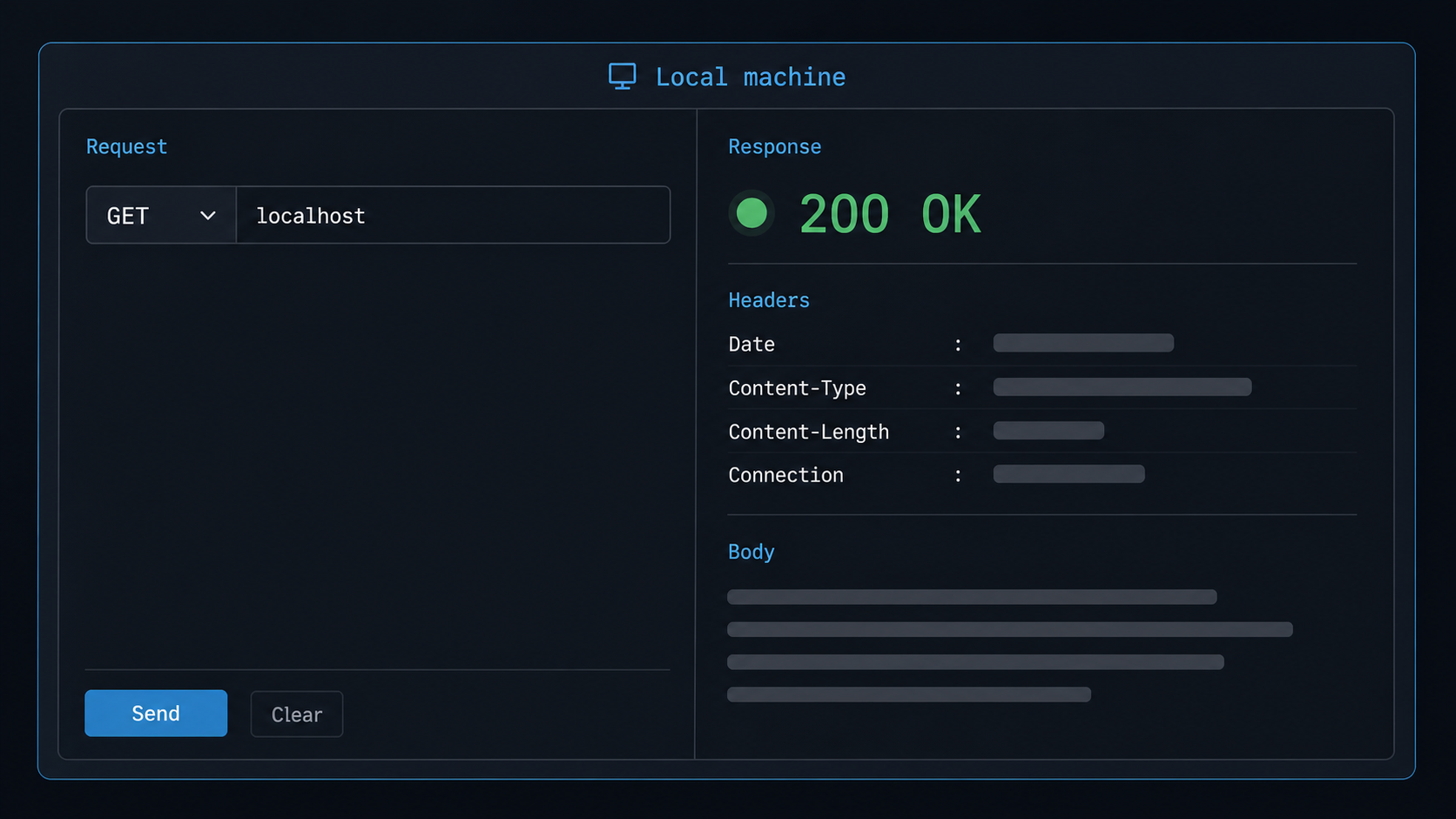
A complete check distinguishes infrastructure health, HTTP reachability, and authenticated Svix behavior. An HTTP response can prove that a listener answered without proving that credentials, API paths, or application data are correct.
Check service state
Confirm that expected services are running and that none are continuously restarting or exiting.
Review recent logs
Look for database connection failures, Redis errors when Redis is selected, invalid configuration, missing secrets, initialization failures, or address conflicts.
Discover the actual published port
Read the Ports column from Compose or inspect the project containers. Use the host-side port Docker reports, not a value copied from another revision.
Perform a transport-level HTTP test
Send a bounded request to the discovered local address. Record the status code and timing without treating a particular root-path response as an authenticated API success.
Perform authenticated application verification
Use an endpoint, request body, and authentication mechanism defined by the current Svix API reference for the deployed server. Keep this result separate from the transport test.
Run the container checks from the repository’s server directory:
docker compose ps
docker compose logs --tail=200
docker compose ps -q | xargs -r docker inspect \
  --format '{{.Name}} {{json .NetworkSettings.Ports}}'
Suppose the inspection shows that the Svix container’s port is published on host port 8071. Set a shell variable to the exact address reachable from the machine that will run the Localtonet client:
SVIX_LOCAL_URL="http://127.0.0.1:8071"
printf '%s\n' "$SVIX_LOCAL_URL"
Replace that example port if Docker reports a different mapping. If the Localtonet client runs on another machine, use the Docker host’s reachable LAN address instead of 127.0.0.1.
Run the reproducible transport check
curl \
  --connect-timeout 5 \
  --max-time 15 \
  --silent \
  --show-error \
  --output /dev/null \
  --write-out 'HTTP %{http_code} remote=%{remote_ip} connect=%{time_connect}s total=%{time_total}s\n' \
  "$SVIX_LOCAL_URL/"
This request is deliberately a transport check. Any actual HTTP status proves that curl connected to an HTTP server and received a response. A 401, 403, or 404 can still demonstrate transport reachability, but it does not establish that an authenticated Svix API operation succeeded. A reported 000, connection refusal, DNS failure, or timeout indicates that no usable HTTP response was received.
The evidence used for this revision does not establish a stable Svix health-check path or a universal authenticated request that is valid across server versions and deployment credentials. We therefore do not invent a /health endpoint, publish a secret, or present a guessed request as application verification.
Complete authenticated Svix verification
Open the official Svix API reference that matches your deployed server capabilities. Select a read-only operation where practical, supply the authentication mechanism generated for your deployment, and execute it against SVIX_LOCAL_URL. Record the exact method, path, expected status, and redacted response in your own runbook.
This application test is successful only when Svix accepts the request and returns the response expected for that documented operation. An authorization failure confirms that the network path reached an application, but it is not authenticated success. Do not weaken Svix authentication to make the check pass.
The root transport test remains reproducible without credentials and isolates networking failures. The authenticated API test proves application behavior but depends on the deployed Svix version, configured authentication, and private credentials. Keeping the results separate makes troubleshooting faster and avoids mistaking reachability for authorization.
Expose the verified Svix API with a Localtonet HTTP tunnel
Configure the tunnel only after the local URL responds from the device that will run our client. Use an HTTP tunnel because Svix exposes an HTTP API. Do not create TCP tunnels for PostgreSQL or Redis as part of this workflow.
HTTP Process Type options include Random Sub Domain, Custom Sub Domain, and Custom Domain. They serve the configured local content at a public HTTPS address. Current availability can vary by product configuration or subscription, so use the options displayed in the dashboard. Check current DNS requirements before configuring a custom domain.
The maintained workflow is also available in the Localtonet HTTP tunnel documentation.
Install and run the Localtonet client
Install our client on the Docker host or another device that can reach the tested Svix local address. Keep the client running so it can maintain its outbound relay connection.
Open the HTTP tunnel configuration
In the Localtonet dashboard, go to the HTTP tunnel page and begin a new HTTP tunnel configuration.
Select Process Type
Choose Random Sub Domain, Custom Sub Domain, or Custom Domain from the options currently available to your account.
Select the AuthToken
Select the device-specific authentication token for the client that can reach Svix. Never guess, publish, or embed this token in application source code.
Select the current server
Choose an available relay server or region from the values shown in the dashboard. Server codes and availability must be taken from the current product rather than copied from an article.
Enter the local IP address and port
Use the same reachable address and host-side port validated earlier. Use loopback only when the Localtonet client can reach the published Svix port through that loopback interface.
Press Start
Creating the configuration does not start the tunnel. Press Start and confirm that the selected client is connected and the tunnel is running before testing the assigned public URL.
Repeat the transport test through the public URL
Copy the public HTTPS base address assigned by Localtonet and place it in a separate variable. Do not append credentials to it.
SVIX_PUBLIC_URL="https://<assigned-public-host>"

curl \
  --connect-timeout 5 \
  --max-time 15 \
  --silent \
  --show-error \
  --output /dev/null \
  --write-out 'HTTP %{http_code} remote=%{remote_ip} connect=%{time_connect}s total=%{time_total}s\n' \
  "$SVIX_PUBLIC_URL/"
As with the local request, any real HTTP response establishes transport reachability but does not by itself prove authenticated API success. If the local test responds and the public test cannot connect, focus on the Localtonet client state, tunnel state, AuthToken selection, server selection, and configured local target.
Repeat the authenticated operation
Use the same Svix API method, path, body, and authentication that succeeded locally. Change only the base URL from SVIX_LOCAL_URL to SVIX_PUBLIC_URL. Matching successful results demonstrate that the remote client can reach and authenticate to the same Svix application through the public route.
Keep API credentials in a protected secret store or an appropriate environment variable. Do not place them in the public hostname, command history, screenshots, or client-side browser code.
Stop or delete the tunnel when appropriate
Stop the tunnel when remote access is temporarily unnecessary. Delete it if the public route should not be retained. Stopping or deleting the tunnel does not uninstall Svix or remove its PostgreSQL data. It changes only the Localtonet route.
The public URL works only while the selected Localtonet client is connected and the tunnel is running. The Svix containers and their local network path must also remain healthy.
Operate, back up, restart, and upgrade the deployment
Use the correct Compose lifecycle command
Run lifecycle commands from the same server directory and repository revision used to start the project.
docker compose ps
docker compose stop
docker compose start
docker compose restart
docker compose logs --tail=200
stop stops containers while retaining them. start starts those existing containers. restart restarts them. After any restart, check status, logs, port publication, and both verification layers again.
To remove the Compose containers and project network while retaining named volumes, use:
docker compose down
Do not casually add the -v or --volumes option. That option removes named volumes declared by the Compose project and can destroy PostgreSQL or Redis data stored there. Inspect the actual volume configuration and verify backups before destructive teardown.
Back up application state, not just configuration files
Saving the repository and Compose file is not a database backup. PostgreSQL contains Svix event data, so establish a database-aware backup process and test restoring it into an isolated environment. The exact backup command depends on the database name, credentials, host, storage design, and operational platform, none of which should be guessed in a general tutorial.
If Redis is selected, preserve it according to the queue durability requirements of your deployment. Svix recommends Redis persistence so tasks survive server restarts and upgrades. Confirm that its eviction policy does not remove keys without explicit expiration.
Record where Docker stores named volumes or bind-mounted data. Include configuration, secret references, image versions or digests, the Git revision, and restoration instructions in the deployment runbook. Test recovery before relying on the service for important delivery workloads.
Pin and review images
Inspect image references with docker compose config --images. Mutable tags are convenient for development but allow a future pull to retrieve a different image. Controlled environments should pin tested versioned tags or immutable digests according to their release process.
Image pinning does not eliminate maintenance. Monitor Svix, PostgreSQL, Redis when used, Docker, and operating-system updates. Promote updates through a test environment before applying them to a deployment that stores real events.
Use a deliberate upgrade sequence
Before changing the repository revision or image references, record the current Git commit and rendered image list, create verified backups, and review the target release’s migration and compatibility guidance. Then obtain the intended revision, review the Compose diff, pull the selected images, and recreate the project.
git rev-parse HEAD
docker compose config --images
docker compose ps

git fetch --tags --prune
git checkout <reviewed-target-commit-or-tag>

cd server
docker compose config
docker compose pull
docker compose up -d
docker compose ps
docker compose logs --tail=200
The placeholder must be replaced with a revision you reviewed. Do not run an upgrade solely because a new mutable image is available. After the change, rediscover the published port and repeat the local transport test, authenticated local test, public transport test, and authenticated public test.
Protect credentials and restrict exposure
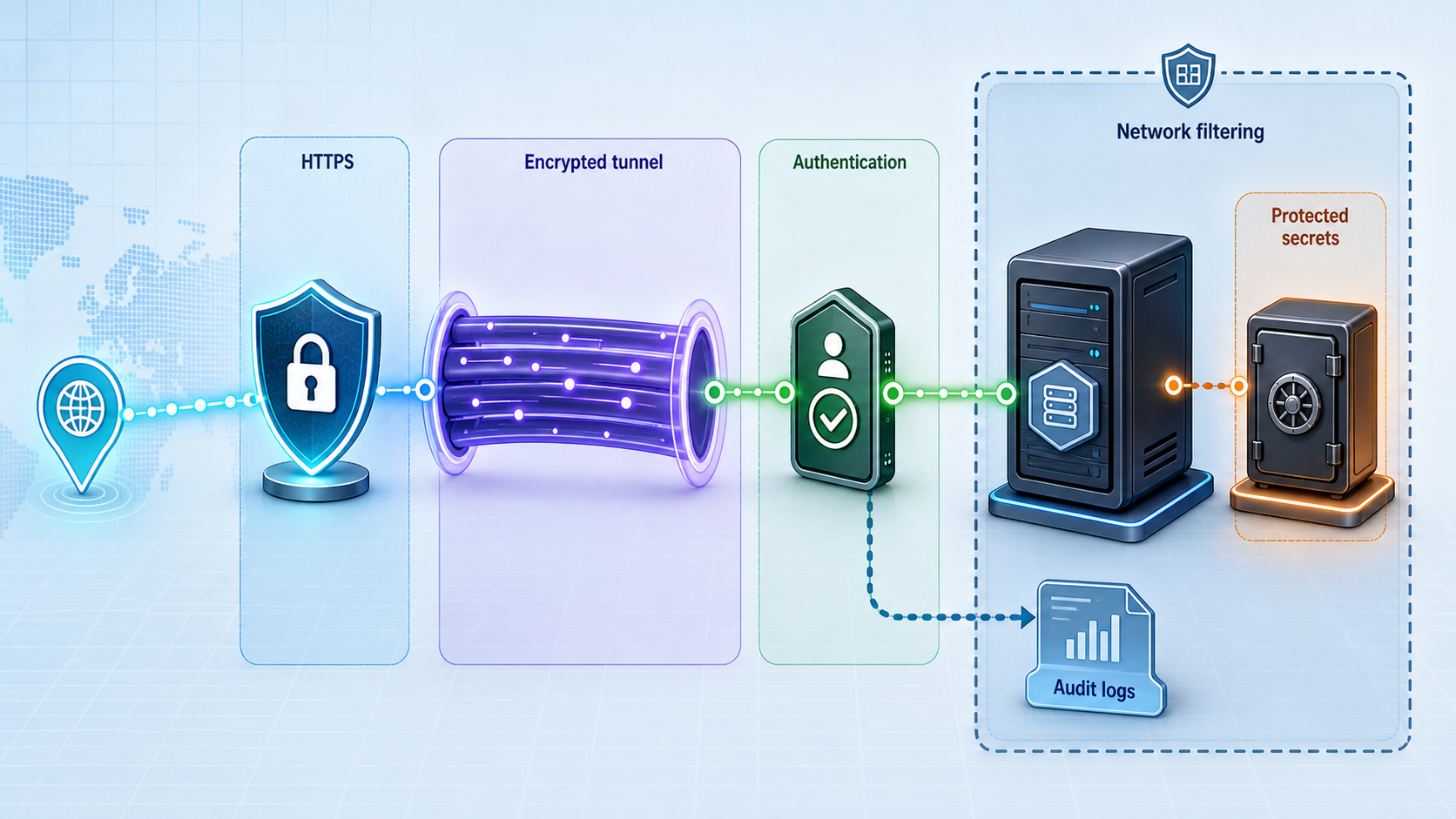
Creating a tunnel changes reachability, not authorization. Generate the Svix JWT secret securely and restrict it to the server and administrators who require it. Remote API clients should receive only the credentials and permissions needed for their role.
Do not expose PostgreSQL, Redis, the Docker API, or unrelated management interfaces through the Svix tunnel. Keep the public route scoped to the verified HTTP listener. Stop it during periods when remote access is not required.
A Compose example that starts successfully is not automatically a production security profile. Review secrets, authentication, image versions, persistence, backups, restoration, resource capacity, logs, restart behavior, database access, optional Redis settings, and the tunnel lifecycle before accepting untrusted traffic.
Troubleshoot Svix Docker and Localtonet connectivity
Docker or Compose is unavailable
Run docker --version, docker compose version, and docker info. A missing command indicates an installation problem. A daemon connection or permission error means Docker exists but the current account cannot use it. Resolve that layer before investigating Svix.
Compose cannot find its configuration
Confirm the repository revision and current directory:
git rev-parse HEAD
pwd
ls
cd server
docker compose config --services
If the final command cannot find a configuration, inspect the checked-out repository structure and verify that the selected commit is complete.
A container exits or continuously restarts
Use docker compose ps and docker compose logs --tail=200. Identify the earliest meaningful error. Later failures may be consequences of an unavailable database, invalid secret, unsupported setting, failed migration, port conflict, or missing storage permission.
PostgreSQL cannot be reached
PostgreSQL is required. Confirm that its Compose service is running, that Svix uses the service address defined by the project, and that the configured credentials and database are valid. Inside a container, localhost refers to that container, not automatically to another container or the Docker host.
Redis cannot be reached
First determine whether the selected Svix configuration uses Redis. If it does, confirm that Redis 6.2.0 or later is reachable through the configured DSN. If your design intentionally does not use Redis, make sure the queue and cache settings are compatible with that design rather than merely deleting the Redis container.
No host port appears in Compose status
A service can be reachable only inside the Compose network if no host port is published. Review docker compose config, docker compose ps, and the container inspection output. The Localtonet client needs an address and port reachable from the device where it runs.
The local curl command reports HTTP 000
HTTP 000 is curl’s indication that no HTTP status was received. Read the accompanying error. Connection refusal often means no listener is bound to the selected address and port. A timeout suggests routing or filtering. An address-resolution error indicates an invalid hostname or DNS problem.
The local request returns 401, 403, or 404
Those are real HTTP responses and can establish transport reachability. They do not prove authenticated Svix API success. Use the current Svix API reference, the correct method and path, and private credentials generated for your deployment.
Svix works on the Docker host but not from the Localtonet client device
If the client runs elsewhere, do not target the Docker host’s loopback address. Test the Docker host’s LAN address and published host port from the client device. Review the Docker bind address, host policy, and local routing before changing the public tunnel.
The tunnel was created but the public URL is unavailable
Confirm that the correct AuthToken was selected, the associated client is connected, and Start was pressed. Then compare the configured local IP address and port with the local URL that passed the transport test. Creating a tunnel configuration does not start it.
The public URL returns an authentication error
This usually means the network path reached an HTTP application but the request was not accepted. Repeat the same authenticated request that succeeded locally and change only the base URL. Do not disable authentication or expose the server JWT secret to make the public test pass.
Outbound webhook delivery fails even though the tunnel works
The tunnel in this guide handles incoming calls from remote clients to the Svix API. Outbound webhook delivery uses a different path from Svix to the destination. Check destination DNS, outbound connectivity, destination availability, payload acceptance, and Svix delivery information rather than assuming the API tunnel controls outbound delivery.
Data disappears after teardown
Review the exact command used and the project’s volume definitions. docker compose down --volumes removes named project volumes. Restoring service requires a valid backup if persistent data was deleted. This is why volume inspection and restoration testing must happen before teardown or upgrade work.
Frequently asked questions
What is the easiest documented way to run Svix?
Svix describes its example Docker Compose configuration as the easiest Docker alternative because it also starts and configures PostgreSQL and Redis. Clone the official repository, enter the server directory, and run docker compose up.
Is Redis always required by Svix?
No. PostgreSQL is required for event storage. Redis is optional depending on the selected queue and cache configuration. When Redis is used, Svix requires version 6.2.0 or later. The example Compose stack includes and configures Redis.
Why does this guide pin commit da9b423?
Pinning identifies a concrete repository state instead of delegating service names, Compose settings, and volume behavior to an unspecified future checkout. The associated v2.1.0 tag is an SDKs and CLI release, so it should not be mistaken for the Svix Server image version.
Which local port should the tunnel use?
Use the host-side port reported by docker compose ps or Docker inspection for your actual checkout. The documented standalone example maps 8071:8071, but you should not assume every Compose revision publishes the same host port.
Does receiving an HTTP response prove that Svix is working correctly?
It proves HTTP transport reachability only. A complete application check must use a documented Svix API operation with valid authentication and receive the expected response. Even an HTTP 401, 403, or 404 can prove that a server answered without proving API success.
Does Svix need a Localtonet tunnel to deliver outgoing webhooks?
Not when Svix is delivering to an ordinary public destination. That is an outbound connection from Svix. The tunnel in this guide is for authorized remote clients that need inbound access to the otherwise local Svix API.
Does Localtonet replace Svix authentication?
No. Localtonet provides the network route to the local HTTP listener. Svix remains responsible for authenticating and authorizing API requests. Keep the JWT secret and API credentials private.
Do I need router port forwarding or a public IP address?
No. Our Localtonet client establishes an outbound connection to a relay server, so this workflow does not require inbound router port forwarding, firewall changes, VPN setup, or a public IP address.
Will the public URL remain available if the Localtonet client stops?
No. The tunnel is available only while the selected client is connected and the tunnel is running. The Svix stack must also remain healthy and reachable from that client.
Does docker compose down delete Svix data?
A normal docker compose down removes project containers and networks but does not remove named volumes by default. Adding --volumes can remove named project volumes and destroy stored data. Always inspect the configuration and verify backups before teardown.
Connect your verified Svix API with Localtonet
Start with a pinned Svix checkout, confirm the Compose services and published port, and complete local transport and authenticated API checks. Then create a Localtonet HTTP tunnel to that exact listener, repeat both tests through the public HTTPS address, and stop the tunnel whenever remote API access is no longer required.
Get Started Free →

