

Verify an older Python game locally, then publish its HTTP service through a controlled tunnel
This guide explains how to review and run the source-based Doudizhu HTML5 game described by the available repository evidence, verify its local page, and make that page reachable through a Localtonet HTTP tunnel. The project uses Python, Tornado, MySQL, aiomysql, and a Phaser frontend, but its README contains a repository ownership mismatch and historical runtime minimums that should not be mistaken for current security recommendations. We use an isolated Python virtual environment, avoid placing a real database password in shell history, and separate basic page-load verification from unproven claims about complete multiplayer behavior. Before running or publicly serving the code, you must also confirm its license and your legal right to use it.
📋 What's in this guide
What this Doudizhu deployment contains
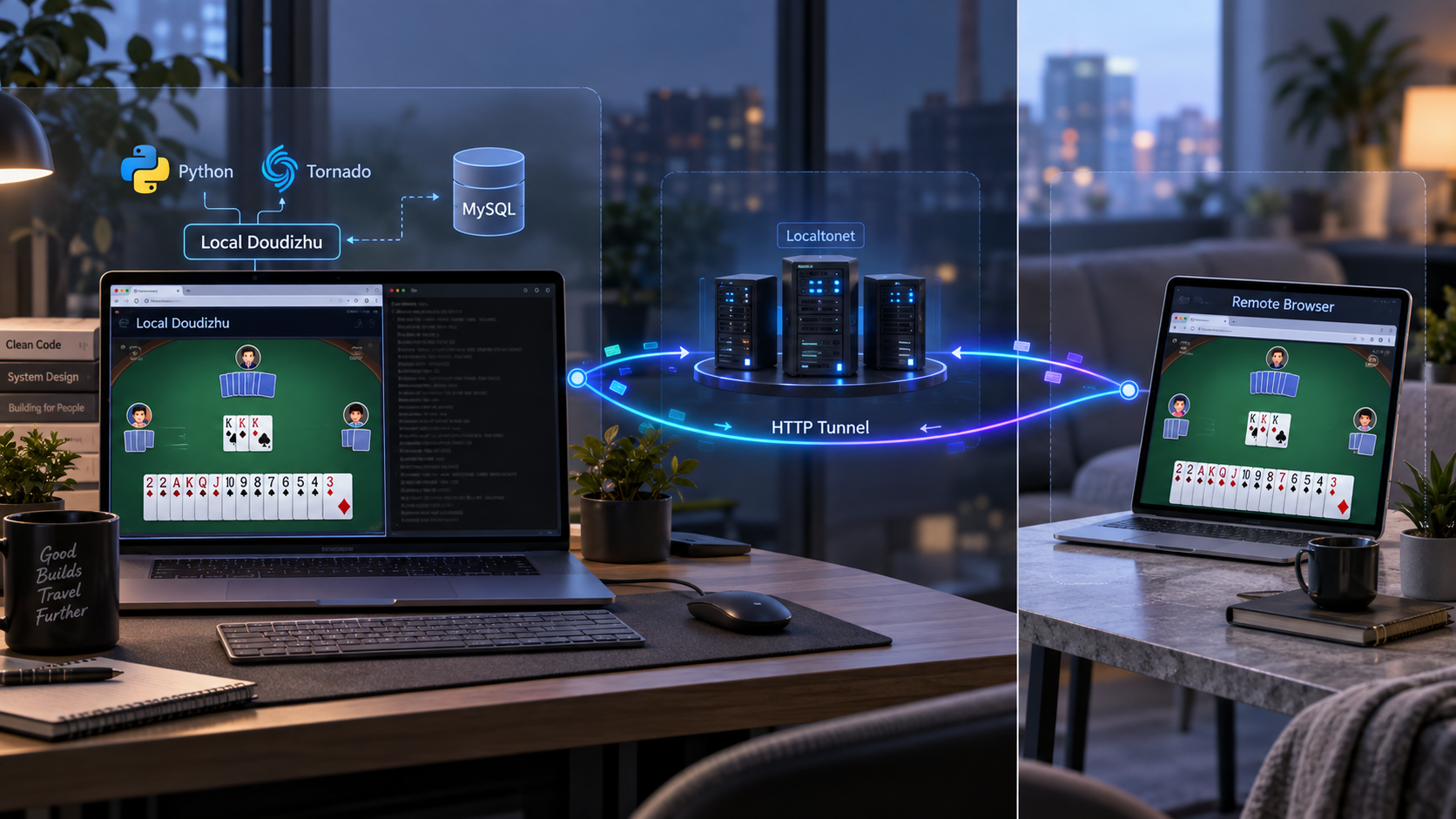
Doudizhu, also called Dou Dizhu, is a multiplayer card game. The repository snapshot reviewed for this tutorial describes an HTML5 implementation with a Python backend based on Tornado and MySQL. It identifies Phaser as the frontend engine and contains separate client and server directories, a root-level requirements.txt, and a root-level schema.sql.
The deployment has three application layers. MySQL stores the data expected by the supplied schema. Python and Tornado run the backend. A browser loads the frontend through the application's HTTP listener. Localtonet is an optional fourth layer that provides public reachability after the application works locally. It does not replace Python, MySQL, or the application's own security controls.
python3 app.py from the repository's server directory and installs its declared packages from requirements.txt.
schema.sql and documents a MySQL connection URI using the aiomysql driver and a database named ddz.
http://127.0.0.1:8080 as the page to visit after startup.
Keeping installation, local verification, and remote publication separate is essential. If the local page fails, a tunnel cannot install missing packages, repair a database connection, change the application's listener, or correct frontend errors. Establish a functioning local service first, then introduce the public network path.
The reviewed README establishes the historical runtime minimums, schema import, dependency installation, database environment variable, startup command, and local URL. It does not document a production process supervisor, operating-system support matrix, migration system, backup procedure, authentication policy, monitoring stack, or formal multiplayer test. This guide does not invent those missing details.
Resolve the repository and licensing questions first
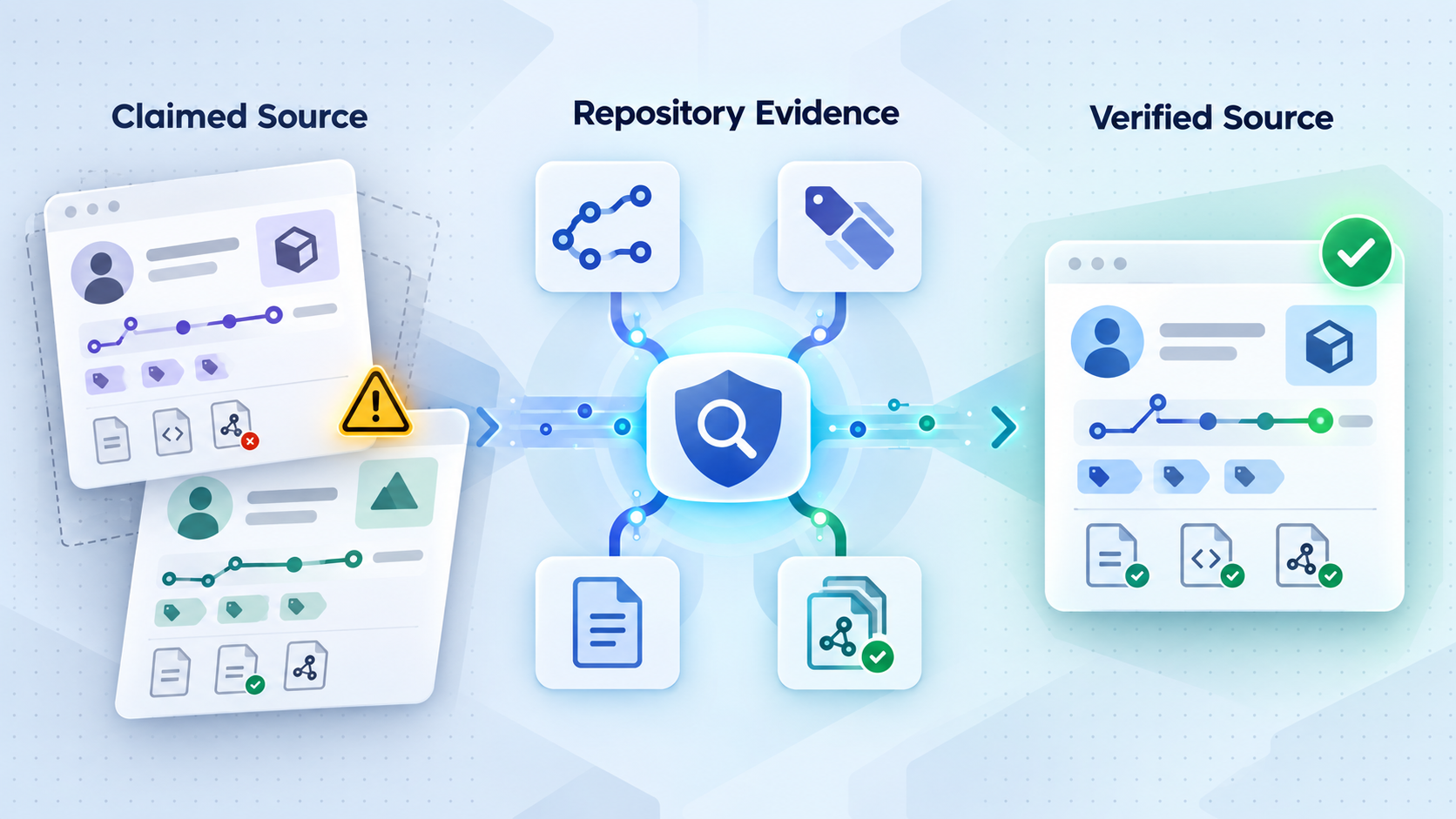
The reviewed repository location is
svzdev/doudizhu.
However, the Quick Start text displayed in that repository tells readers to clone
mailgyc/doudizhu.
These URLs name different repository owners. A README containing one clone URL while being displayed in another repository does not, by itself, establish which fork is canonical, whether one is newer, or whether the two source trees are identical.
The current evidence supplied for this revision reports that the svzdev/doudizhu repository uses a master branch and displays 277 commits, but it does not include the hash of the exact commit represented by the extracted page. We therefore do not invent a commit identifier or claim that every current branch tip has been tested. Before following repository-specific instructions, check out the source you intend to use and record its actual commit hash.
git status
git remote -v
git rev-parse HEAD
git log -1 --oneline
Save the remote URL and the complete output of git rev-parse HEAD in your deployment notes. Review the README.md, requirements.txt, schema.sql, and server directory at that same revision. If any of those files differ from the reviewed structure, stop and adapt the procedure to the source actually in front of you rather than assuming this article still matches it.
If you intentionally follow the README literally, the clone portion shown in its Quick Start is:
git clone https://github.com/mailgyc/doudizhu
cd doudizhu
Reproducing that command explains the mismatch. It is not an endorsement of one repository over the other. If you choose the svzdev location instead, use the clone URL presented by that repository, then record the checked-out commit with the commands above. In either case, review the code and dependency declarations before executing them.
The reviewed repository listing does not show a license file, and the supplied evidence does not establish licensing terms. Public visibility on GitHub does not automatically grant permission to modify, redistribute, or publicly serve a project. Check the exact revision for a license, notices, contributor terms, or other permission. If you cannot verify your legal right to run, modify, or publish the code, obtain permission from the rights holder or do not proceed.
Source identity and licensing are separate questions. Confirming a commit tells you which files you reviewed, but it does not grant legal rights. Likewise, finding a license does not prove that a fork is current, secure, or compatible with modern dependencies. Complete both reviews before exposing the application to other users.
Prepare supported software and an isolated environment
The repository README lists Python 3.8 or newer and MySQL 5.7 or newer. These are historical project minimums, not sensible recommendations for a new internet-facing installation in 2026. Python 3.8 reached end of life in October 2024, and MySQL 5.7 reached end of life in October 2023. End-of-life software no longer receives the ordinary upstream security maintenance expected for a current deployment.
Use currently maintained Python and MySQL releases only after testing the old project and its pinned or declared dependencies against them. The supplied evidence does not identify a modern version pair that the project maintainers have tested, so this article cannot responsibly promise compatibility with a particular current release. A maintained runtime is the security goal, but compatibility must be demonstrated in a disposable test environment before deployment.
| Component | Repository statement | Current interpretation | Required check |
|---|---|---|---|
| Python | Python 3.8 or newer | Python 3.8 is an end-of-life historical minimum | Test the dependency set with a maintained Python release |
| MySQL | MySQL 5.7 or newer | MySQL 5.7 is an end-of-life historical minimum | Test schema.sql and application queries with a maintained release |
| Python packages | Install requirements.txt with pip |
Install inside a project-specific virtual environment | Review package versions and installation errors before startup |
| Database configuration | Set DATABASE_URI |
Use a dedicated account and avoid command-history disclosure | Confirm the URI matches the real database and driver rules |
| Source | README points to a different owner | No canonical fork is established by the README alone | Record the repository URL and exact commit hash |
| Remote access | Not part of the project Quick Start | Add only after local verification | Run the Localtonet client on a device that can reach the service |
Check the available tools
From the machine where you plan to test the project, inspect the installed tools without changing the system:
python3 --version
python3 -m pip --version
mysql --version
git --version
Do not interpret “newer” as “automatically compatible.” Older Python packages may depend on APIs removed from modern Python, may not publish a wheel for the selected runtime, or may require system build tools. SQL written for MySQL 5.7 can also encounter changed defaults or compatibility differences on a maintained server. Test installation, schema import, startup, and the application behavior you actually need.
Use a project-specific Python virtual environment
A global pip3 install -r requirements.txt can modify the system Python environment and conflict with other applications. Some current operating systems also mark their Python installation as externally managed and reject global package installation. A virtual environment isolates this project's packages and lets python -m pip target the same interpreter that will start the server.
Create the environment from the repository root:
python3 -m venv .venv
source .venv/bin/activate
python -m pip --version
The activation command above is for a Unix-style shell, which is also the environment implied by the README's use of export. The supplied project evidence does not document Windows setup or confirm Windows support, so platform-specific commands are not invented here.
Prepare the database account
The README demonstrates its URI with the MySQL root account and a simple literal password. That is an example of URI structure, not a secure operational recommendation. Use a dedicated database identity, grant only the permissions required by the application, and keep the runtime account separate from any more privileged account needed to review or import the schema.
Exact account-creation SQL is not included because MySQL authentication plugins, administrative policies, and privilege requirements vary. Have a MySQL administrator review schema.sql, create the database identity, and determine the privileges required by the running application.
Moving away from end-of-life Python and MySQL versions is necessary for a responsible current deployment, but the available repository evidence does not identify a maintained version combination that has been validated with this old dependency set. Test a maintained combination in an isolated environment, document the result, and do not expose the application if compatibility or security review remains unresolved.
Install and configure Doudizhu from the reviewed source
Begin from the exact repository revision you selected and recorded. The sequence below preserves the project's substantive requirements while replacing the unsafe global package installation with a virtual environment and replacing the literal secret-bearing export command with a hidden prompt.
Enter and verify the selected source tree
Change into the repository root. Confirm the remote URL and commit hash, then verify that schema.sql, requirements.txt, and the server directory exist at that revision.
cd doudizhu
git remote -v
git rev-parse HEAD
test -f schema.sql
test -f requirements.txt
test -d serverReview and import the supplied schema
Read schema.sql before executing it. When you understand the objects and operations it contains, import it from the repository root using an account authorized for those operations. The MySQL client prompts for the password rather than placing it in the command.
mysql --user=root -p < schema.sqlCreate and activate the virtual environment
Create an isolated environment with the maintained Python version you are evaluating. Activate it before installing packages or starting the server.
python3 -m venv .venv
source .venv/bin/activateInstall the project's declared dependencies
Install the exact dependency declarations from requirements.txt into the active environment. Using python -m pip keeps the installer associated with the selected interpreter. Stop if installation fails.
python -m pip install -r requirements.txtEnter the server directory
The documented launch command runs from the server directory. Keep the virtual environment active when changing directories.
cd serverEnter the database URI without recording it in shell history
Use a hidden shell prompt to read the complete URI into DATABASE_URI, then export the variable for the application. Enter a URI matching the documented structure and your real dedicated account. The hidden input is not echoed and the secret itself is not written into the command line.
read -r -s -p "DATABASE_URI: " DATABASE_URI
printf '\n'
export DATABASE_URIStart the game server with the virtual environment's Python
Start the application from the server directory. Keep the terminal open during verification and watch for tracebacks, missing packages, database failures, or listener errors.
python app.pyThe connection URI structure shown by the README is:
mysql+aiomysql://USERNAME:PASSWORD@127.0.0.1:3306/ddz
Do not paste that placeholder literally, and do not reuse the README's example root credential. The mysql+aiomysql prefix identifies the MySQL dialect and aiomysql driver expected by the project's database layer. The username and password authenticate the application. 127.0.0.1 identifies MySQL on the same machine, 3306 is the port shown in the README, and ddz is the documented database name.
Passwords containing URI-reserved characters may need encoding according to the database library's connection-string rules. The available project evidence does not provide an escaping procedure. Do not simplify a password or guess at encoding merely to make the URI work. Check the behavior of the exact database library version installed from the recorded revision.
In a new terminal, reactivate the virtual environment and set DATABASE_URI
Verify the local page before creating a tunnel
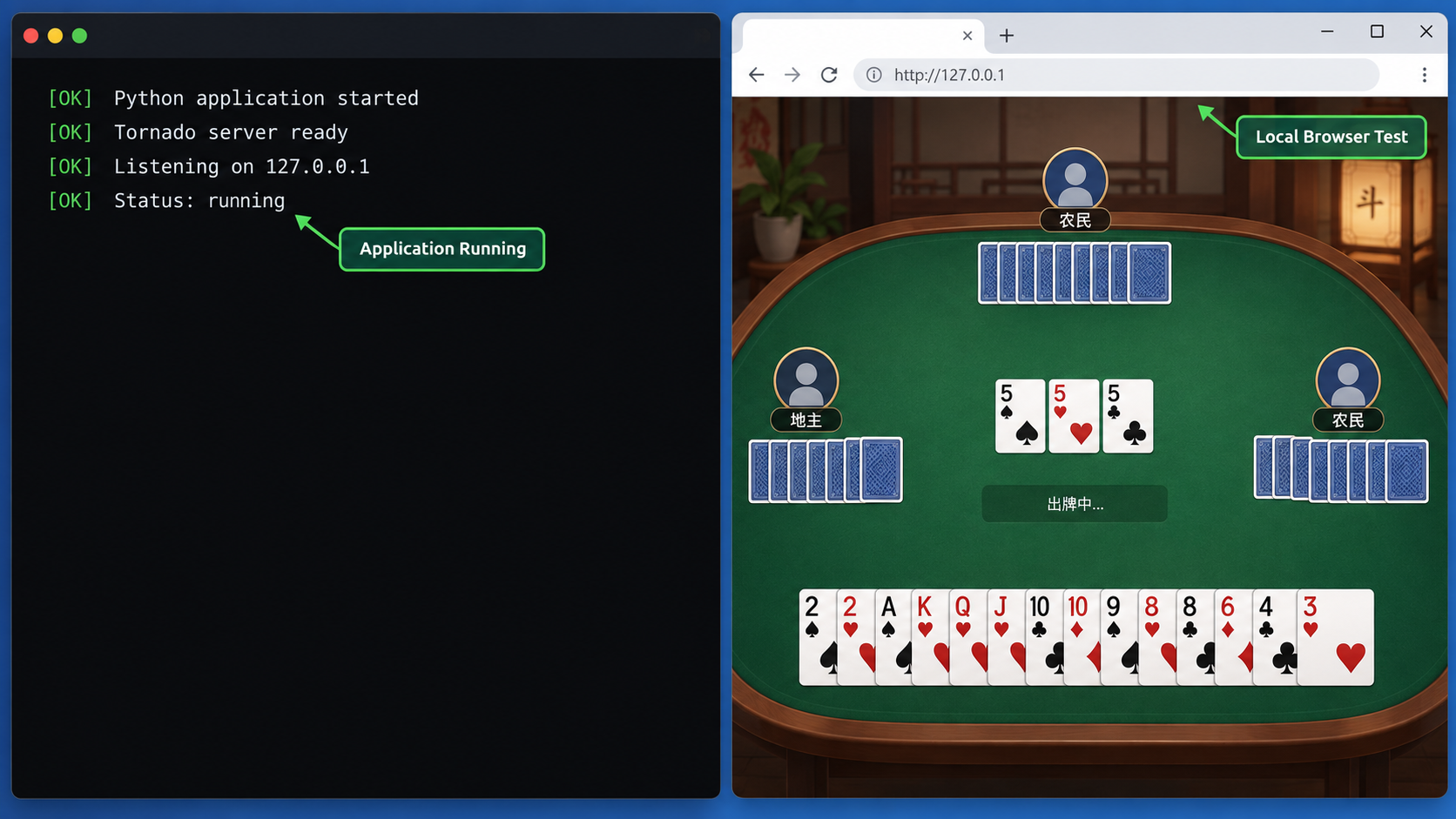
With the Python process running, open the local address documented by the repository from a browser on the same machine:
http://127.0.0.1:8080Confirm that the browser receives the expected page rather than a connection error, generic server error, or empty response. Check that the visible interface and required static assets load, and keep the server terminal visible so you can correlate browser requests with backend exceptions.
This is a page-load verification, not proof of complete multiplayer operation. The supplied evidence does not provide a formal test suite, health endpoint, default test users, expected database contents, or a documented procedure for validating every real-time or multiplayer transport. A successful page load establishes that the browser can reach the local HTTP service and receive the frontend. It does not establish that every game action, concurrent-player path, session feature, or underlying transport works.
Local verification checklist
- The virtual environment is active and the application uses its Python interpreter.
- The Python process starts without immediately exiting.
- No unresolved import or missing-package error appears.
- The application can authenticate to the intended MySQL database.
- The browser reaches
http://127.0.0.1:8080on the host. - The expected page appears and required frontend assets load.
- The terminal does not report a request-time exception while the page loads.
The loopback address 127.0.0.1 always refers to the device making the connection. A browser on another computer cannot use that address to reach the Doudizhu host because it would point back to the other computer. For the same reason, placing the Localtonet client on the Doudizhu host is the simplest topology for the documented listener.
Do not create a public tunnel to an application that cannot pass its local page-load check. Correct the Python, dependency, database, schema, or listener problem first. Public reachability adds another diagnostic boundary and does not repair the local service.
Configure remote browser access with Localtonet
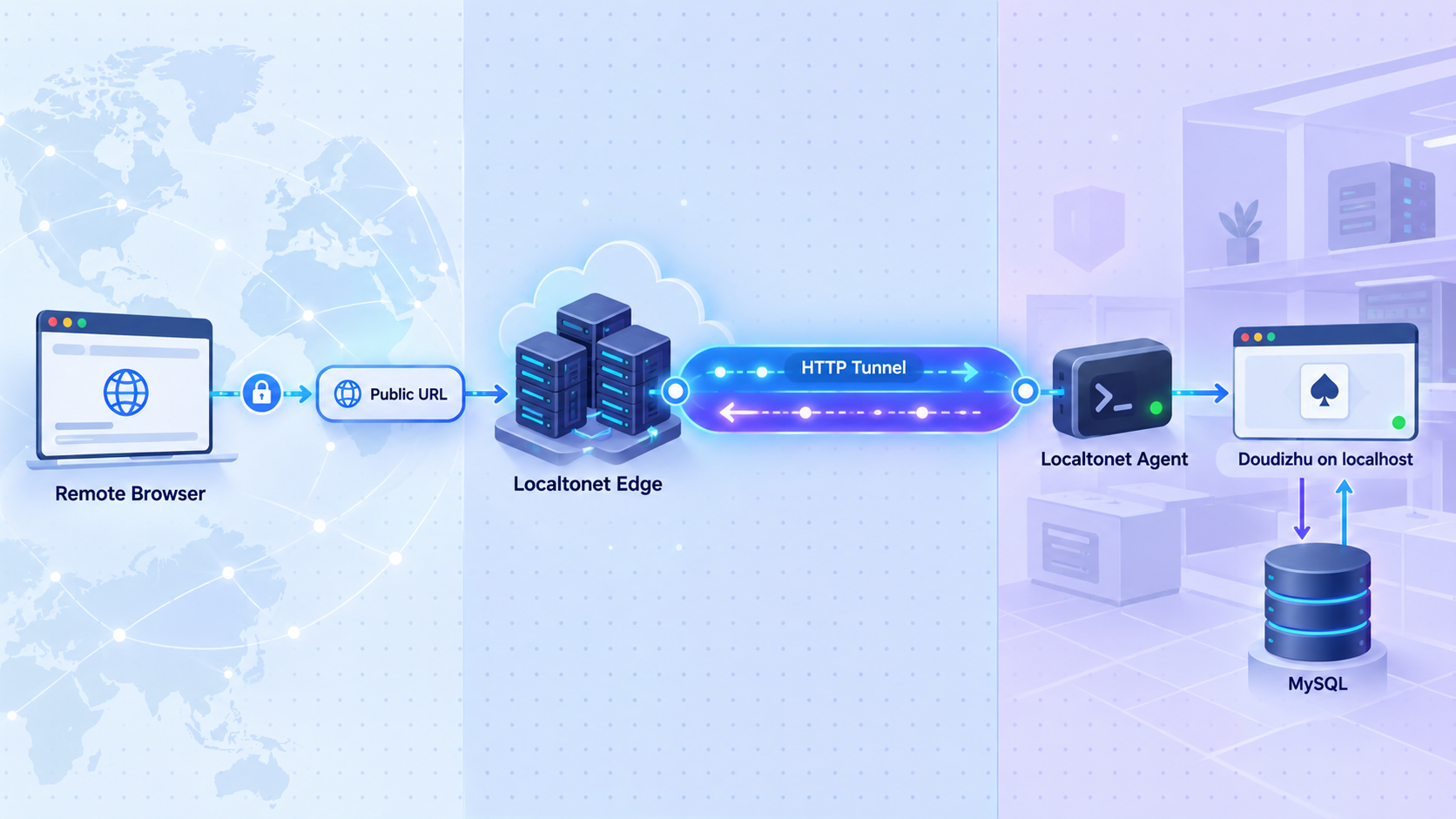
After the local page works, use a Localtonet HTTP tunnel to publish the HTTP service. Our client on the selected device establishes an outbound connection to a Localtonet relay server. This provides a public URL without inbound router port forwarding, firewall changes, VPN setup, or a public IP address.
Use the current Localtonet HTTP tunnel documentation as the installation and configuration entry point. It is the appropriate place to obtain the current client for your operating system and confirm the live interface. If you do not yet have an account, use the Localtonet registration page. Client packages, available relay servers, and dashboard presentation can change, so this article does not invent an operating-system command or hardcode a server code that was not included in the verified evidence.
The target for this setup is 127.0.0.1 on port 8080 when the Localtonet client runs on the same host as Doudizhu. If the client runs on another device, that device's 127.0.0.1 refers to itself. You would need an address reachable from that client and an application listener configured for that topology. The Doudizhu README does not document a non-loopback binding option, so no unverified flag is provided here.
Choose the HTTP addressing model
HTTP tunnels can use Random Sub Domain, Custom Sub Domain, or Custom Domain as their Process Type. Each serves the target content at a public HTTPS address. Availability can vary by account or current product configuration. Custom-domain DNS details should be taken from the current dashboard and documentation rather than copied from an unrelated deployment.
| Process Type | Address behavior | Appropriate use |
|---|---|---|
| Random Sub Domain | Uses an assigned public subdomain | Suitable when a generated address is sufficient |
| Custom Sub Domain | Uses a selected subdomain where supported | Suitable when a recognizable supported name is needed |
| Custom Domain | Uses your own configured domain | Suitable when you control the domain and complete the current DNS requirements |
The following sequence follows the maintained Localtonet workflow: install and run the client, identify the device with its token, select an available relay server, create the HTTP configuration, start and use it, then stop or delete it when access is no longer required.
Install and run the current Localtonet client
Open the current HTTP tunnel documentation, use the installation path presented for your operating system, and run our client on the Doudizhu host whenever possible. Keep Doudizhu running so the client can reach 127.0.0.1:8080. The supplied evidence does not include verified platform-specific installer commands, so none are guessed here.
Authenticate and select the client device
Associate the client with its device-specific authentication token. In the tunnel interface, select the AuthToken that represents the connected Doudizhu host. This selection determines which device will run the tunnel. Keep the token private and never place it in game files, screenshots, shell transcripts, or public documentation.
Select an available relay server
Choose a server or region currently offered in the interface. Use a value shown for your account instead of copying a server code from another article. Availability can vary by plan, client version, region, or deployment.
Create the HTTP tunnel configuration
Choose the required HTTP Process Type and set the local target IP address to 127.0.0.1 and the local target port to 8080 when the client and game run on the same host. Review the configuration before saving it.
Start the tunnel and test its assigned URL
Creating a tunnel does not start it. Press Start, confirm that the selected device and tunnel are connected, and open the assigned public HTTPS URL from another browser or device. Compare the returned page with the local page you already verified.
Stop or delete the tunnel when finished
Stop the tunnel to end active publication, or delete it if the configuration is no longer required. The public endpoint is available only while the selected client is connected, the tunnel is running, and the local Doudizhu service remains reachable.
Interpret the remote result carefully
Opening the assigned URL and receiving the same page proves that an external browser can reach the application's HTTP page through the tunnel. It does not, by itself, prove that complete multiplayer gameplay has been tested. If the game uses additional connection behavior beyond the initial page and assets, validate that behavior separately with multiple controlled clients while monitoring browser diagnostics and server output.
The tunnel changes how browser traffic reaches Doudizhu. It does not change how Doudizhu reaches MySQL. Keep the database behind the application. Remote browsers need the game's HTTP endpoint, not direct public access to port 3306.
Review security before sharing the public URL
A service that was previously reachable only through loopback gains a broader audience when you start a public tunnel. That change is useful for controlled remote access, but it also exposes application behavior, dependencies, and any missing access controls to internet-originated requests.
requirements.txt and source revision. Successful installation is not evidence that every dependency remains secure or maintained.
The reviewed evidence does not establish an authentication model, authorization policy, supported upgrade process, vulnerability response policy, rate limiting, security maintenance commitment, or production hardening guide for Doudizhu. Review the exact code and dependencies, confirm licensing, use least-privilege credentials, and restrict the audience according to your risk assessment.
Keep the database URI and Localtonet device token out of source control, screenshots, issue reports, browser-delivered files, and shared terminal logs. If either secret is disclosed, revoke or replace it through the appropriate database or account workflow. Merely deleting a screenshot does not invalidate a credential that has already been copied.
Avoid running the game process or database as an unnecessarily privileged operating-system account. The project README does not prescribe a service account, sandbox, or container policy, so those decisions require a separate deployment review. Whatever method you choose, grant only the filesystem, database, and network access actually needed.
Operate and maintain the deployment
Four components must remain healthy for remote users to load the application: MySQL, the Python process, the Localtonet client, and the HTTP tunnel. Treat them as separate operational layers so that stopping one does not get confused with stopping another.
Start a new test session
- Start MySQL using the procedure approved for your system.
- Open a shell and enter the repository root.
- Activate
.venv. - Enter the
serverdirectory. - Read and export
DATABASE_URIwithout placing the secret in shell history. - Run
python app.py. - Verify
http://127.0.0.1:8080locally. - Run the selected Localtonet client and start the existing tunnel.
- Test the assigned public URL from a separate device.
Understand what happens when a component stops
| Stopped component | Local effect | Remote effect |
|---|---|---|
| HTTP tunnel | The game may continue at its local URL | The configured public route is inactive |
| Localtonet client | The local application may continue working | Tunnels assigned to that disconnected device cannot remain available |
| Python server | 127.0.0.1:8080 stops serving the page |
The tunnel has no healthy target |
| MySQL | Database-dependent behavior can fail | Remote users encounter the same backend failure through the tunnel |
Handle source and dependency changes deliberately
Before pulling or checking out different code, record the currently deployed commit and back up the database using your MySQL administration process. Review changes to requirements.txt, schema.sql, configuration loading, listener behavior, and frontend networking assumptions.
Do not treat rerunning schema.sql as an upgrade process unless you have inspected the exact script and verified that it is safe against the existing database. The project evidence does not document migrations or backward compatibility. Test changes against a disposable copy and confirm restoration before modifying a deployment you care about.
If you test a newer Python or MySQL release successfully, record the exact versions, package installation output, commit hash, schema result, local verification, and multiplayer checks you performed. That deployment record is more useful than the README's broad “or newer” statement because it describes an actual tested combination.
Troubleshoot by testing one layer at a time
The schema import fails
Confirm that MySQL is running and that the client can reach it. Read the first specific error. Authentication failures point to the selected account or authentication configuration. Permission failures indicate that the importing account cannot perform an operation in schema.sql. Syntax or compatibility errors require comparison between the recorded schema file and the maintained MySQL version being tested.
Run the import from the repository root. A shell message saying schema.sql cannot be found is a path problem, not a MySQL compatibility problem.
Virtual environment creation fails
Confirm that the selected Python installation includes virtual-environment support. Some operating-system packages separate that support from the core interpreter. Use the package instructions for your operating system rather than falling back to a global pip installation merely to bypass the error.
Dependency installation fails
Verify that the virtual environment is active and that python -m pip --version points inside .venv. Read the first meaningful package error. An unavailable wheel, failed native build, incompatible version constraint, or removed Python API must be investigated against the exact requirements.txt and interpreter version.
Do not update package versions blindly. Changing a dependency may make installation succeed while introducing an application incompatibility. If you modify the dependency set, document the change and test the local page and required game behavior again.
The application cannot connect to MySQL
Confirm that DATABASE_URI was exported in the same shell that starts python app.py. Check the username, password, host, port, and database name. The documented structure uses 127.0.0.1:3306/ddz, but it must match your real MySQL configuration.
Verify that the runtime account can access the expected database and that the schema import completed. If the password contains URI-reserved characters, investigate the exact driver's encoding rules rather than weakening the credential.
Python reports a missing module or file
A missing module commonly means that package installation failed, the virtual environment is not active, or the application is running with a different interpreter. Check python -m pip --version and the dependency installation output. A missing project file can indicate the wrong working directory or a different source revision.
Start the application from the repository's server directory as documented. Do not invent a module path or startup flag without inspecting the checked-out source.
The browser cannot open the local page
Inspect the Python terminal first. If the process exited, correct its reported error. If it is still running, confirm the exact URL and port. Another process may already occupy port 8080, but the repository evidence does not document a supported alternate-port option. Review the source before changing listener behavior.
The local page works but the public URL does not
- Reload
http://127.0.0.1:8080on the host. - Confirm the Localtonet client is still connected.
- Confirm the selected AuthToken belongs to that client device.
- Confirm the selected relay server remains available.
- Confirm the tunnel target is
127.0.0.1and port8080for a same-host client. - Confirm the tunnel was started rather than only created.
- Use the assigned public HTTPS URL exactly as displayed.
If the client runs on another machine, a target of 127.0.0.1 points to that other machine. Run the client on the Doudizhu host for the documented loopback setup, or perform a separate application-binding and network-security review before using a different topology.
The public page loads but multiplayer behavior fails
First reproduce the same action through the local URL. If it fails locally, investigate the application, database, frontend, and source revision. If it fails only through the public URL, inspect browser developer messages and backend output for hostname, scheme, connection, or asset assumptions.
Do not report a successful page load as proof that all multiplayer behavior or every underlying transport has been validated. The available repository documentation does not describe those transports or provide a complete remote test procedure. Any code-level remedy must be based on the exact recorded revision and observed diagnostics.
Test MySQL, the virtual environment, the Python process, the local browser page, the Localtonet client, the tunnel status, and finally the public URL. This sequence identifies the first broken boundary instead of mixing application and tunnel failures together.
Frequently asked questions
Which Doudizhu repository is canonical?
The supplied evidence does not establish that. The reviewed page is svzdev/doudizhu, but its README tells readers to clone mailgyc/doudizhu. A README alone does not prove which fork is canonical or whether the repositories are identical. Review the chosen source and record its repository URL and exact commit hash.
Can I use or publicly serve this code if the repository is public?
Public visibility does not automatically grant permission to modify, redistribute, or publicly serve code. The reviewed listing does not show a license. Check the exact revision for licensing terms and confirm your legal right to use the project. If the rights are unclear, obtain permission or do not proceed.
Should I install Python 3.8 and MySQL 5.7 for this project?
Not as a current security recommendation. Those are historical minimums in the README, and both versions have reached end of life. Test the project with maintained Python and MySQL releases, but do not assume compatibility until dependency installation, schema import, startup, and required behavior have been validated.
Why use a Python virtual environment?
It isolates the project's packages from the system Python and other applications. It also avoids relying on a global pip installation that an externally managed Python distribution may reject. Activate the environment before installing requirements.txt and before starting the server.
How can I set DATABASE_URI without exposing the password in shell history?
Read the complete URI with a hidden shell prompt and then export the variable. This keeps the real URI out of the typed command line. Continue to protect the process environment, terminal session, screenshots, and diagnostics because avoiding shell history is only one part of secret handling.
Why should the Localtonet client run on the Doudizhu host?
The documented application URL uses 127.0.0.1, which is reachable only from the same machine. Running our client there lets the HTTP tunnel target the loopback service directly. On another device, 127.0.0.1 would refer to that device instead.
Does loading the public page prove multiplayer gameplay works?
No. It proves that the remote browser can receive the application's page through the HTTP tunnel. Complete gameplay, concurrent players, sessions, and any additional transport behavior require separate testing. The supplied project evidence does not provide a formal procedure that validates all of those paths.
Is the public URL active as soon as I create the tunnel?
No. Creating a tunnel does not start it. The selected Localtonet client must be connected, the tunnel must be started, and Doudizhu must remain available at the configured local target. MySQL must also remain healthy for database-dependent behavior.
Does Localtonet make this old project production-ready?
No. Localtonet provides reachability to the configured local service. It does not add missing application authentication, authorization, dependency maintenance, licensing rights, backups, monitoring, process supervision, or a security update policy. Review and address those areas independently before serving an untrusted audience.
Connect a verified Doudizhu deployment with Localtonet
After you have confirmed the source revision and license, tested maintained runtime versions, and loaded the game successfully at 127.0.0.1:8080, run our client on the same host and create an HTTP tunnel to that local target.


