

Give authorized AI agents remote access to a self-hosted email API without exposing every Compose service
Sentio is a self-hosted email inbox API for applications and AI agents that need to receive messages as structured events and send replies through REST. This guide installs the complete Sentio stack with Docker Compose, restricts the REST listener to the host loopback interface, verifies the local API, and makes bootstrap-key rotation a required pre-exposure gate. We then create a Localtonet HTTP tunnel to the protected listener, configure an agent with the assigned HTTPS base URL, and perform a safe authenticated smoke test. SMTP delivery, the MinIO console, and Sentio's separately shipped MCP server remain distinct from this REST access path.
📋 What's in this guide
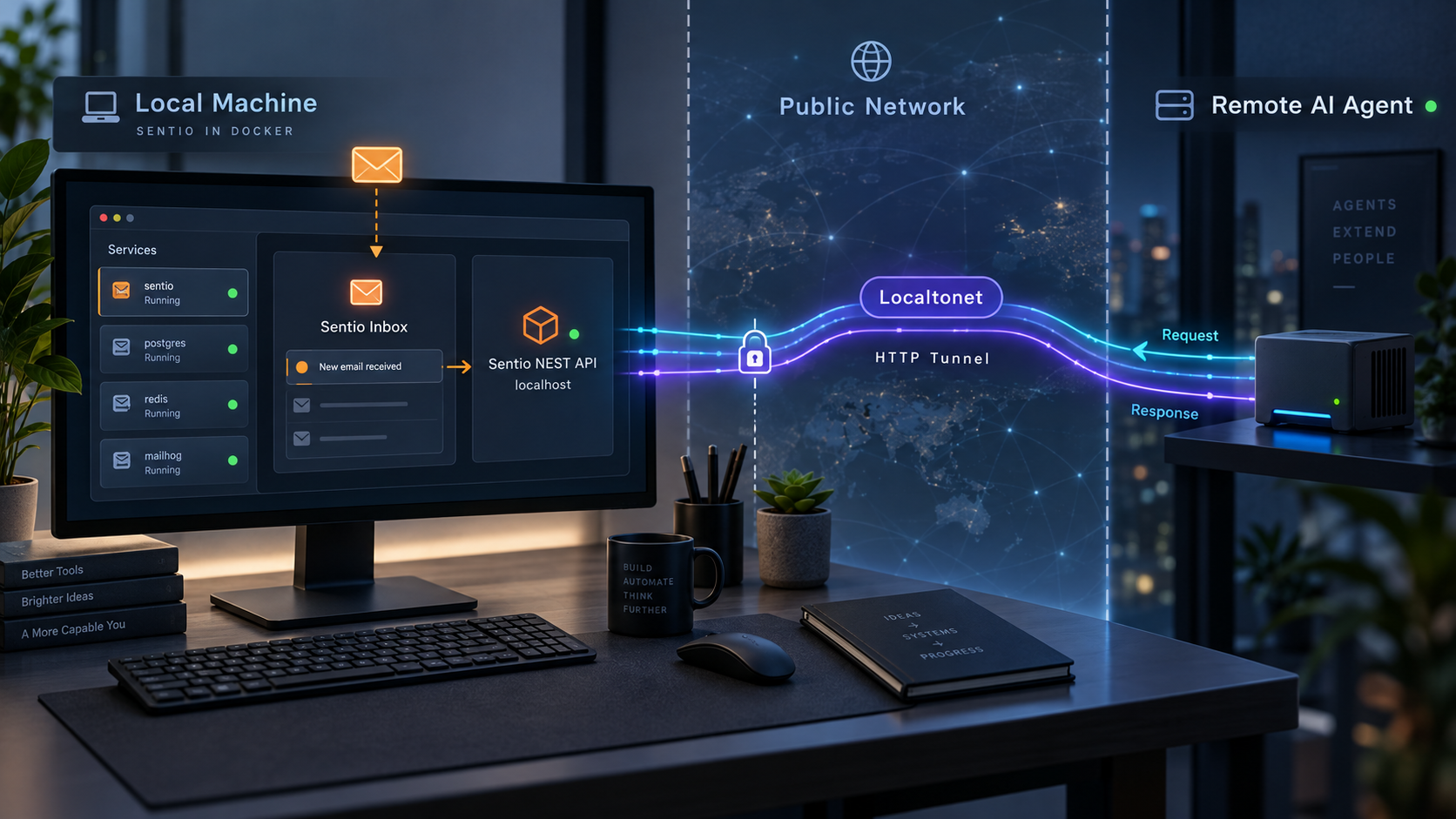
What Sentio provides and what this guide exposes
Many AI agent workflows need more than a notification address. An agent may need to receive a customer conversation, inspect a parsed message, take an action, and reply in the same thread. Building that flow from separate components commonly means combining SMTP handling, message parsing, authentication checks, malware and spam analysis, storage, queues, webhooks, and outbound delivery.
Sentio's source repository and deployment documentation describe a self-hosted, multi-tenant mail service designed for this use case. A deployment can create domains and mailboxes for agents, deliver inbound messages to application webhooks, and accept outbound operations through a bearer-authenticated REST API. Domains, mailboxes, API keys, rate limits, suppression lists, and spam profiles belong to tenants, which helps separate customers or agent environments within one deployment.
This tutorial covers remote access to the Sentio REST and OpenAPI interface on port 8080. It does not expose the SMTP ports through the same HTTP tunnel, publish the MinIO administration console, or establish a complete production mail-delivery environment. Those surfaces have different protocols, access requirements, and security boundaries.
/docs and an OpenAPI 3.1 description at /openapi.json.
REST/OpenAPI access is not the Sentio MCP server
This guide connects an AI application directly to Sentio's bearer-authenticated REST API. An agent can use an HTTP client generated from the OpenAPI document or an integration written for the specific operations it needs.
Sentio also ships a separate sentio-mcp server. For the evidenced Sentio v0.1.6 release, that component is distributed as its own archive and points to a running Sentio deployment using SENTIO_BASE_URL and SENTIO_API_KEY. Running the MCP server is optional and requires its own installation and configuration. Creating a Localtonet tunnel to port 8080 does not automatically install, configure, or expose Sentio MCP.
The services behind the REST API
Sentio is not a single stateless HTTP process when deployed as a complete mail platform. Its documented Compose stack starts Sentio together with PostgreSQL, Redis, NATS with JetStream, MinIO, ClamAV, and rspamd.
| Component | Role | Operational implication |
|---|---|---|
| PostgreSQL 18+ | Persistent application state | PostgreSQL 18 is required because the schema uses the built-in uuidv7() function. |
| Redis or Valkey | Rate limits, bans, greylisting, and reputation data | The key-value service must remain reachable during normal operation. |
| NATS with JetStream | Delivery, retry, webhook, and event pipelines | JetStream must be enabled. A plain NATS deployment without it is insufficient. |
| S3-compatible storage | Raw email and attachment blobs | The Compose stack uses MinIO, while manual deployments can use another compatible endpoint. |
| ClamAV | Malware scanning | Startup and readiness can affect how quickly the complete stack becomes usable. |
| rspamd | Content-oriented spam analysis | It is included in the full Compose environment. |
Prerequisites and deployment choices
The most reproducible installation path is Sentio's official Docker Compose stack. It includes the supporting services and runs migrations during startup, so it is the path used below.
Prepare a Linux host with Docker Engine 24 or newer, the Docker Compose plugin, approximately 4 GB of available memory, and approximately 8 GB of disk space. The published container image supports Linux AMD64 and ARM64. Install Git and curl as well because the workflow uses them to retrieve the repository and test the API.
The commands in this guide pin release v0.1.6, the release reviewed for this tutorial. Sentio behavior, API paths, Compose configuration, and credential-management requests can change between versions. If you select another release, review that version's repository documentation, release notes, Compose file, local /docs interface, and /openapi.json document before exposing it.
A Compose mapping such as 8080:8080 normally publishes the container port on all host interfaces unless a host address or another access control limits it. A Localtonet tunnel does not make that direct listener private. Before claiming that port 8080 is reachable only through Localtonet, bind it to 127.0.0.1 or enforce an equivalent host, cloud, or network access policy and verify the result.
Docker Compose versus a manual installation
| Installation path | Best suited to | Requirements and tradeoffs |
|---|---|---|
| Prebuilt Compose stack | Most evaluations and self-hosted deployments | Pulls a prebuilt Sentio image and starts PostgreSQL, Redis, NATS, MinIO, ClamAV, and rspamd. |
| Compose build from source | Developers changing or auditing Sentio | Builds the Rust workspace from the checkout and takes longer than using the prebuilt image. |
| Manual installation | Operators integrating existing infrastructure | Requires a Rust and C build toolchain, PostgreSQL 18+, Redis or Valkey, JetStream-enabled NATS, S3-compatible storage, migration management, and a complete Sentio configuration. |
A manual deployment gives an operator more control over service placement, but it also transfers responsibility for every dependency, migration, credential, and service-manager configuration. This article does not invent systemd units, storage credentials, or undocumented configuration variables. Use the Compose workflow unless you have reviewed the exact manual instructions for your selected Sentio version.
For a manual deployment, verify the actual PostgreSQL server version before applying migrations:
psql -tAc 'SHOW server_version'
PostgreSQL 18 is a strict floor for the documented release because its schema uses uuidv7(). An older server produces a missing-function migration failure. Upgrading the database is the correct resolution rather than removing the function from Sentio's schema.
Install Sentio with Docker Compose
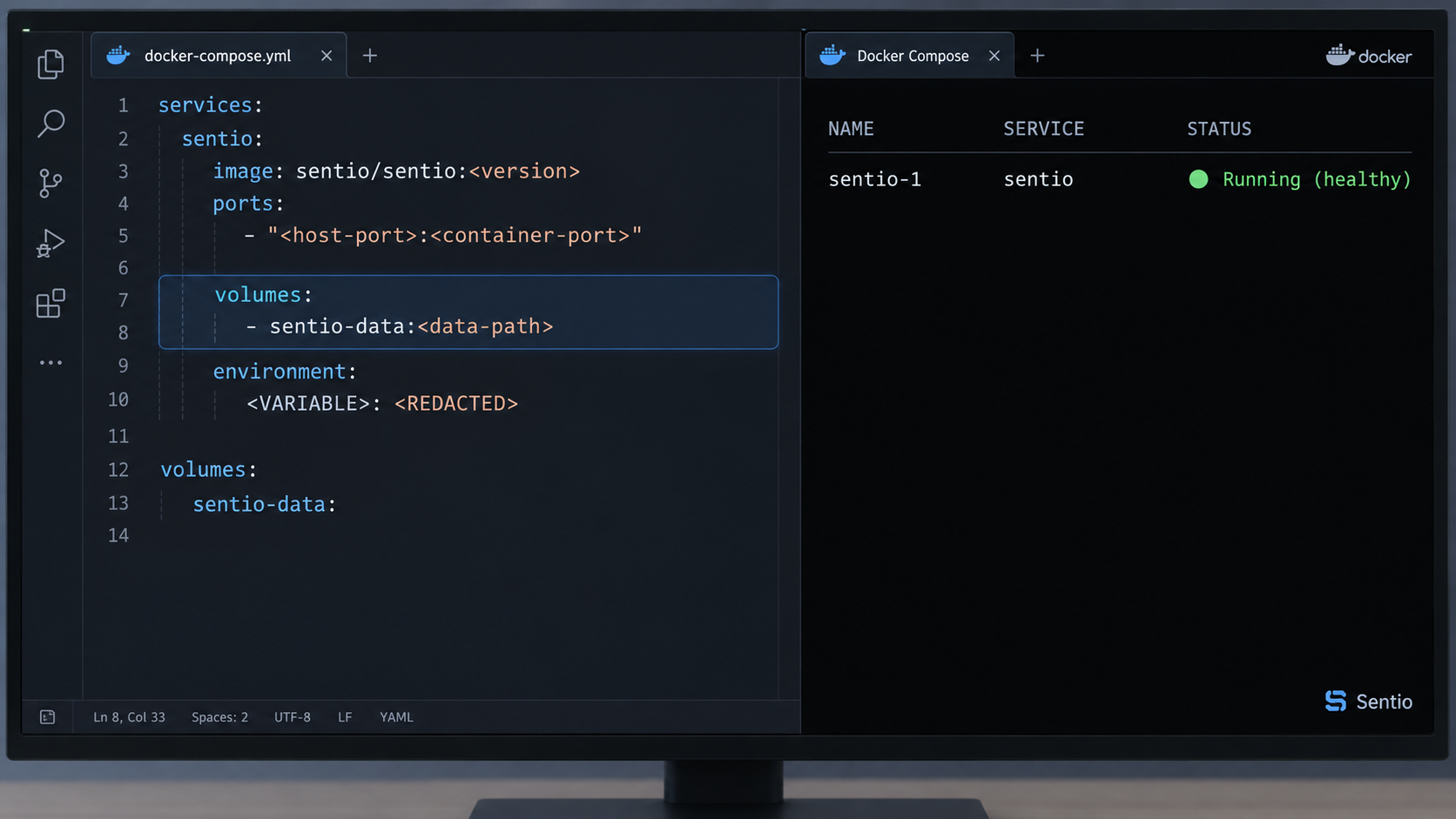
Run the following workflow on the machine that will host Sentio. If the Localtonet client will also run on this host, it can later target the loopback-bound API directly.
Clone the Sentio repository
Retrieve the official repository and enter its directory. The Compose files and supporting configuration are maintained with the source tree.
git clone https://github.com/truespar/sentio.git
cd sentioPin the reviewed release
Check out v0.1.6 for the version used in this guide. Pinning avoids silently changing the application and Compose files when the repository advances.
git checkout v0.1.6Add the API-only host-port policy
Before starting the stack, create the override shown in the next section. It replaces the default published-port list with a loopback-only mapping for the REST API. Do not proceed until you have decided separately whether SMTP or the MinIO console should be reachable from any other interface.
Start the complete stack
Docker Compose pulls the prebuilt Sentio image and starts the required supporting services. The normal path does not compile the Rust workspace locally.
docker compose up -dWatch the migration process
Sentio applies migrations before the server starts. Follow the migration logs and confirm that schema initialization and bootstrap processing complete.
docker compose logs -f sentio-migrateInspect the Sentio server logs
After migrations complete, follow the application logs. Exit log-following with your terminal's normal interrupt shortcut when the server is ready.
docker compose logs -f sentioBuilding Sentio from the checkout
If you intentionally want to compile the workspace instead of pulling the published image, use the documented Compose build overlay together with your local override:
docker compose -f docker-compose.yml -f docker-compose.build.yml -f docker-compose.override.yml up -d --buildThis performs a release build of the workspace and can take substantially longer than pulling the image. It is useful when auditing or modifying Sentio, but it is not required for ordinary self-hosting.
Restrict direct host exposure before starting the tunnel
The default Sentio Compose configuration lists ports for SMTP, the REST API, and the optional MinIO console. Docker port publication and Localtonet tunneling are independent paths. If Docker publishes 8080 on a LAN, cloud, or public interface, users may be able to reach that listener directly without using the Localtonet URL.
For the REST-only workflow in this article, create docker-compose.override.yml in the repository directory with this content:
services:
  sentio:
    ports: !override
      - "127.0.0.1:8080:8080"
Sentio documents the use of Compose's !override tag to replace its published-port list rather than append to it. In this version, the override leaves the REST API available at 127.0.0.1:8080 while removing host publication for ports 25, 465, 587, and 9001. Containers on the Compose network can still use their internal service connections as configured by the project.
Adding 127.0.0.1:8080:8080 without replacing the original list can leave the original all-interface mapping in the merged Compose configuration. Inspect the rendered configuration and the actual host listener. The goal is one loopback-bound REST publication, not both a private and a broad publication.
Review the merged configuration before startup:
docker compose configAfter startup, inspect the published mappings:
docker compose ps
The displayed REST mapping should identify 127.0.0.1 as the host address. You can also use the operating system's normal socket-inspection tool to confirm that port 8080 is not listening on an external host address.
Treat SMTP listeners separately
Removing SMTP host publications is appropriate for an API evaluation or for a deployment that has not completed its public-mail design. If you later need SMTP delivery, define the required mappings deliberately after reviewing DNS, certificates, port availability, provider policy, and network controls. Do not restore every default mapping merely to make the REST API work.
Port 25 is used for server-to-server SMTP. Port 587 is used for authenticated submission with STARTTLS. Port 465 is for implicit TLS and Sentio skips that listener when the required certificates are not present. These are raw mail protocols and do not belong in the HTTP tunnel configured later.
Treat the MinIO console separately
Port 9001 is an optional object-storage administration console. The REST API does not need that console to be published on the host. Leave it out of the host mapping unless an administrator has a specific need and a separate access-control plan. If local-only console access is required, a separate loopback mapping can be evaluated, but it should not be included in the Sentio HTTP tunnel.
The same controlled-ingress principle applies to other Compose projects. Our Docker Compose exposure guide explains why applications should publish one intentional ingress instead of exposing every container independently.
| Port | Service | Policy in this guide |
|---|---|---|
| 25 | Inbound SMTP | Not host-published for the REST-only workflow. Plan public mail separately. |
| 465 | Implicit-TLS SMTP | Not host-published. Sentio binds it only when certificates are present. |
| 587 | SMTP submission | Not host-published for this workflow. |
| 8080 | HTTP REST API | Published only on 127.0.0.1 and used as the Localtonet target. |
| 9001 | MinIO console | Not host-published or tunneled. |
Verify Sentio locally before exposing it
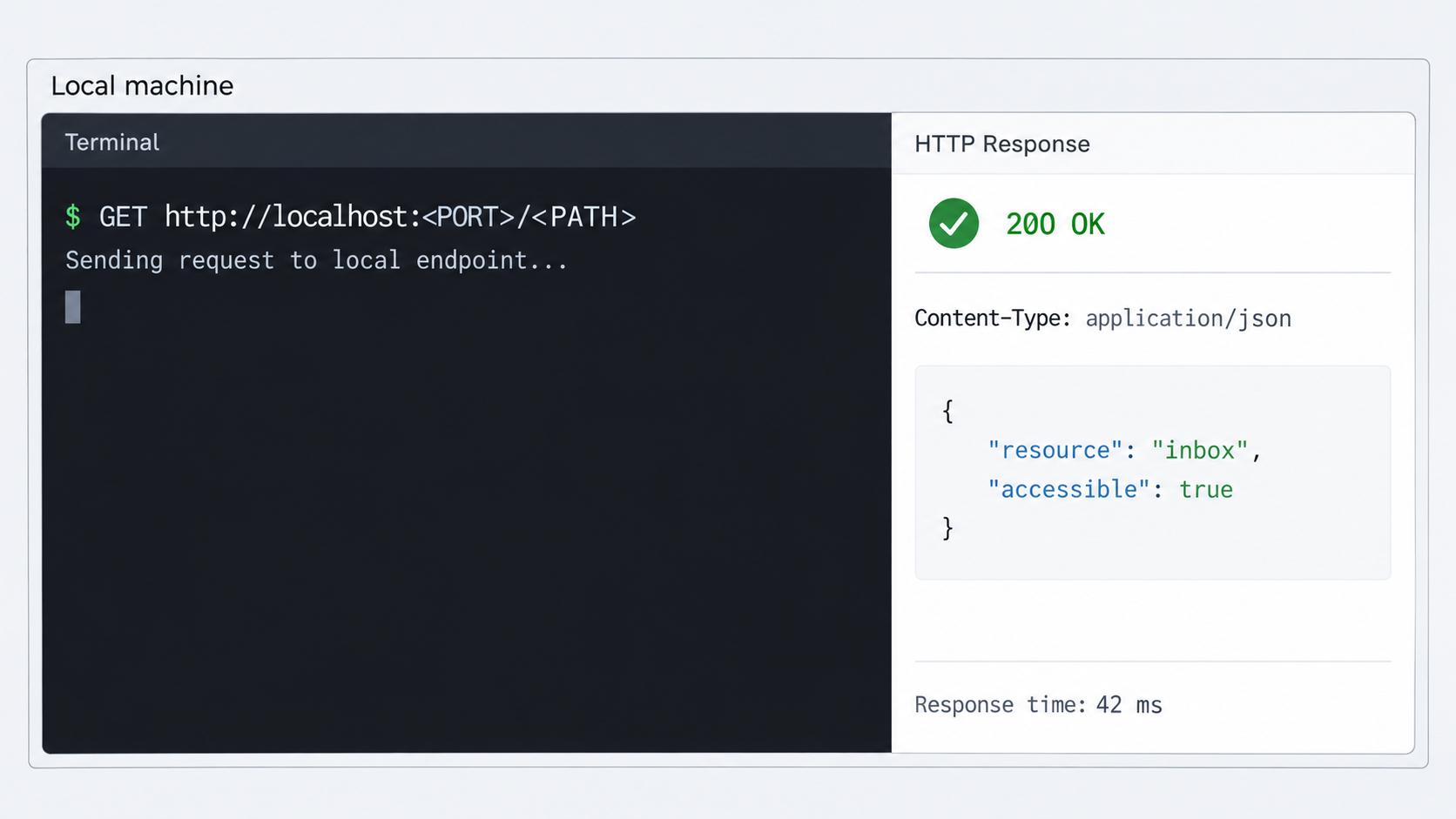
A tunnel should be the final connectivity layer, not a substitute for local diagnosis. Confirm the Compose services, host binding, readiness endpoint, and version-specific API documentation first.
Check every Compose service
docker compose psReview every service rather than only the main Sentio container. The API can start late or report an unhealthy dependency while PostgreSQL, Redis, NATS, storage, or scanning services are initializing. If a service is restarting, inspect its logs before continuing.
Call the readiness endpoint through loopback
curl http://127.0.0.1:8080/health/readyThe documented healthy response is:
{"status":"ok","database":"ok","kv":"ok"}This proves that the HTTP server answers and that its readiness check sees the database and key-value layer as available. It does not prove that SMTP, public DNS, webhook delivery, storage recovery, or mail reputation are correctly configured.
Inspect the version-specific API description locally
curl http://127.0.0.1:8080/openapi.json
You can also open http://127.0.0.1:8080/docs in a browser running on the host. If you administer the machine remotely, use an access method that preserves the local-only boundary rather than changing the Docker mapping to all interfaces.
The local interactive interface and OpenAPI document are the authoritative runtime references for your installed version's paths, request schemas, response fields, and scopes. Use them when creating replacement keys and selecting a harmless authenticated smoke-test operation. Do not copy a request body from a different release and assume that it remains valid.
Do not create the Localtonet tunnel until readiness succeeds consistently, the listener is restricted as intended, and a replacement scoped credential has been tested locally. A healthy readiness response does not validate authorization because readiness may not require the same bearer credential as protected API operations.
Rotate the bootstrap key before any remote exposure
Sentio's documented migration process creates a bootstrap administrator tenant and a bootstrap API key. The initial key has wildcard scope and exists to initialize the deployment. It is not an appropriate runtime credential for an internet-reachable API.
Do not start a Localtonet tunnel, broaden the Docker mapping, or otherwise expose port 8080 while the bootstrap key remains active. Create a replacement key through the version-specific local API, verify that the replacement works, update authorized integrations, and delete the bootstrap key. Confirm that the deleted credential no longer authorizes requests before proceeding.
Use the installed version's API documentation
We deliberately do not reproduce the bootstrap secret or guess the replacement-key request body. On the trusted host, consult http://127.0.0.1:8080/docs or http://127.0.0.1:8080/openapi.json. For the reviewed release, Sentio directs operators to create a replacement using the tenant API-key endpoint and then delete the bootstrap key.
Complete the rotation as a controlled local procedure:
- Retrieve the bootstrap value from the version-specific deployment material on the host.
- Keep port
8080restricted to loopback while using it. - Open the installed server's local interactive or OpenAPI documentation.
- Create a replacement administrative key using the request schema documented by that running version.
- Create a separate, narrowly scoped runtime key for the agent rather than giving it the administrative replacement.
- Test both replacements locally against operations allowed by their scopes.
- Update approved secret stores and administrative tooling.
- Delete the bootstrap key through the documented API.
- Verify that the deleted bootstrap key receives an authorization failure.
Never place a real key in source control, a frontend bundle, a Compose file committed to the repository, an agent prompt, a screenshot, a support ticket, or the Localtonet tunnel configuration. Localtonet needs its own device authentication token to identify the client, but it does not need the Sentio bearer credential.
Apply least privilege to each agent
An agent that sends messages should not automatically receive tenant-administration privileges. A process that handles mailbox events may not need domain, API-key, suppression, or IP-pool administration. Select scopes using the version-specific API documentation and grant only the operations needed by that workload.
Separate credentials by environment and purpose. Development, staging, production, administrative automation, and customer-specific integrations should not share a wildcard key. This reduces the effect of accidental disclosure and makes revocation more targeted.
Optional Sentio TLS mount
Sentio's documented Compose configuration can mount a certificate and key from a local directory. It expects files named cert.pem and key.pem:
services:
  sentio:
    volumes:
      - ./tls:/etc/sentio/tls:ro
Certificate issuance, renewal, hostname selection, and private-key permissions depend on your deployment. Do not insert placeholder certificates or reuse unrelated private keys. For this guide, Localtonet supplies the public HTTPS address for the HTTP tunnel while Sentio remains on a restricted local target.
Create the Localtonet HTTP tunnel
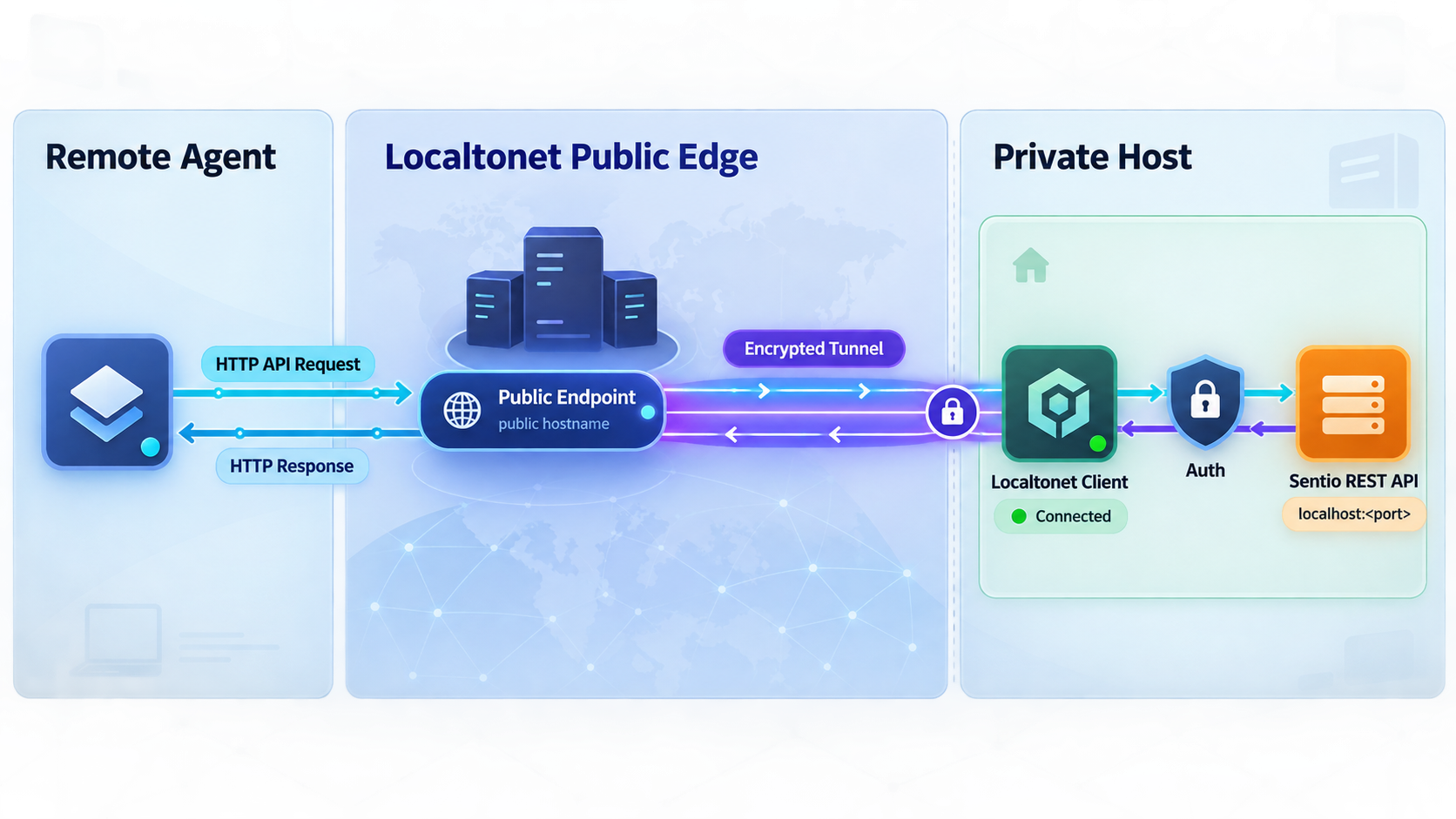
Continue only after all three pre-exposure gates are complete: the REST listener is restricted, local readiness succeeds, and the bootstrap key has been replaced, deleted, and verified as unusable.
Our client runs on the Sentio host and establishes an outbound connection to a Localtonet relay server. This provides the HTTP access path without inbound router port forwarding, firewall changes, VPN setup, or a public IP address. It does not alter or protect unrelated Docker-published listeners.
Follow the current Localtonet HTTP tunnel documentation while configuring the tunnel. The documentation provides the supported client installation path for your operating system and the current dashboard workflow. Do not substitute an unverified package command from an old article.
An HTTP tunnel provides reachability. It does not replace Sentio bearer authentication, key scopes, secret storage, tenant boundaries, or agent-side authorization. Treat the assigned URL as internet-reachable and protect every sensitive operation at the application layer.
Documented Localtonet configuration sequence
Install and run the Localtonet client
Use the supported installation path in the current HTTP tunnel documentation for the Sentio host's operating system. Start the client on the same host as Sentio so it can reach 127.0.0.1:8080.
Authenticate and select the client device
Use the device-specific Localtonet authentication token associated with the client that will run the tunnel. Keep this token secret and do not place it in source code, screenshots, documentation, or agent prompts.
Select an available relay server
Choose a server or region currently available in the dashboard. Available values can vary, so obtain the selection from the product rather than copying a hardcoded server code.
Create the HTTP tunnel configuration
Select an HTTP tunnel and set the local target to IP address 127.0.0.1 and port 8080. For an HTTP tunnel, the available process types are Random Sub Domain, Custom Sub Domain, and Custom Domain. Check the current dashboard documentation before making custom-domain DNS changes.
Start the tunnel
Creating the tunnel does not start it. Press the Start button and wait until the selected client is connected and the tunnel is running. The dashboard then shows the applicable public HTTPS address.
Verify the assigned public URL after startup
Public verification is a separate acceptance test after the documented creation and startup workflow. Set the exact assigned HTTPS origin as the base URL and request the readiness path:
export SENTIO_BASE_URL="https://your-assigned-host"
curl "${SENTIO_BASE_URL}/health/ready"
Replace https://your-assigned-host with the address displayed for the running tunnel. Do not append 127.0.0.1:8080 to the public URL. The agent's base URL is the assigned HTTPS origin, while 127.0.0.1:8080 is the Localtonet client's private target.
The tunnel is available only while the selected client remains connected and the tunnel is running. Stop it when remote access is no longer required. Delete it if the configuration should not be retained.
When the Localtonet client runs elsewhere
A loopback target works only when our client and Sentio's host-published REST listener are on the same machine. If the client runs on a different device, 127.0.0.1 refers to that other device and cannot reach Sentio.
Supporting a separate client device requires a private address reachable from that device and an access-control design that restricts who can use the listener. Because network interfaces and firewall systems vary, this guide does not invent a universal rule. Verify the private route from the exact client environment before configuring Localtonet.
The same warning applies when running our client in a container. A container's 127.0.0.1 normally refers to that container, not automatically to the Docker host or the Sentio container. Use a tested container-network target rather than guessing a hostname.
Configure and test an authorized AI agent
The agent needs two separate values:
- Base URL: the assigned Localtonet HTTPS origin, such as
https://your-assigned-host. - Sentio API key: a non-bootstrap key scoped to the operations the agent actually needs.
Store the API key in the agent platform's secret manager, encrypted environment configuration, or another approved credential store. Do not include it in the model's system prompt, conversation context, tool description, source repository, or public URL.
Perform a safe authenticated smoke test
First select a harmless authenticated GET operation that the agent's scoped key is explicitly allowed to perform. Find that path in the installed version's local /docs or /openapi.json. The placeholder below is intentional because the correct endpoint and required scope depend on the Sentio version and the key you created:
export SENTIO_BASE_URL="https://your-assigned-host"
read -s SENTIO_API_KEY
export SENTIO_API_KEY

curl --fail-with-body \
  -H "Authorization: Bearer ${SENTIO_API_KEY}" \
  "${SENTIO_BASE_URL}/VERSION_SPECIFIC_AUTHENTICATED_PATH"

unset SENTIO_API_KEY
Enter the scoped key only when prompted. Do not replace the read -s step with a literal secret in the command because that can leave the credential in shell history or process-related diagnostics. Replace only the path placeholder with the harmless operation verified in your running server's API documentation.
A successful result confirms the public route, bearer-header handling, key validity, and the selected permission. A forbidden response can be the correct result if the key intentionally lacks that scope. Do not widen the key merely to make every endpoint return success.
Verify negative authorization behavior
A useful security test includes an expected failure. Select an operation outside the runtime key's intended scope and confirm that Sentio rejects it. Never perform a destructive request merely to test denial. The local OpenAPI description should identify safe read operations and their authentication requirements for the installed version.
Also confirm that the deleted bootstrap key no longer authorizes requests. Perform that test through the local interface during rotation, before starting the tunnel. Avoid sending a retired wildcard credential over the public path even for testing.
Agent-side configuration pattern
Configure the agent's HTTP tool or generated OpenAPI client so that requests use the Localtonet base URL and add the bearer credential at request time from the secret store. Keep the public base URL and secret as separate settings. The URL may appear in ordinary configuration, but the bearer credential must remain secret.
If the agent uses Sentio MCP instead of calling REST directly, install the separate sentio-mcp component and configure its documented SENTIO_BASE_URL and SENTIO_API_KEY values. The MCP server becomes another credential-bearing component that must be protected. This tutorial does not expose the MCP process itself or assume that MCP is enabled.
Keep inbound application webhooks separate
The tunnel described here lets a remote process call Sentio. If Sentio must call a webhook hosted on another private machine, that webhook needs its own reachable HTTPS route and request-verification policy. Do not reuse a Sentio API key as a webhook-signing secret.
Routine operation and maintenance
Monitor the application and tunnel independently
docker compose ps
docker compose logs sentio-migrate
docker compose logs -f sentio
A Localtonet tunnel can be running while Sentio is unhealthy, and Sentio can be healthy while the tunnel is stopped. Treat these as separate layers:
- Sentio readiness confirms the local HTTP service and selected dependencies.
- The Docker mapping confirms which host interfaces can reach the API directly.
- Localtonet client status confirms that the selected device is connected.
- Tunnel status confirms that the HTTP configuration has been started.
- An authenticated public request confirms end-to-end application access.
Stop Sentio without deleting data
docker compose down
This stops the stack while retaining Compose-managed volumes. After Sentio stops, a running Localtonet tunnel targeting port 8080 has no healthy application to forward to. Stop the tunnel as well when maintenance should not leave a public endpoint returning target errors.
Delete the stack and its volumes
docker compose down -v-v option deletes Compose-managed volumes
Use it only when you intentionally want to remove persistent data. It is not an ordinary restart command. Confirm your backup and recovery plan before deleting any production volume.
Plan upgrades instead of following moving code
Review release notes, image tags, migration behavior, Compose changes, API schemas, and client compatibility before upgrading. Test the target release against a recoverable copy of the deployment and confirm readiness, authenticated API operations, queue processing, storage access, listener bindings, and agent integration.
The exact backup tools depend on whether you use Compose-managed PostgreSQL and MinIO or external services. No universal production backup command is established here. A recovery plan must cover persistent database state and stored message or attachment objects, not only the Git checkout.
Review secrets and access periodically
Inventory administrative keys, runtime keys, Localtonet device tokens, webhook secrets, and any MCP configuration separately. Revoke unused credentials, rotate them according to your operational policy, and confirm that every agent still has only the scopes it needs.
Troubleshooting Sentio and Localtonet
| Symptom | Likely area | What to check |
|---|---|---|
127.0.0.1:8080 refuses connections |
Sentio startup or port publication | Run docker compose ps, inspect Sentio logs, and confirm that another process is not using port 8080. |
| Port 8080 is still published on all interfaces | Compose merge behavior | Run docker compose config and confirm that !override replaced the original list instead of appending another mapping. |
Migration reports that uuidv7() does not exist |
PostgreSQL version | Confirm that the actual connected database server is PostgreSQL 18 or newer. |
| Readiness reports a database problem | PostgreSQL availability or migration state | Inspect database and migration logs and verify that initialization completed. |
| Readiness reports a key-value problem | Redis or Valkey | Check the key-value service state and logs rather than changing the HTTP tunnel. |
| SMTP is not reachable from the host | Intentional API-only override | The provided override removes SMTP host mappings. Add only the mappings required by a separately reviewed mail-delivery design. |
| Port 465 is not listening after publication | Missing Sentio TLS certificates | Sentio skips the implicit-TLS listener when the expected certificate and key are absent. |
| Local readiness works but the public URL fails | Localtonet target or lifecycle | Confirm that the client is on the Sentio host, is connected, the tunnel was started, and the target is 127.0.0.1:8080. |
| Public readiness works but authenticated calls fail | Sentio authorization or request format | Check bearer-header handling, key scope, revocation status, tenant association, and the installed version's OpenAPI schema. |
| The URL works only while a terminal is open | Localtonet client lifecycle | Ensure the client remains running. The tunnel is available only while the selected client is connected and the tunnel is started. |
| A containerized Localtonet client cannot reach Sentio | Container loopback semantics | 127.0.0.1 refers to the client container. Test and configure an appropriate private Docker-network target instead. |
Use a layered test sequence
- Run
docker compose configand inspect the effective port mappings. - Run
docker compose psand inspect unhealthy or restarting services. - Call
http://127.0.0.1:8080/health/readyon the Sentio host. - Test a harmless authenticated operation locally with the scoped runtime key.
- Confirm that the Localtonet client is connected.
- Confirm that the HTTP tunnel was started after creation.
- Call the public readiness URL.
- Perform the same permitted authenticated operation through the public base URL.
This identifies the first broken layer. For example, a successful public readiness response combined with a failed authenticated request usually points to Sentio authorization, scope, or request formatting rather than Localtonet connectivity.
Resolve a port 25 conflict only when SMTP is intentionally enabled
Sentio documents a Compose override that can remap its published ports when another service already uses port 25. That example is useful for local evaluation, but it should not replace the API-only loopback policy without review. Remapping container port 25 to host port 2525 does not make other internet mail servers use port 2525 for ordinary MX delivery.
If you intentionally restore SMTP mappings, inspect the complete merged port list again. Keep the REST API explicitly bound to loopback unless you have implemented an equivalent access-control boundary.
Why production SMTP remains a separate project
The HTTP tunnel solves remote access to Sentio's REST control plane. It does not by itself make the deployment a deliverable, reputable public mail server.
Receiving internet email requires control over a domain and correct MX records leading to a reachable SMTP listener. Sending reliably also involves forward and reverse DNS alignment, PTR records controlled by the address owner, SPF, DKIM, DMARC, TLS, reputation, suppression handling, bounce processing, complaint feedback, and provider-specific policies. Port 25 may be blocked by a hosting provider or ISP, and a nonstandard replacement port is not a transparent substitute for server-to-server SMTP.
Sentio includes substantial mail-protocol and authentication functionality, but those capabilities still require deployment-specific DNS and infrastructure. Localtonet supports raw TCP tunnels, yet that fact alone does not establish that a relay endpoint is suitable for production SMTP, provides the required reverse DNS, or will be accepted by receiving providers. No deliverability claim is made here.
A practical first deployment is to install Sentio, bind its REST port to loopback, verify the API, rotate and delete the bootstrap key, and let authorized agents reach port 8080 through Localtonet. Treat public SMTP, DNS publication, certificates, and mail reputation as a separate production workstream.
Frequently asked questions
What hardware does the Docker installation require?
The documented quick-start baseline is Docker Engine 24 or newer with the Compose plugin, approximately 4 GB of RAM, and approximately 8 GB of disk. The published image supports Linux AMD64 and ARM64. Production capacity depends on message volume, attachment storage, retention, scanning load, and queue activity, so this baseline is not a universal sizing guarantee.
Why bind Sentio port 8080 to 127.0.0.1?
A Docker mapping such as 8080:8080 may publish the API on all host interfaces. Binding 127.0.0.1:8080:8080 makes the direct host listener local to the machine, allowing a Localtonet client on that host to reach it without also publishing the API directly to the surrounding network.
Does creating a Localtonet tunnel hide Docker-published ports?
No. Docker publication and Localtonet tunneling are separate access paths. Restrict or remove broad Docker mappings independently. A tunnel to port 8080 does not protect SMTP ports, the MinIO console, or a separate direct API listener.
Which Sentio endpoint should Localtonet target?
For the REST workflow, configure an HTTP tunnel to 127.0.0.1 on port 8080 when the Localtonet client runs on the Sentio host. Verify /health/ready locally before creating the tunnel.
Does creating a tunnel automatically start it?
No. Creating the configuration and starting it are separate lifecycle actions. Press Start after configuring the target. The tunnel remains available only while the selected client is connected and the tunnel is running.
Can I expose Sentio before deleting the bootstrap key?
No. The bootstrap key has wildcard scope. Keep remote exposure disabled until you have created and tested replacement credentials, deleted the bootstrap key, and confirmed that it no longer authorizes requests.
Does the public HTTPS URL replace Sentio authentication?
No. The URL provides network reachability. Sentio bearer authentication, scoped keys, tenant boundaries, secret storage, and authorization remain necessary. Give the agent a non-bootstrap key with only the permissions it needs.
Is Sentio MCP the same as direct REST access?
No. This guide exposes Sentio's REST and OpenAPI service. sentio-mcp is a separately shipped server that can point to a running Sentio deployment using its own base-URL and API-key configuration. It must be installed and secured separately.
Can I expose SMTP through the same HTTP tunnel?
No. An HTTP tunnel is appropriate for the REST API, not raw SMTP. Localtonet supports raw TCP tunnels, but production email also depends on MX and PTR records, port 25 reachability, TLS, authentication alignment, reputation, and recipient policies. Design and validate those requirements separately.
Can I run Sentio without Docker?
Yes, but a manual deployment requires a stable Rust toolchain, CMake, libclang-dev, a C toolchain, PostgreSQL 18 or newer, Redis or Valkey, NATS with JetStream, and S3-compatible storage. You must also provide correct configuration, apply migrations, manage the service, and define equivalent listener restrictions.
Connect a protected Sentio REST API with Localtonet
Bind Sentio's API to loopback, verify the local service, replace and delete the bootstrap key, then create a Localtonet HTTP tunnel for an authorized agent using a narrowly scoped secret.
Get Started Free →

