

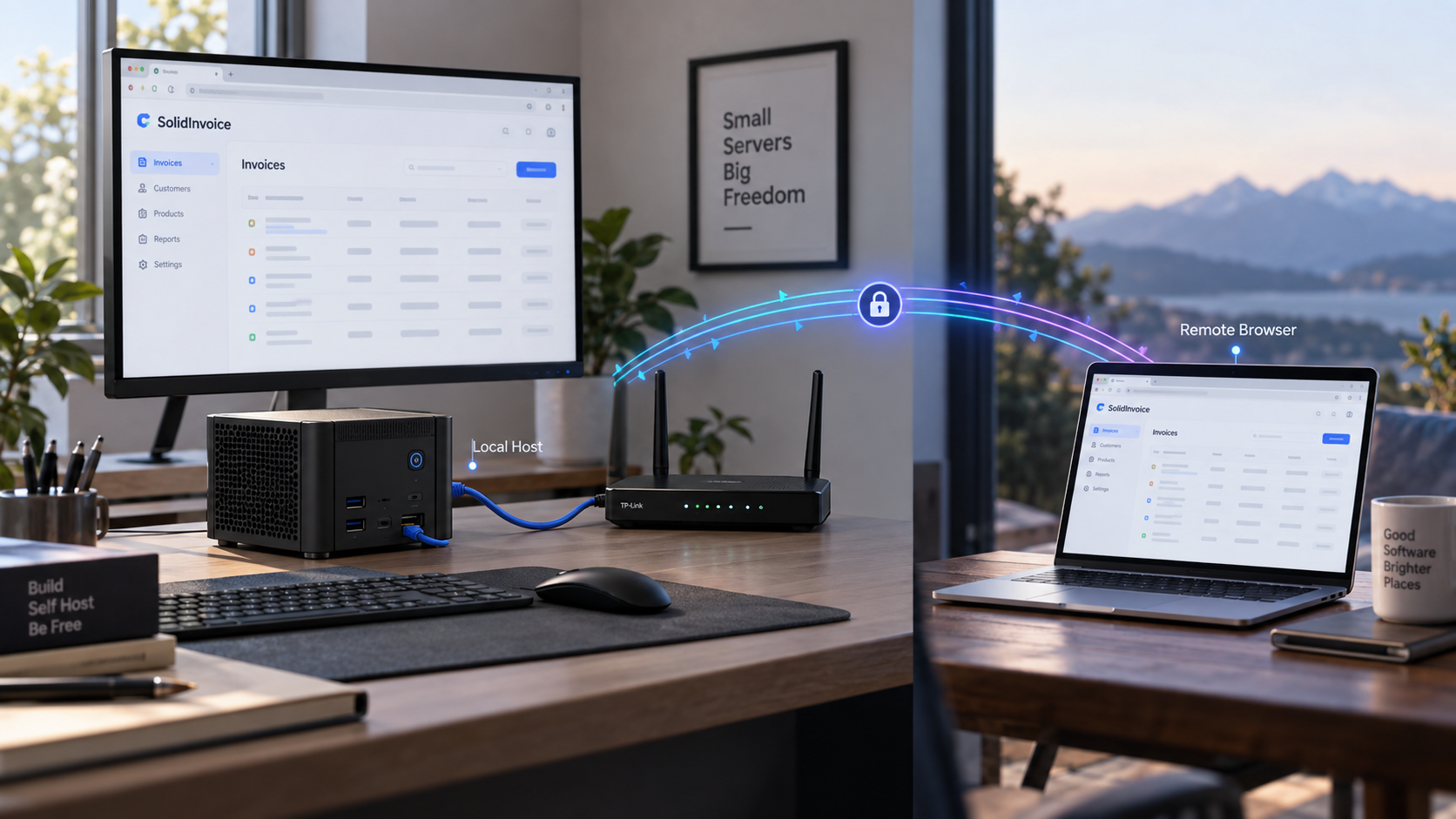
Run your own invoicing platform locally, verify it in the browser, and make the working HTTP service available remotely
SolidInvoice is an open-source invoicing and billing application designed for freelancers and small businesses. This guide explains its documented Docker, Homebrew, release-binary, and source installation paths, with practical verification steps for the methods that publish a known local endpoint. After the application works locally, we will connect that endpoint to an HTTP tunnel with Localtonet. The installation and local test come first so that application problems remain separate from tunnel configuration problems.
📋 What's in this guide
How the SolidInvoice and Localtonet architecture works
SolidInvoice is a self-hostable web application for invoicing, quotes, recurring billing, client management, online-payment integrations, and related business workflows. Its application stack includes Symfony, PHP, Doctrine ORM, and API Platform. The project also provides several ways to install or evaluate it, ranging from a one-line Docker command to a developer-oriented source checkout.
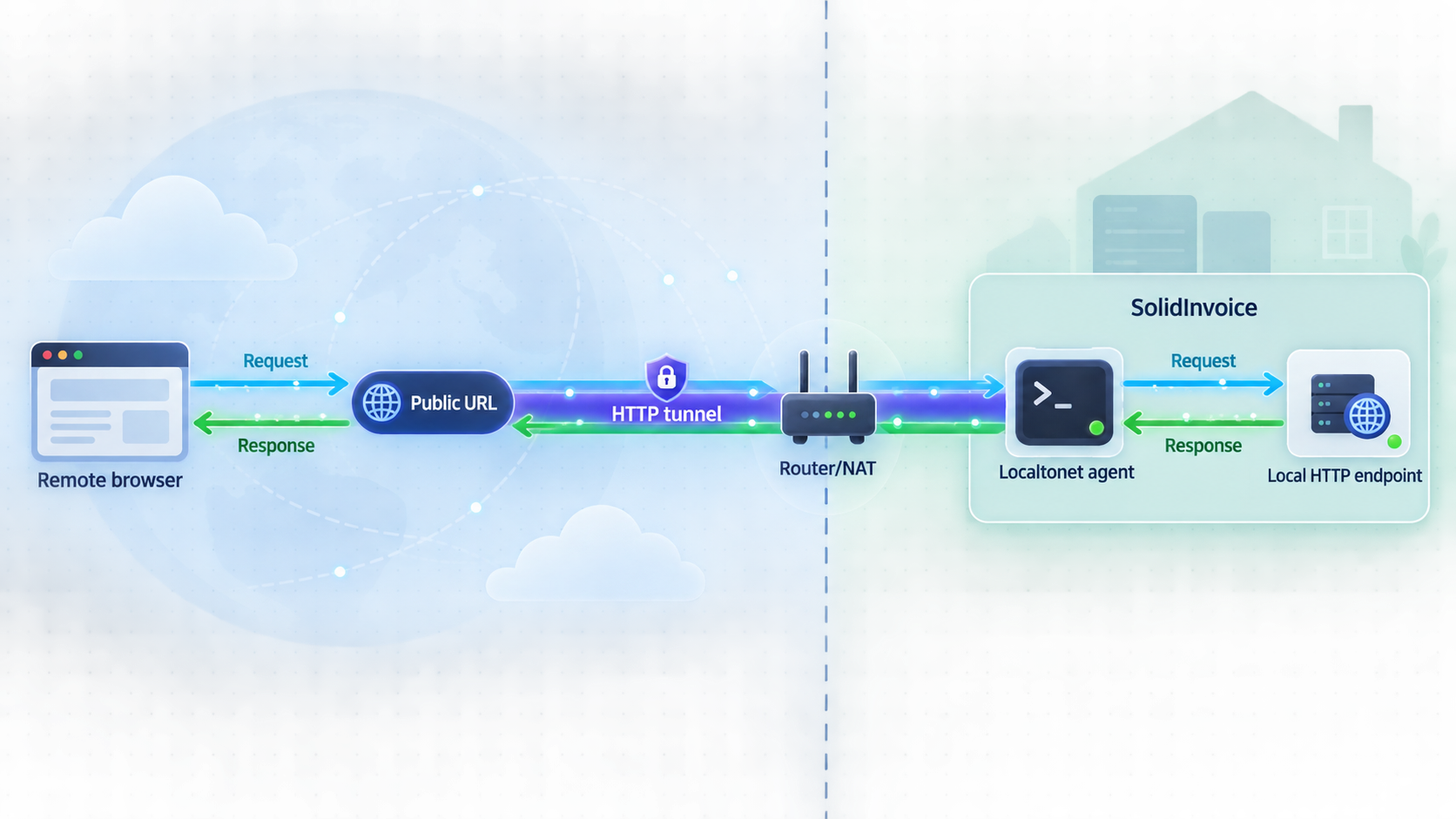
In this workflow, SolidInvoice remains the application of record. It serves its browser interface on a local HTTP port, stores and processes the business data associated with the installation, and controls application-level users and permissions. Localtonet does not replace those responsibilities. Our platform provides the network path between an assigned public address and the local HTTP endpoint that you have already tested.
The Localtonet client runs on the SolidInvoice host or another device that can reach it. The client establishes an outbound connection to a Localtonet relay server. Because the connection begins from inside the network, you do not need to configure inbound router port forwarding, obtain a public IP address, set up a VPN, or create a general inbound firewall rule for the application port. The tunnel remains available only while the selected client is connected and the tunnel is running.
Always make SolidInvoice work from a browser on the host before creating remote access. A successful local test confirms that the application process, HTTP listener, and selected port are functioning. It also makes later troubleshooting much more precise.
Prerequisites and preparation
The prerequisites depend on the installation path. You do not need every tool listed below. Select an installation method first, then prepare only the corresponding runtime.
| Installation path | Documented requirements | Known local endpoint | Best fit |
|---|---|---|---|
| Docker | A working Docker installation and permission to start containers | http://localhost:8080 from the documented port mapping |
Quick evaluation and container-based deployment planning |
| Homebrew | Homebrew on macOS or Linux | http://localhost:8765 for the documented single-binary or Homebrew workflow |
A self-contained installation without manually preparing PHP or a web server |
| Direct binary | A compatible release binary for the host platform and permission to execute it | http://localhost:8765 |
A lightweight installation without Docker or a source toolchain |
| From source | Git, PHP 8.4 or later, required PHP extensions, Composer, Bun, and MySQL/MariaDB or PostgreSQL | Not established by the documented quick-start commands | Development, extension work, and code-level testing |
Host and network preparation
Choose a host that can remain running whenever remote access is required. Confirm that it has enough storage for the application, database, generated documents, logs, and backups expected for your workload. The supplied project quick-start information does not define capacity sizing, so storage, memory, and CPU requirements must be evaluated against your own usage rather than inferred from a generic minimum.
Check that the intended host port is free. The Docker command uses host port 8080, while the binary workflow documents port 8765. If another service already owns the selected port, SolidInvoice cannot be verified at the expected address. This guide does not substitute a different port in the project commands because no alternative SolidInvoice syntax was established by the available official quick-start evidence.
Production data planning
Invoicing records are business data, so persistence and recovery planning are essential. The documented one-line Docker command does not specify a volume mapping, an external database, backup locations, secrets, mail transport settings, or a production upgrade procedure. It is therefore useful for starting the published image and validating the interface, but the command by itself should not be treated as a complete production deployment specification.
Before entering real customer or financial information, determine where the selected deployment stores its database and generated files, how that data will be backed up, how restoration will be tested, and how updates will be applied. Do not assume that deleting and recreating a container preserves its internal state. Consult the configuration guidance corresponding to the exact SolidInvoice image or release you deploy before relying on it in production.
Localtonet preparation
Install the Localtonet client on the SolidInvoice host or on a device that can reach the SolidInvoice HTTP listener. You will also need a device-specific authentication token and an available relay server selection from the current Localtonet dashboard. Tokens must be kept private. Do not paste one into application configuration, shell history, screenshots, or support messages.
Complete the local application setup and establish administrative access before publishing the service. If an installation or onboarding screen is available without authentication, exposing it can let an unintended visitor reach setup actions. Keep the tunnel stopped until the application is ready for remote use.
Choose the right SolidInvoice installation method
The best method depends on whether you are evaluating SolidInvoice, operating a long-lived server, or developing the application. The documented commands make Docker and the self-contained binary the clearest paths for this tutorial because both result in a known local HTTP port.
Docker
Docker is convenient when you already use containers and want to start the published SolidInvoice image without installing PHP directly on the host. The official quick-start command maps container port 80 to host port 8080. That mapping creates a clear target for local verification and for a later Localtonet HTTP tunnel.
The quick-start command does not describe persistence, database selection, mail delivery, environment variables, or production orchestration. Treat it as a minimum startup path. A production container deployment needs a separately verified configuration and backup design.
Homebrew
The Homebrew path is documented for macOS and Linux. It installs SolidInvoice from the solidworx/tap tap and then starts it with solidinvoice run. This is part of the project's self-contained binary workflow, which does not require you to install PHP, a separate web server, or PHP extensions manually.
Direct release binary
A direct binary is appropriate when a compatible release asset exists for your platform and you do not want Homebrew. You download the current asset, make the downloaded file executable where required, and run it. The documented endpoint for this workflow is http://localhost:8765.
Release filenames vary by version and platform, so this guide does not invent a download URL or archive name. Select the asset that matches the host from the current SolidInvoice release page and verify what you downloaded before executing it.
Source installation
The source path is intended for developers. It requires PHP 8.4 or later, the documented PHP extensions, Composer, Bun, and either MySQL/MariaDB or PostgreSQL. The available quick-start instructions install PHP dependencies and frontend dependencies, then build or start frontend assets.
Those commands do not establish a complete application configuration, database connection procedure, production web-server configuration, startup command, or default HTTP endpoint. For that reason, this article includes the verified source preparation commands but does not pretend that they alone produce a remotely publishable server. Developers must complete the version-specific application and web-server configuration before selecting a Localtonet target.
Install and start SolidInvoice
Use one of the following methods. Do not run all of them on the same host unless you deliberately want separate installations and understand the resulting port and data separation.
Option 1: Start SolidInvoice with Docker
Confirm that Docker is available
Make sure the Docker engine is running and that your current account is allowed to start containers. The exact Docker installation procedure depends on the operating system and is outside SolidInvoice's one-line quick start.
Run the published SolidInvoice image
Start the image with the documented mapping from host port 8080 to container port 80.
Open the mapped HTTP endpoint
Visit http://localhost:8080 from the Docker host. Complete any application setup presented by the installed release before creating a public tunnel.
docker run -p 8080:80 solidinvoice/solidinvoice
In this mapping, 8080 is the host port and 80 is the container port. Localtonet must target the host-side endpoint, so the relevant port is 8080. Do not configure the tunnel to target container port 80 unless the Localtonet client itself is running in a deliberately configured container network where that address is reachable.
No persistent volume, external database, restart policy, backup schedule, or secret configuration is included in this command. Verify the current image's production configuration before entering real billing data or recreating the container.
Option 2: Install with Homebrew
Install the Homebrew package
On a macOS or Linux host with Homebrew available, install SolidInvoice from its documented tap.
Run SolidInvoice
Start the installed application using the documented solidinvoice run command.
Verify the binary endpoint
Open http://localhost:8765 on the host. Leave the SolidInvoice process available while you test and later run the tunnel.
brew install solidworx/tap/solidinvoice
solidinvoice run
Option 3: Run a downloaded release binary
Download the latest compatible SolidInvoice binary from the project's current release assets. Keep the original filename unless you intentionally rename it to solidinvoice. The commands below assume that the file is in the current directory and has that name.
Select the correct release asset
Match the binary to the host operating system and architecture. Filenames and available assets can change between releases, so they are not hardcoded here.
Make the file executable
On a platform that uses executable permission bits, apply the documented permission command from the directory containing the binary.
Start the application
Run the self-contained binary with the documented run argument.
Open the local service
Visit http://localhost:8765 and finish the application-side setup before enabling remote access.
chmod +x solidinvoice
./solidinvoice run
Option 4: Prepare a source installation
Use this path when you need to inspect, modify, or contribute to the code. It is not the shortest route to a production server.
The documented requirements are PHP 8.4 or later; the PHP extensions curl, gd, intl, openssl, pdo, soap, and xsl; MySQL/MariaDB or PostgreSQL; Composer; Bun; and Git.
git clone https://github.com/SolidInvoice/SolidInvoice.git
cd SolidInvoice
composer install
bun install && bun run dev
For a production frontend build, the documented command is:
bun run buildThe verified quick-start evidence does not specify the required database configuration, application environment values, web-server startup procedure, production process manager, or default source-installation port. Do not assume port 8765 or 8080 for this method. First complete the version-specific developer configuration, start the application through its supported stack, and determine the actual reachable HTTP address. Only then should you configure Localtonet.
Configure SolidInvoice before remote access
After the server starts, open it locally and complete the setup presented by your installed release. SolidInvoice includes a guided onboarding flow, but exact screens and required values can differ by version and deployment mode. The available quick-start evidence does not establish default credentials or a universal sequence of setup fields, so this guide will not invent either.
At minimum, confirm that you control the first administrative account and can sign in again after signing out. Use a unique password, and enable the application's TOTP-based two-factor authentication where it fits your account policy. SolidInvoice also supports role-based access control, so avoid giving every user unrestricted administrative privileges.
Configure business functions deliberately
SolidInvoice supports quotes, invoices, recurring schedules, multiple currencies, multiple taxes, client and contact records, PDF templates, overdue detection, notifications, and payment integrations. Configure only the capabilities you are prepared to operate. For example, recurring billing depends on more than loading the web interface: scheduled application work and notification delivery must continue functioning reliably.
Online payment support can be connected through supported gateways such as Stripe and PayPal via the application's payment integration layer. Do not place gateway credentials in a tunnel configuration or expose them in browser screenshots. Payment links and API integrations also deserve end-to-end tests before they are sent to customers.
Plan email, asynchronous work, and API access
Invoicing workflows commonly depend on outbound email for invoices, verification messages, receipts, reminders, or invitations. A working web page does not prove that email delivery is configured. Test delivery to an address you control and verify both successful arrival and failure handling.
SolidInvoice uses Symfony Messenger for asynchronous task processing and provides scheduled behavior such as payment reminders. The quick-start commands supplied for this article do not document production worker or scheduler commands. If your workflow depends on background processing, use the exact operational instructions for the installed SolidInvoice release rather than assuming that the web process handles every task.
The REST API supports token-based authentication through the X-API-TOKEN header. Treat API tokens as credentials. Never include a real token in a URL, public example, Localtonet tunnel name, client-side code repository, or diagnostic screenshot. A tunnel makes an endpoint reachable, but it does not remove the need for application-level API authentication.
A Localtonet HTTP tunnel forwards requests to the service you select. It does not configure SolidInvoice users, payment providers, email delivery, database persistence, background jobs, backups, or API authorization. Test those functions as application concerns before depending on them remotely.
Verify SolidInvoice on the local network
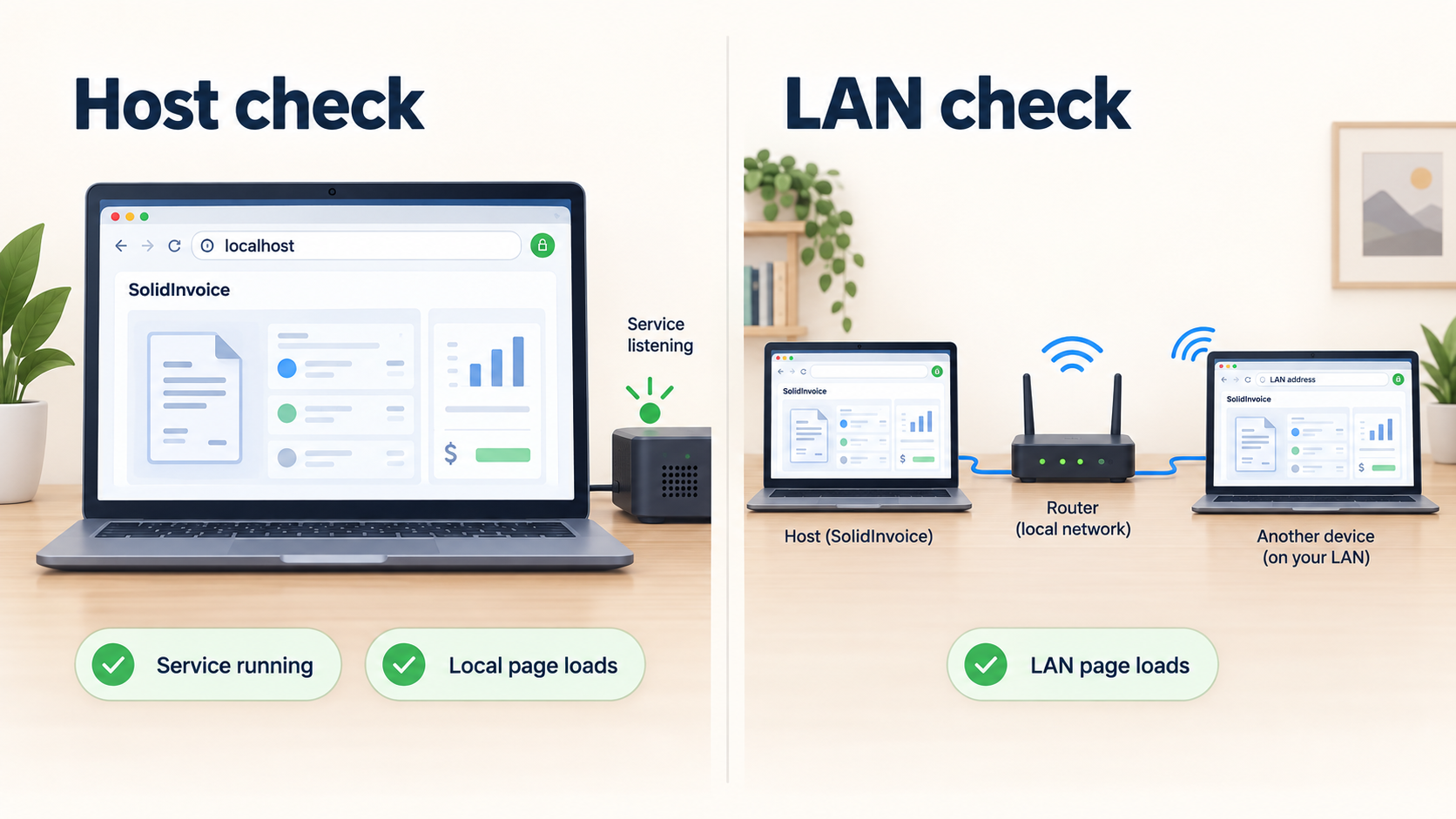
Verification should proceed from the shortest network path to the longest. Start on the SolidInvoice host, then optionally test from another trusted device on the local network, and only after those checks succeed add Localtonet.
Verify the expected endpoint
For the documented Docker command, open:
http://localhost:8080For the Homebrew or direct-binary workflow, open:
http://localhost:8765A successful check should return the SolidInvoice interface rather than a browser connection error, an unrelated application, or a generic proxy page. Complete any initial setup locally, sign in, navigate through the interface, sign out, and sign back in. This confirms more than a simple TCP listener because it exercises the application session and basic browser flow.
Confirm that the correct process owns the port
If the browser displays another application, the expected port is already being used or traffic is being routed somewhere other than the SolidInvoice process. Stop and resolve that conflict before tunneling. Publishing an ambiguous endpoint makes diagnosis harder and can accidentally expose the wrong service.
For Docker, confirm that the SolidInvoice container remains running and that the port mapping still shows host port 8080 mapped to container port 80. For a binary installation, confirm that the SolidInvoice process has not exited and that the browser still reaches port 8765.
Decide where the Localtonet client will run
The simplest arrangement is to run the Localtonet client on the same host as SolidInvoice. In that case, the local target can be the loopback address and the verified port. If the client runs on a different machine, localhost refers to that other machine, not to the SolidInvoice server. You must instead use an address that the client device can actually reach.
Do not assume that a service bound only to loopback is available from another local device. If SolidInvoice is intentionally listening only on the host's loopback interface, running the Localtonet client on that same host avoids broadening the application's LAN exposure merely to make it tunnelable.
When the Localtonet client and SolidInvoice run on different machines, test the chosen SolidInvoice address from the client machine before creating the tunnel. If that machine cannot reach the local endpoint, our relay cannot make the unreachable backend work.
Publish SolidInvoice with a Localtonet HTTP tunnel
Once local verification succeeds, create an HTTP tunnel. HTTP is the appropriate family because SolidInvoice is a browser-based web application and the known targets in this guide are HTTP endpoints. HTTP tunnel process types include Random Sub Domain, Custom Sub Domain, and Custom Domain, and each serves the forwarded content at a public HTTPS address.
Availability can vary by plan, client version, and current dashboard configuration. Select only options shown in your account. Custom-domain DNS requirements can change, so check the current product instructions before modifying DNS records rather than relying on guessed values.
Install and run the Localtonet client
Run our client on the SolidInvoice server or on another device that can reach its verified local HTTP endpoint. Keep the client running whenever remote access is required.
Authenticate or select the client device
Use the device-specific token associated with the client and select that device in the dashboard. Keep the token private and never copy it into this article's example commands or into SolidInvoice.
Select an available relay server
Choose a currently available server or region from the dashboard. Server codes and regional availability must come from the current product interface and should not be hardcoded from an old tutorial.
Create the HTTP tunnel and set the local target
Select an HTTP tunnel and an available Process Type. Point it to the local IP address reachable from the Localtonet client and to port 8080 for the documented Docker command or port 8765 for the documented binary workflow. A source installation must use its independently verified address and port.
Start the tunnel
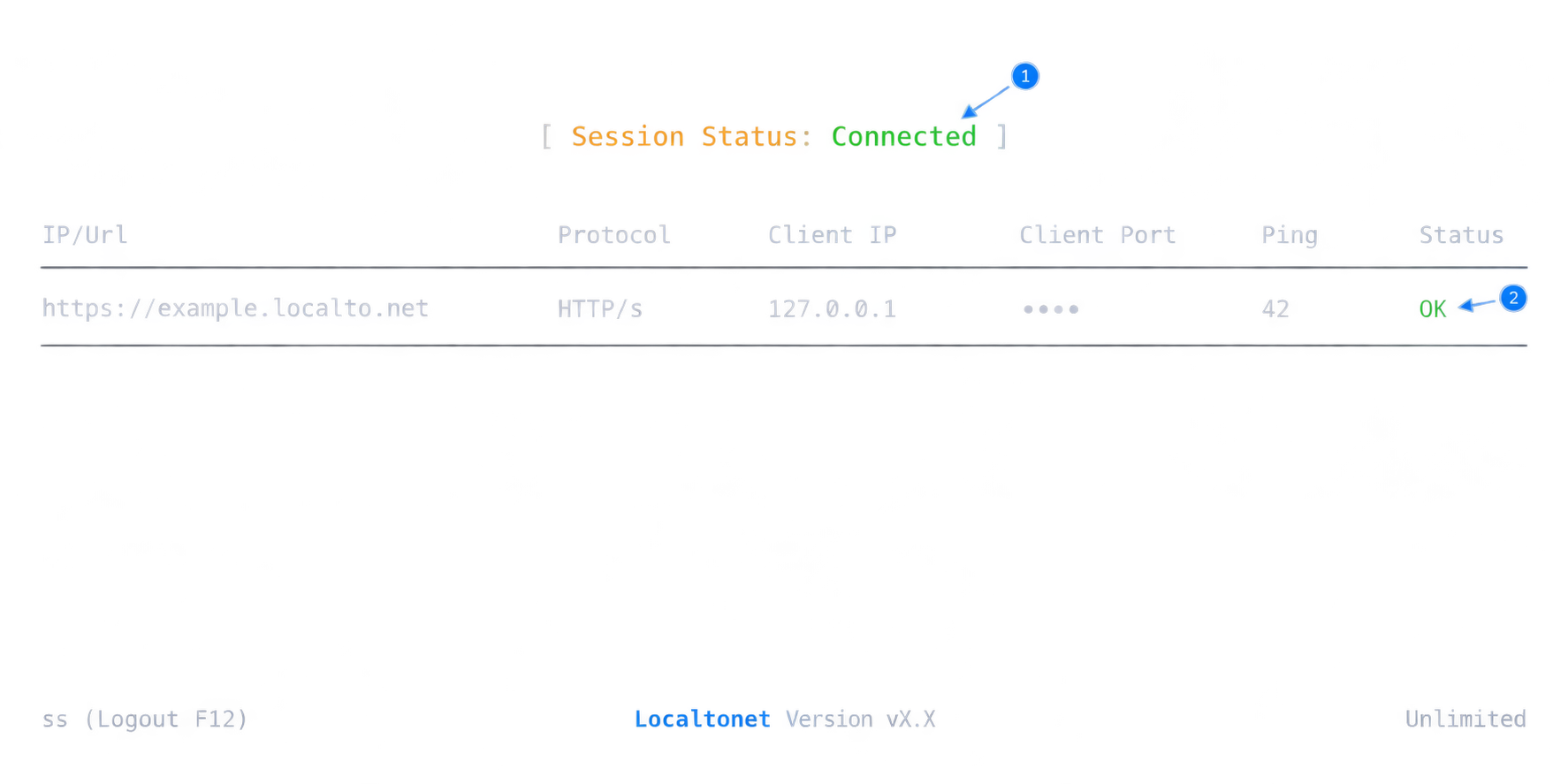
Creating a tunnel does not make it active. Press Start and wait for the selected client and tunnel to show that they are connected before using the assigned public address.
Test the assigned public HTTPS address
Open the assigned address from a separate browser session or another network. Confirm that it reaches SolidInvoice, that authentication behaves as expected, and that no setup screen or unrelated local service is exposed.
For the current dashboard sequence and field descriptions, consult our Localtonet HTTP tunnel documentation. The dashboard is the authoritative place to obtain current relay choices and account-specific options.
| SolidInvoice installation | Target when client is on the same host | Localtonet tunnel family | Important qualification |
|---|---|---|---|
| Documented Docker command | Loopback address, port 8080 | HTTP | Target the mapped host port, not the container's internal port 80 |
| Homebrew installation | Loopback address, port 8765 | HTTP | The SolidInvoice process must remain running |
| Direct release binary | Loopback address, port 8765 | HTTP | Use a compatible current release asset |
| Source installation | The address and port verified after completing the development stack | HTTP | No default source-installation endpoint is established by the quick start |
Anyone who obtains the public address can attempt to reach it. Use SolidInvoice authentication, two-factor authentication where appropriate, least-privilege roles, and carefully managed API tokens. Do not expose an installation wizard, default account, diagnostic page, development environment, or unreviewed source build.
Operate, update, and protect the deployment
A successful first page load is only the beginning of self-hosting. SolidInvoice, its database, its background processes, and the Localtonet client all need to remain healthy for remote browser access to work.
Understand the service dependency chain
A remote request depends on the public tunnel, the selected relay connection, the Localtonet client, local network reachability, the SolidInvoice web process, and any backend components required by the application. If any link stops, the public service may become unavailable even though the tunnel configuration still exists.
Creating a tunnel is not the same as starting it. Likewise, a saved tunnel does not keep SolidInvoice running. After a host restart, verify both application availability and client connectivity. Use a service-management approach appropriate to your operating system and installation method, but do not invent startup commands from examples intended only for interactive evaluation.
Back up application data
Backups should cover the actual database and any required application files or generated assets. The exact locations depend on the chosen SolidInvoice deployment and are not established by the short installation commands used here. Identify those locations from the configuration you deploy, automate backups, retain multiple recovery points, and test restoration on an isolated system.
A backup that has never been restored is an unverified assumption. Restoration testing should confirm that clients, invoices, configuration, and required files return together in a consistent state. Protect backup destinations and credentials with the same care as the live application.
Review updates before applying them
Self-hosted updates are your responsibility. Review release notes, compatibility requirements, database migration instructions, and upgrade guidance for the version you are installing. Back up the deployment before an upgrade and verify local behavior before reopening the tunnel.
Avoid using an unpinned or newly changed image in a critical environment without testing. The one-line Docker command is intentionally concise and does not define a controlled upgrade policy. Build that policy around the image and configuration you actually choose for production.
Separate administrative access from customer workflows
SolidInvoice can send payment links and expose API functionality, while administrators use broader client and billing controls. These activities do not necessarily have the same risk profile. Test the exact public paths your customers or integrations will use, and confirm that administrative pages require the intended authentication.
If temporary remote access is sufficient, stop the tunnel when the task is complete. You can later start it again when needed. Delete obsolete tunnels rather than leaving unused configurations available indefinitely.
Monitor connectivity state
Localtonet provides platform-wide Token and Tunnel webhooks for Connected and Disconnected state changes in a selected Token Group. These webhooks can help an external monitoring workflow observe client or tunnel state. Their payload identifies the token or tunnel, action date, type, and connection status.
Connectivity webhooks do not prove that SolidInvoice itself is healthy. A connected tunnel can still point to a stopped application or a failing database. Combine tunnel-state monitoring with an application-level check that respects authentication and avoids exposing sensitive invoice information.
Troubleshoot common installation and tunnel problems
The local page does not open
Confirm that you are using the endpoint associated with the selected installation method. The documented Docker mapping uses http://localhost:8080. The Homebrew and direct-binary workflow uses http://localhost:8765. Do not switch ports merely because one does not respond.
Check whether the process or container is still running. Review its visible output for startup failures. For a source installation, remember that dependency installation and frontend compilation do not by themselves establish a complete web server. Finish the release-specific application, database, and web-server setup first.
Docker reports that port 8080 is unavailable
Another process is already bound to the requested host port, or another container has claimed it. Identify the conflict and decide which service should own port 8080. This guide does not provide an alternate SolidInvoice mapping because changing the documented command requires a deliberate deployment decision and corresponding adjustment to the browser URL and Localtonet target.
The local page works, but the public address does not
Verify that the Localtonet client is connected, the correct device token was selected, an available relay was chosen, and the tunnel was explicitly started. Then compare the tunnel's local target with the endpoint that succeeded locally.
If the client is on another machine, replace the assumption that localhost means the SolidInvoice server. From the client device, test the actual LAN address and port of the SolidInvoice host. Local firewall rules or a loopback-only listener may prevent that connection.
The public URL shows the wrong application
The tunnel is reaching something, but its local port does not belong to the intended SolidInvoice process. Stop the tunnel while investigating. Confirm which service owns the target port and compare it with the selected Docker mapping or binary endpoint before restarting public access.
SolidInvoice works until the terminal closes
The quick-start commands demonstrate how to launch the application, not how to supervise it as a permanent operating-system service. Use an appropriate process or container management strategy for the host. Because no project-specific service unit or startup configuration was established by the supplied evidence, this article does not invent one.
The interface works, but email or reminders do not
Browser availability proves only that the web endpoint responds. It does not validate outbound mail, scheduled tasks, or asynchronous workers. Review the SolidInvoice configuration for the installed release, verify mail delivery independently, and ensure any required background processes are operating.
API requests are rejected
SolidInvoice's API authentication uses the X-API-TOKEN header. Confirm that the requesting integration sends a valid token through the header and that the token belongs to the intended account and permissions context. Do not weaken authentication merely because the request traverses a Localtonet tunnel.
The tunnel stopped after a restart
A Localtonet tunnel is available only while the selected client is connected and the tunnel is running. Confirm that the Localtonet client has restarted successfully and that the tunnel is active. Separately verify that SolidInvoice has restarted and still responds on the same local address and port.
Frequently asked questions
Which port does SolidInvoice use?
It depends on the installation method. The documented Docker command maps container port 80 to host port 8080, so the local browser and Localtonet target use port 8080. The documented Homebrew and direct-binary workflow uses http://localhost:8765. No default endpoint is established by the supplied source-installation quick start.
Should I use an HTTP, TCP, or VPN configuration for SolidInvoice?
Use an HTTP tunnel for the browser-based endpoints covered by this guide. Standard HTTP tunneling is not VPN functionality. Localtonet VPN Manager is a separate private mesh VPN feature and is not required for this public HTTP workflow.
Does the Docker quick-start command persist invoice data safely?
The one-line command does not document persistent volumes, an external database, backups, or a recovery procedure. Do not assume that recreating the container preserves business data. Verify the current image's storage and production configuration before entering real records.
Can the Localtonet client run on a different machine?
Yes, provided that machine can reach the SolidInvoice HTTP endpoint. In that arrangement, do not use the client machine's loopback address as though it referred to the SolidInvoice host. Test the server's reachable local address and port from the client device first.
Does Localtonet configure SolidInvoice authentication?
No. Our HTTP tunnel provides network reachability to the configured local endpoint. SolidInvoice remains responsible for user accounts, passwords, two-factor authentication, roles, API tokens, payment configuration, and business data permissions.
Do I need router port forwarding or a public IP address?
No. The Localtonet client establishes an outbound connection to our relay infrastructure, so this workflow does not require inbound router port forwarding, a public IP address, firewall changes for a public inbound port, or a VPN setup.
Can I install SolidInvoice from source and tunnel port 8765?
Do not assume that port. Port 8765 is documented for the self-contained binary workflow. The supplied source quick start does not define a startup command or default endpoint. Complete the source deployment, identify its actual HTTP listener, verify it locally, and then use that verified target.
Will the public SolidInvoice address remain online permanently?
The tunnel is available only while the selected Localtonet client is connected and the tunnel is running. SolidInvoice must also remain available at the configured local target. Stop the tunnel when remote access is no longer needed, and delete obsolete configurations.
Publish your verified SolidInvoice endpoint with Localtonet
Start SolidInvoice with the installation method that fits your environment, confirm the application locally, and then create an HTTP tunnel to the verified host port. Keep application authentication enabled and stop the tunnel whenever public access is not required.
Get Started Free →

